How to Create a Podcast with AI
In the past, producing a podcast meant choosing a topic, writing a script, inviting guests, recording audio, and spending hours on post-production editing.
For independent creators this was extremely time-consuming. For small teams with limited capacity — no dedicated person to record and produce episodes — podcasting often fell off the agenda altogether. As a result, many valuable ideas were never turned into podcast episodes.
AI changes that.
What Is an AI Podcast?
Simply reading an article aloud is nothing more than text-to-speech.
An AI podcast goes much further. You feed in source material — PDFs, webpages, interview transcripts, and other documents — and the AI first understands the content, identifies the key ideas, reorganises them into a natural conversational script, and finally converts that script into an engaging audio programme.
The most valuable part of the process is therefore not the synthesised voice itself, but the content organisation that happens beforehand. A well-made AI podcast sounds like two people discussing ideas they have already digested and understood, rather than a machine reading directly from a document.
Why Create AI Podcasts?
Research papers, technical blogs, course notes, and industry reports often stay locked in text, out of reach during a commute, a workout, or any other moment suited to audio. When the material piles up, reading all of it is hard to keep up with. Turning it into podcasts lowers the barrier to consuming information — you can listen instead of read.
AI podcasts also make content reuse much easier. A single document or research report can become notes, a blog article, and eventually a podcast, without rewriting everything from scratch each time.
And they dramatically reduce production costs, handling most of the repetitive work so you spend far less time recording, re-recording, and editing audio.
None of this is meant to replace traditional podcasts — it simply puts podcasting within reach when producing one the traditional way isn’t an option.
AI Podcast Platforms
Today there are already several mature AI podcast solutions available. For most use cases, third-party tools with well-designed workflows can already produce podcast episodes quickly and consistently.
NotebookLM
The best known and most capable of these is NotebookLM.
Its Audio Overview feature can automatically generate a podcast-style discussion from PDFs, webpages, video transcripts, and other uploaded materials.
You can access this feature through the NotebookLM web application.
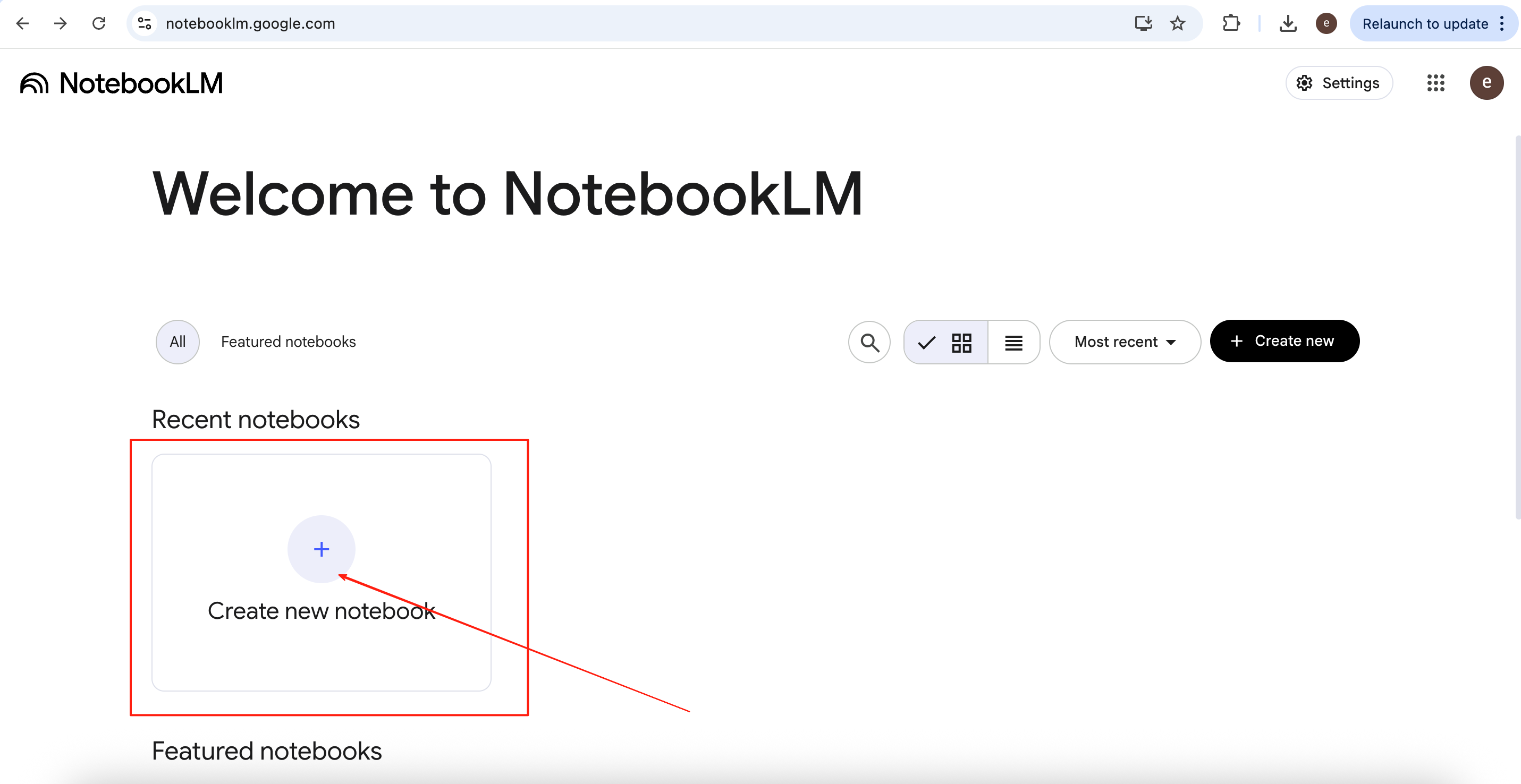
Open the NotebookLM website at <https://notebooklm.google.com/> and click Create new notebook.
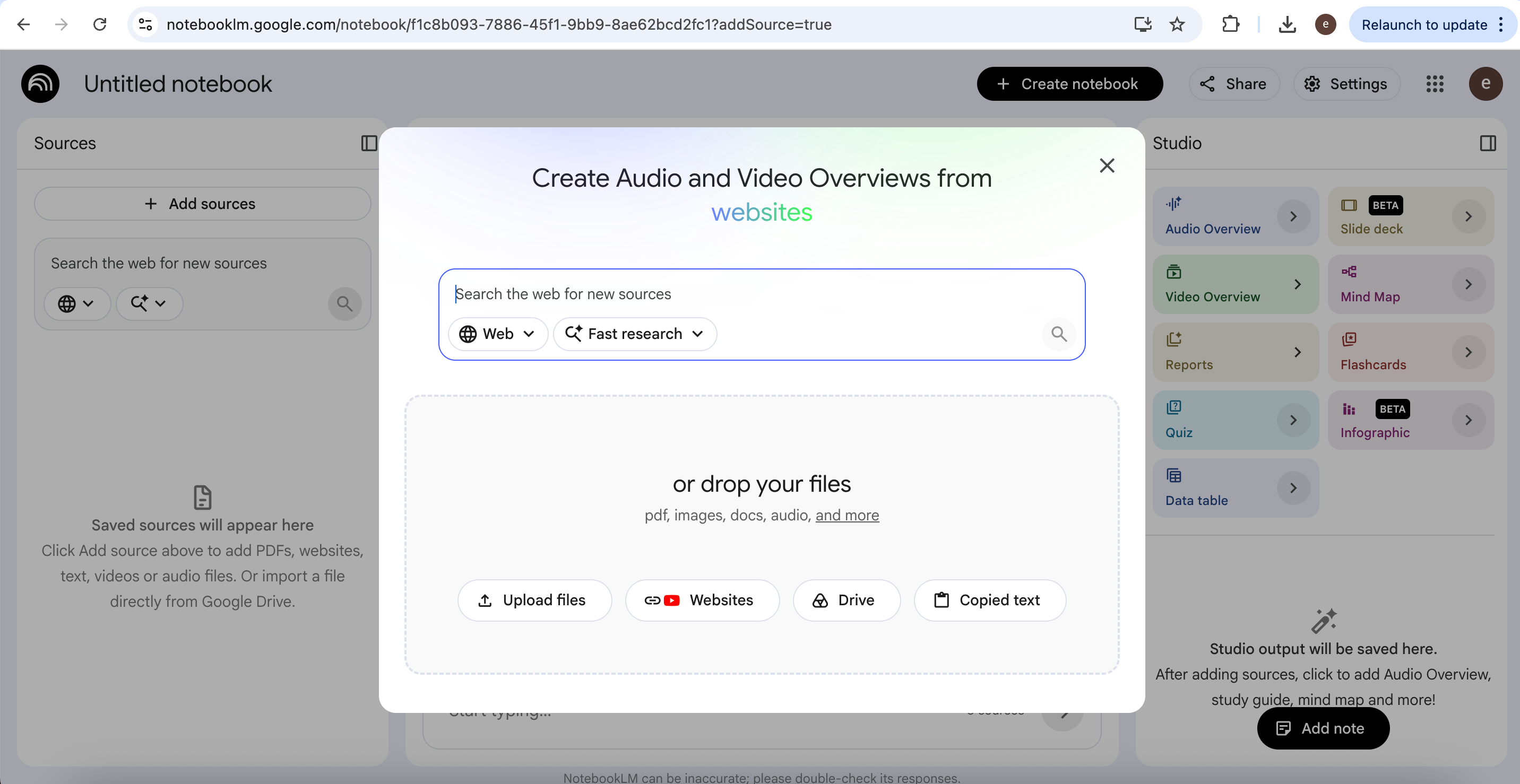
Paste a webpage URL into the dialogue box at the top, or upload downloaded documents into the NotebookLM workspace. In this example, we use Chapter 1 (pages 27–59) of Karl Marx’s Capital: A Critique of Political Economy, Volume I, published in 1867.
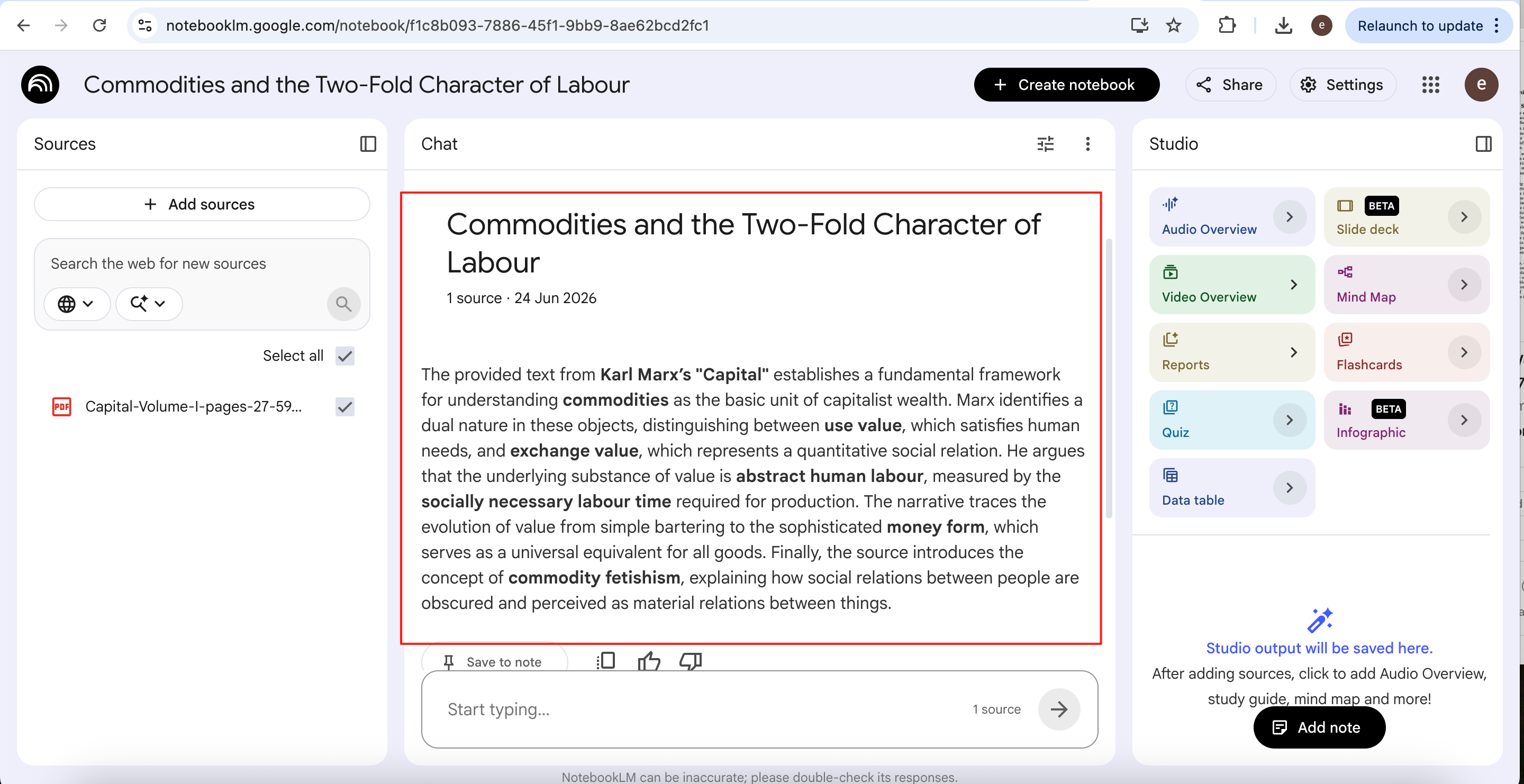
After the file is uploaded, NotebookLM automatically generates a summary, providing a quick overview of the document before you begin exploring it.
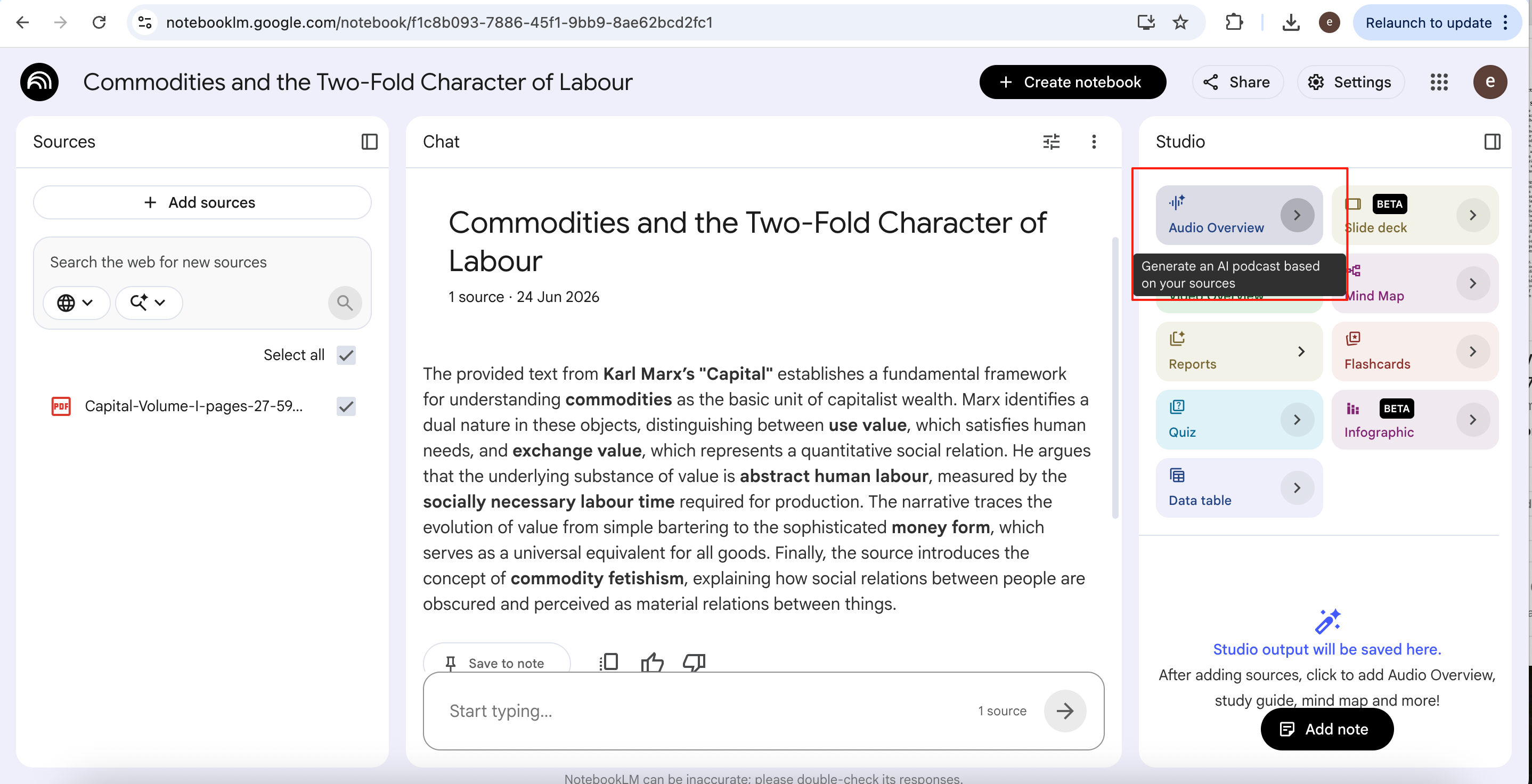
Hover over the Audio Overview button to see that NotebookLM can automatically transform the uploaded material into a podcast using AI.
Depending on the size of the source material, generation may take several minutes. For this 33 page excerpt, the process takes approximately 10 minutes.
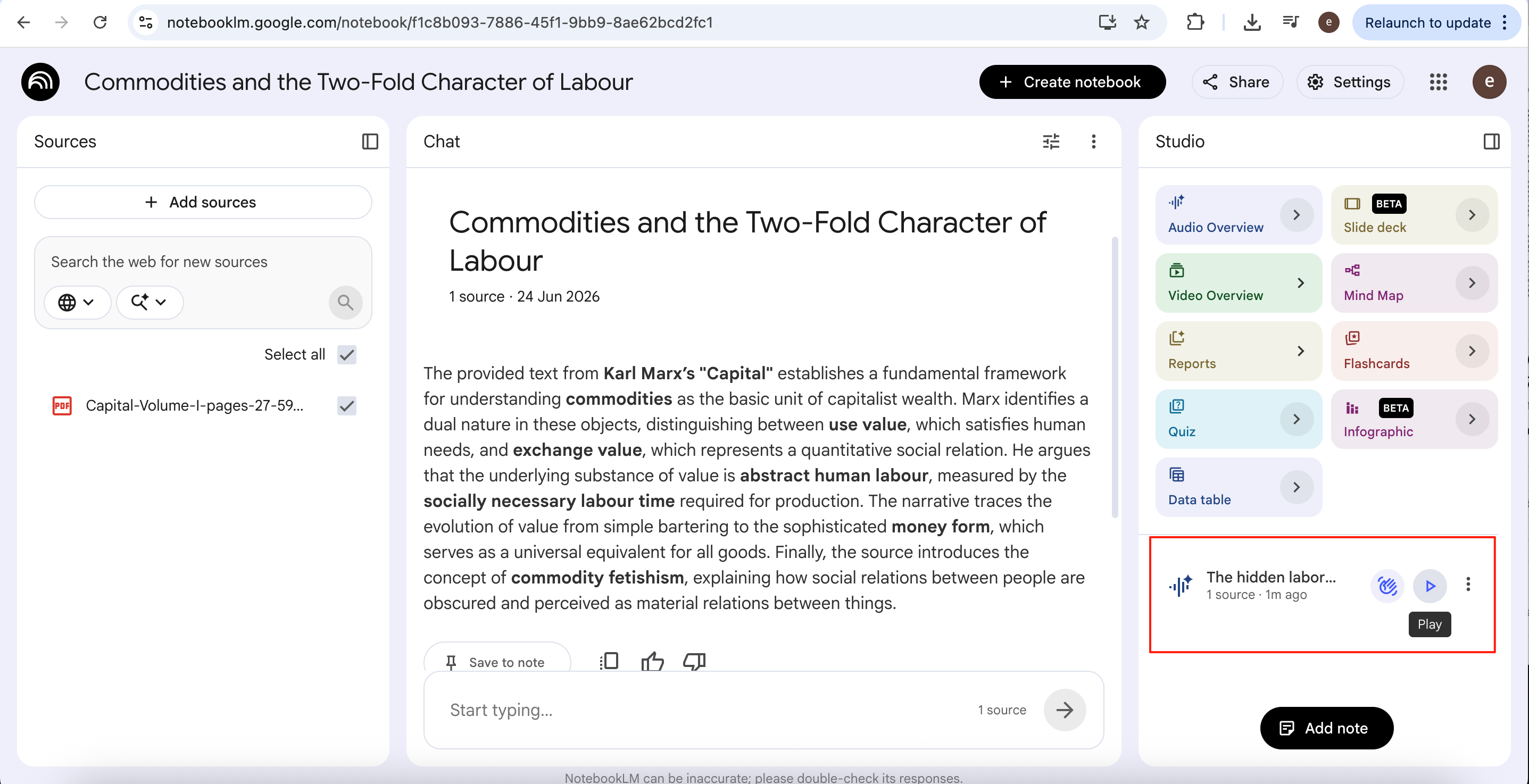
Once generation is complete, the audio file appears in the lower-right corner. Click the play button to listen to the podcast.
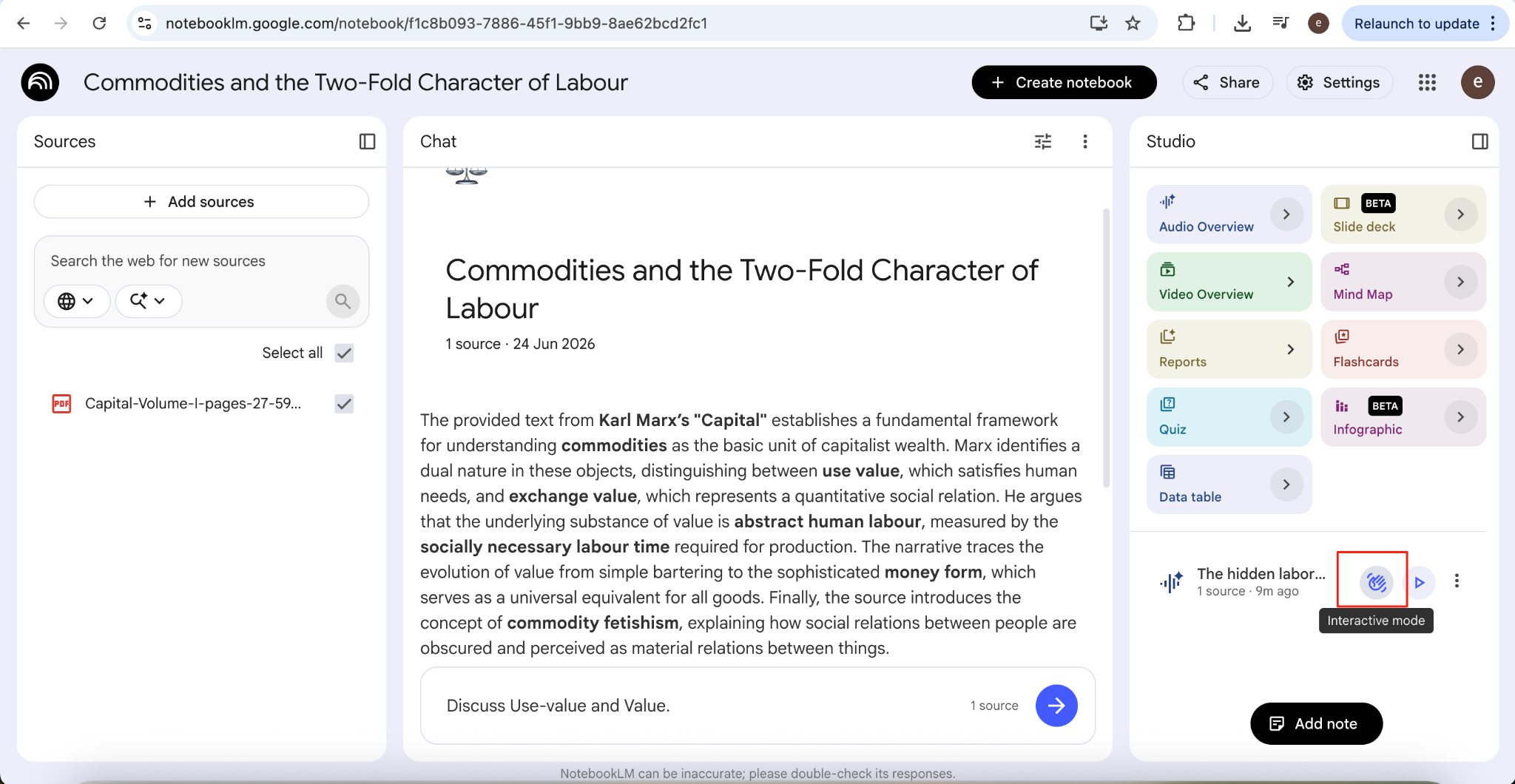
NotebookLM also offers an Interactive Mode, making the listening experience much more engaging. Instead of passively listening, you can interrupt the AI hosts and ask questions at any point during the discussion.
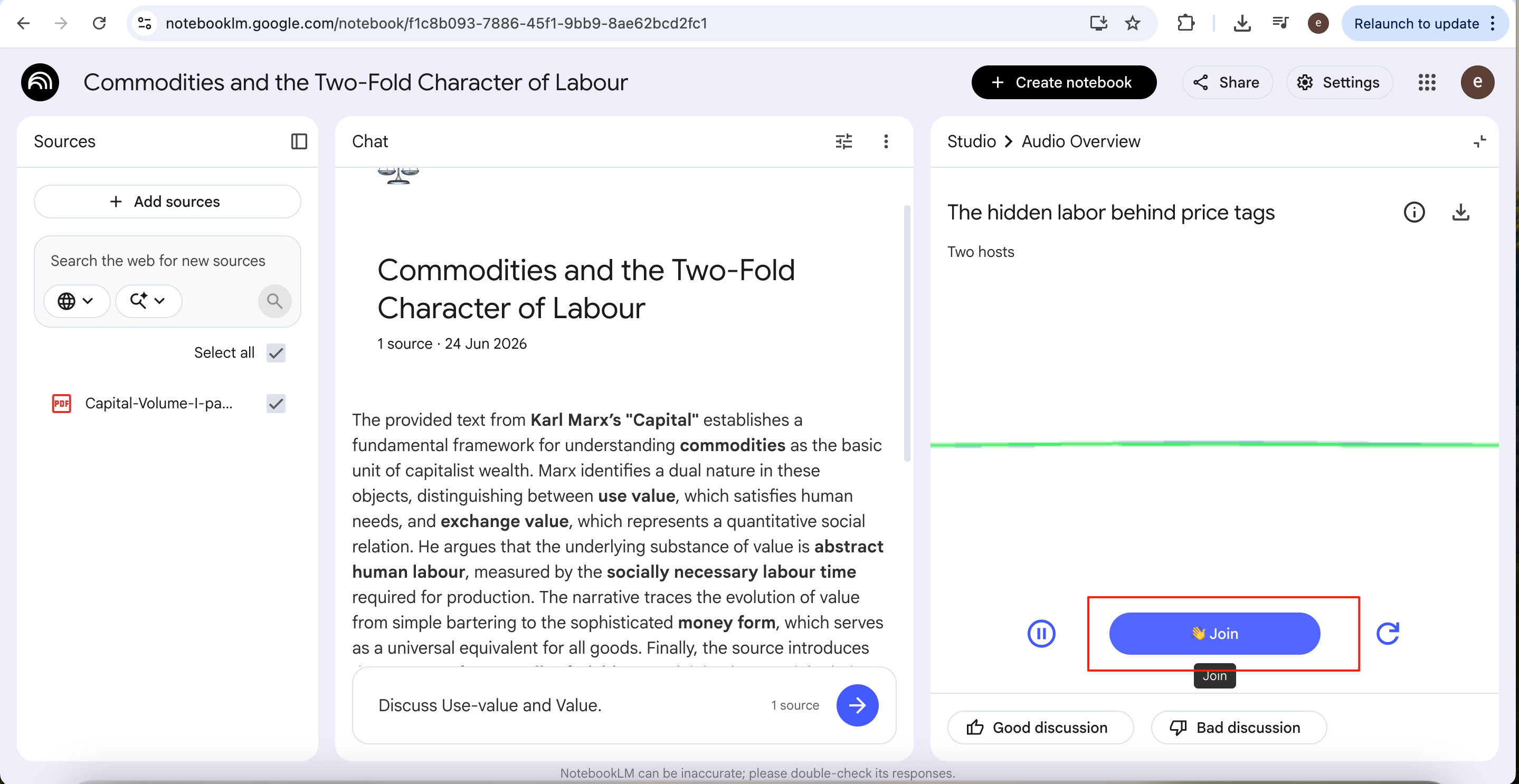
Click Join to enter the conversation. The AI hosts pause the discussion, answer your question, and then seamlessly continue where they left off.
The podcast generated by NotebookLM carries a natural rhythm and clear delivery, weaving a paper’s core ideas into a fluid two-person dialogue. Compared to reading a lengthy research paper from start to finish, this format is far better suited to quickly absorbing the key takeaways during spare moments.
You can listen to the full podcast created by NotebookLM in the Bandung Circuits repository.
Open Source AI Podcast Generators
Compared to mature AI podcast platforms like NotebookLM, the greatest advantage of open-source projects lies in their higher degree of freedom and stronger controllability. Users can freely choose from different large language models according to their own needs, striking a better balance among generation quality, response speed, and cost.
At the same time, most open-source projects support local deployment, so data does not need to be uploaded to third-party platforms, making them more suitable for scenarios that require privacy, security, or corporate data compliance. In addition, such projects usually support custom podcast personas, automation workflows through APIs, and allow developers to extend features or modify source code based on actual needs, unrestricted by commercial platforms.
If you want to delve deeper into AI podcasts, carry out secondary development, or build your own AI podcasting system, open-source solutions undoubtedly offer greater playability and room for expansion.
ai-podcast-creation Skill
The simplest open-source option is the ai-podcast-creation skill. Unlike NotebookLM, which produces a finished audio podcast, it generates the podcast script only. You can then bring that script to life however you prefer — record it yourselves, or convert it to audio with a text-to-speech tool. This suits a team whose hosts still want to voice the episode but would rather save the time writing the script.
Installing the skill is straightforward. Open Agent and enter the following command:
Please help me install this skill:
npx skills add inference-sh/skills@ai-podcast-creation
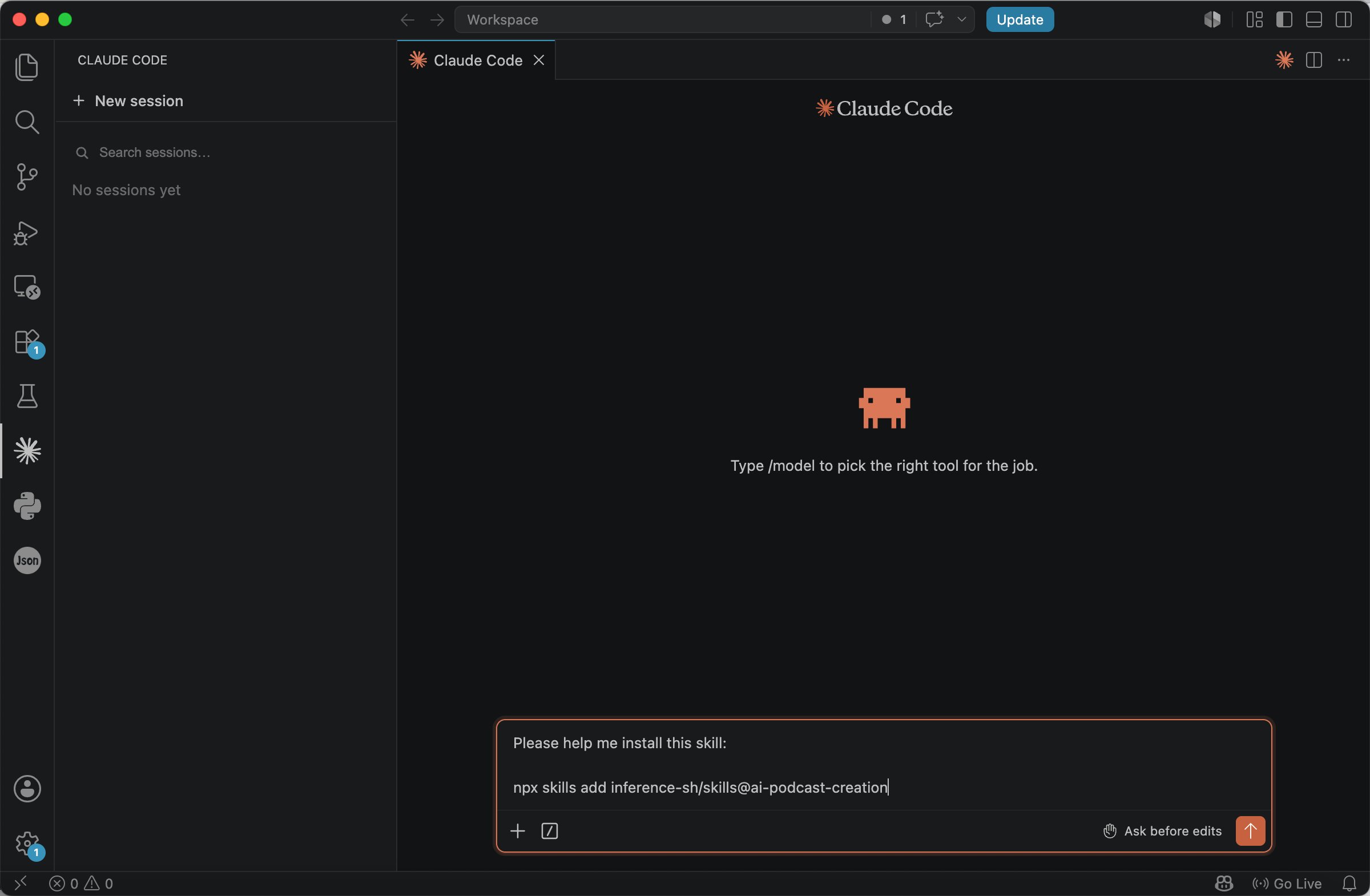
After installation finishes, restart VS Code to load the skill into your session. You can then generate a podcast script using a prompt such as:
/ai-podcast-creation Please generate a podcast for @project/AI-podcast/Capital-Volume-I-pages-27-59.pdf
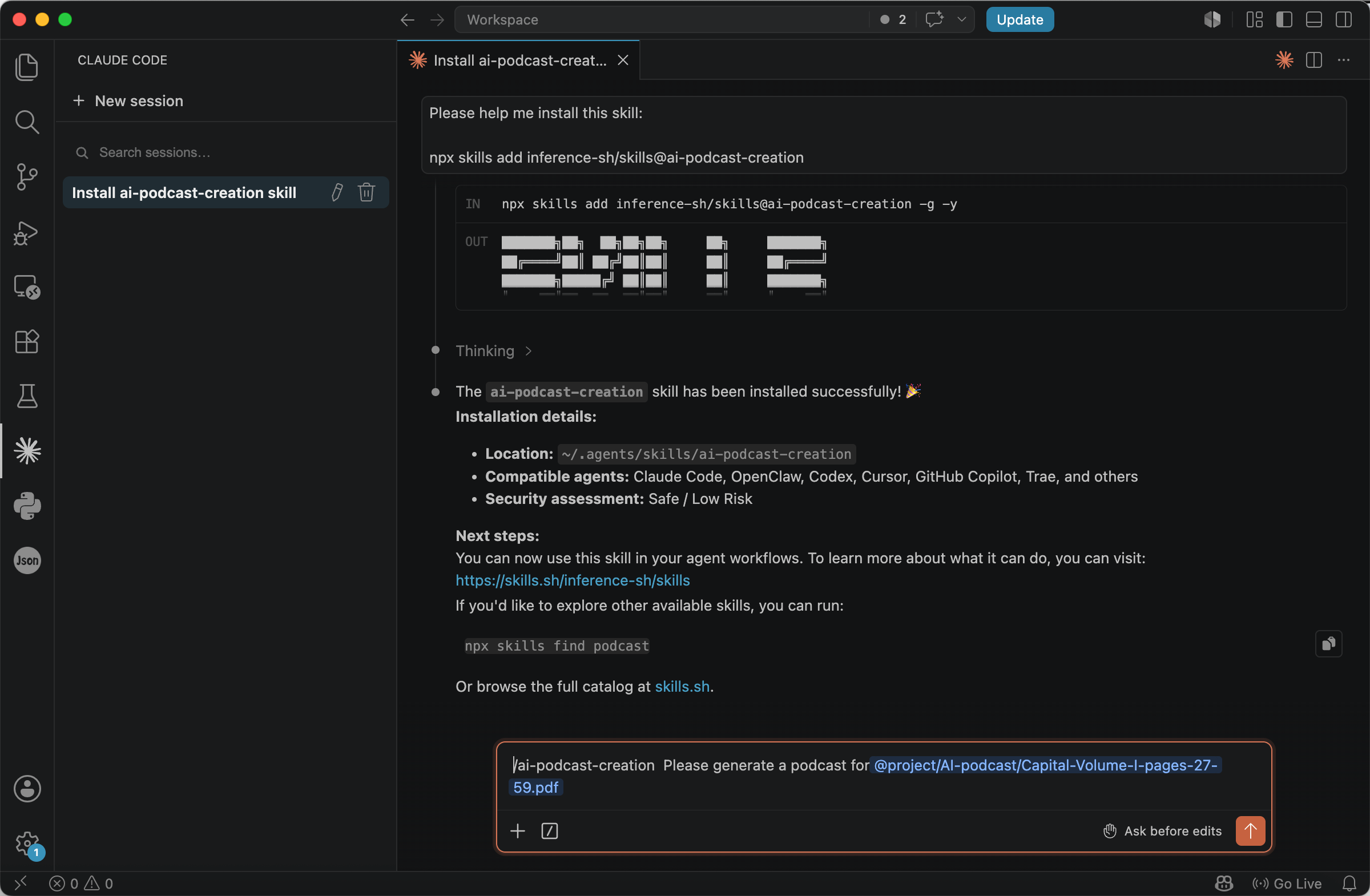
The primary purpose of this skill is to generate podcast scripts, with the final output presented as a natural conversation between multiple hosts.
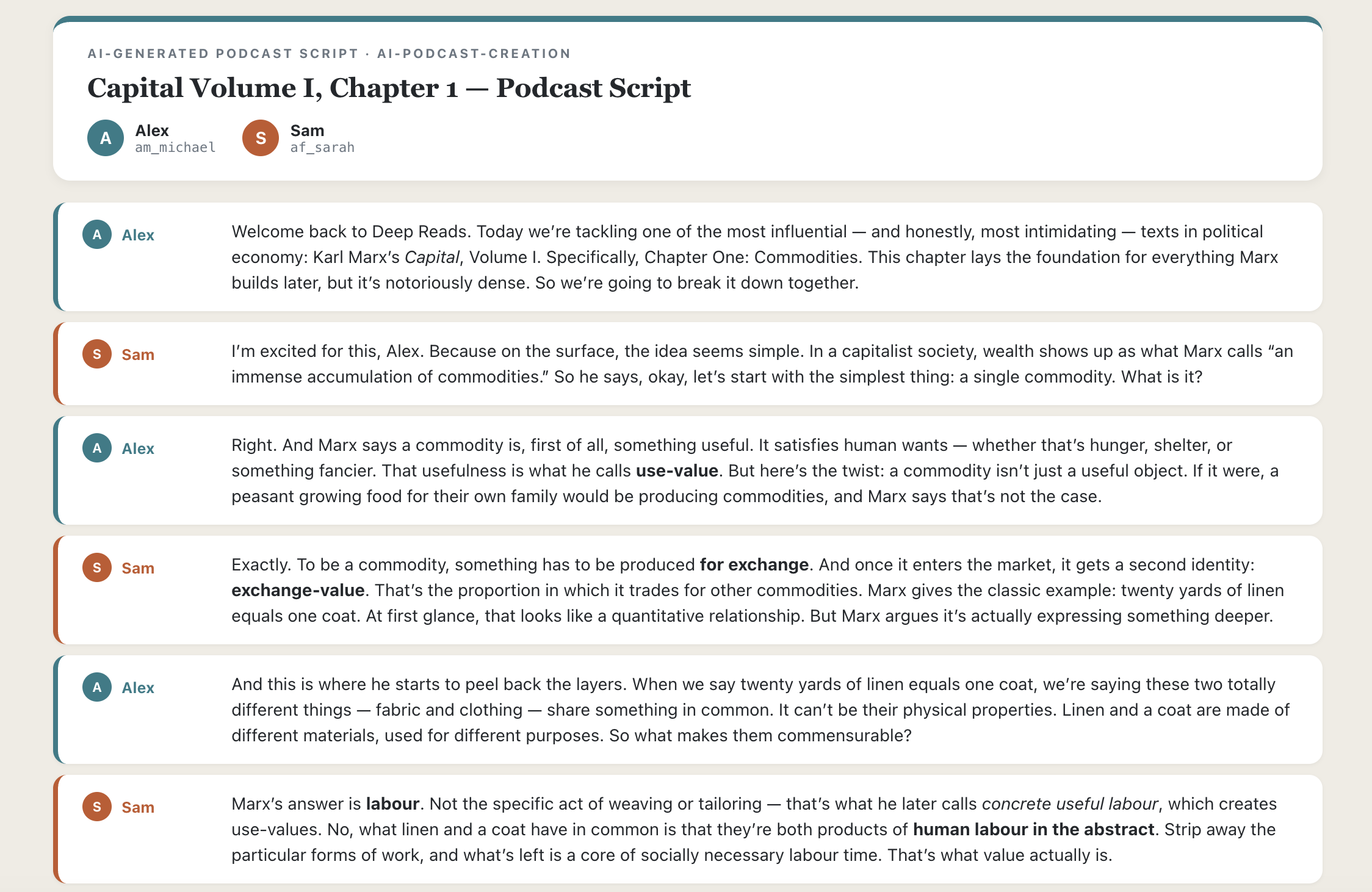
The full script is available in the Bandung Circuits repository.
Open Notebook
Open Notebook has a very clear positioning: it aims to become the open-source alternative to NotebookLM.
Officially, it is defined as an AI platform for research, learning, and knowledge management, not merely a podcast generation tool. As a result, besides supporting AI podcast generation, it also offers common NotebookLM features such as AI Q&A, AI notes, and AI summarisation.
More importantly, Open Notebook is also very friendly to ordinary users. The project provides a complete Web UI, so even without any programming background, you can generate AI podcasts through a visual interface, just like using ordinary desktop software.
Before installing it, there is one prerequisite worth understanding: because Open Notebook runs on your own computer but still relies on external AI models, you will need an API key.
What Is an API Key?
If you plan to try out local AI projects, an API key is essentially unavoidable. Although many AI applications run locally, the core capabilities that actually consume computing resources and determine output quality usually still come from third-party AI services.
Take AI podcasting as an example: the entire generation pipeline typically involves multiple steps such as article comprehension, content summarisation, script generation, and speech synthesis. If you rely entirely on local models to complete these tasks, not only will you need a fairly high hardware configuration, but the generation speed and final quality will often fall short compared to cloud-based models, making the overall cost-effectiveness quite low.
Therefore, most projects will call model services such as OpenAI, Google, Anthropic to handle these core tasks, and an API key is essentially the key to accessing these services. Only after configuring an API key in your local project can you successfully invoke the corresponding models. Of course, model providers will charge API fees based on actual usage.
Installing and Configuring Open Notebook
It is recommended to use an AI agent to automatically complete the installation and configuration of Open Notebook. After opening VS Code, simply enter the prompt below.
Set up Open Notebook on this computer.
If Git is installed, clone https://github.com/lfnovo/open-notebook.git. Otherwise, download https://github.com/lfnovo/open-notebook/archive/refs/tags/v1.10.0.zip and extract it.
Follow the instructions in README.md to install dependencies and start the application.
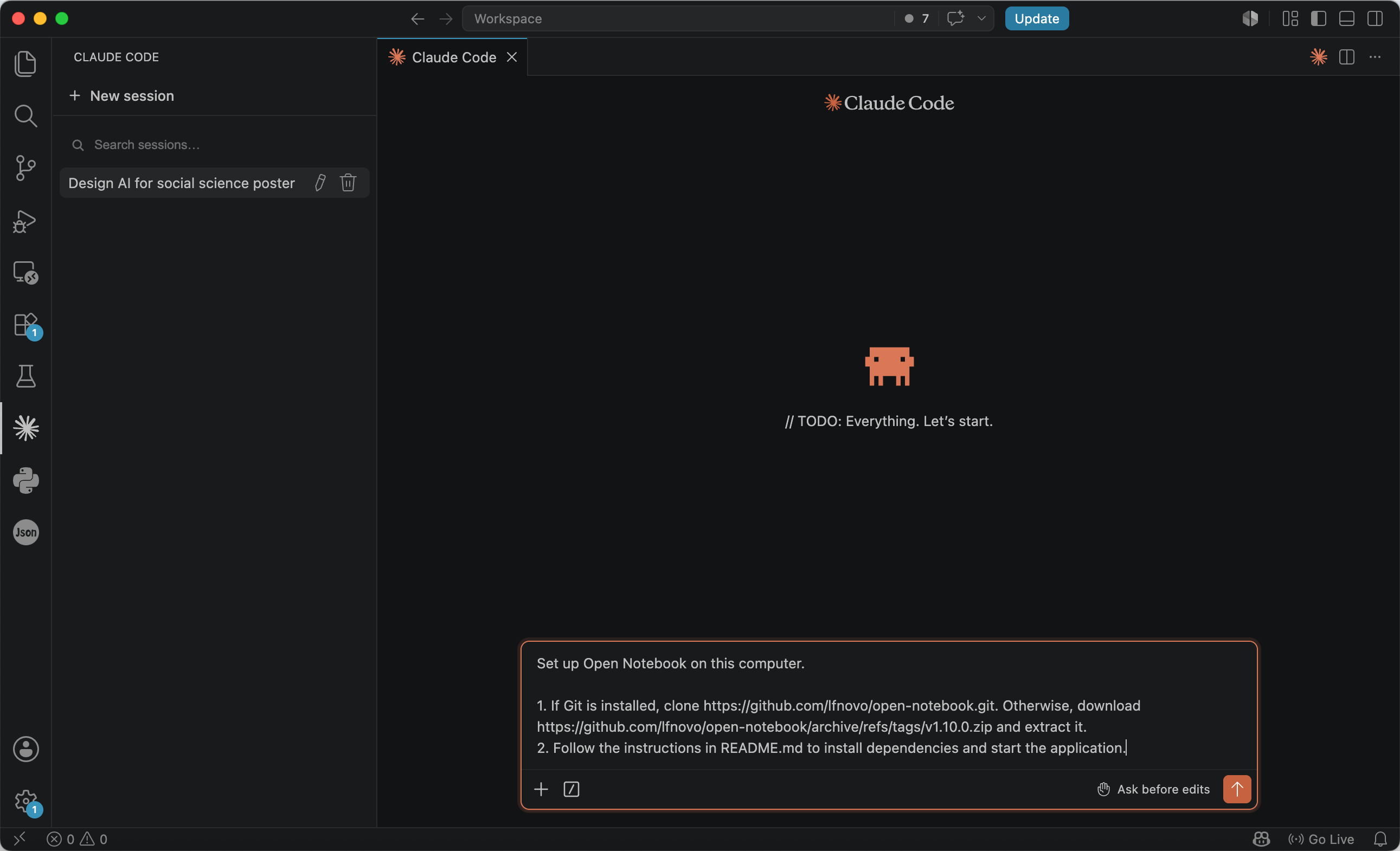
After the installation completes, the Web UI will usually open automatically. If it does not start automatically, you can visit http://localhost:8502 in your browser.
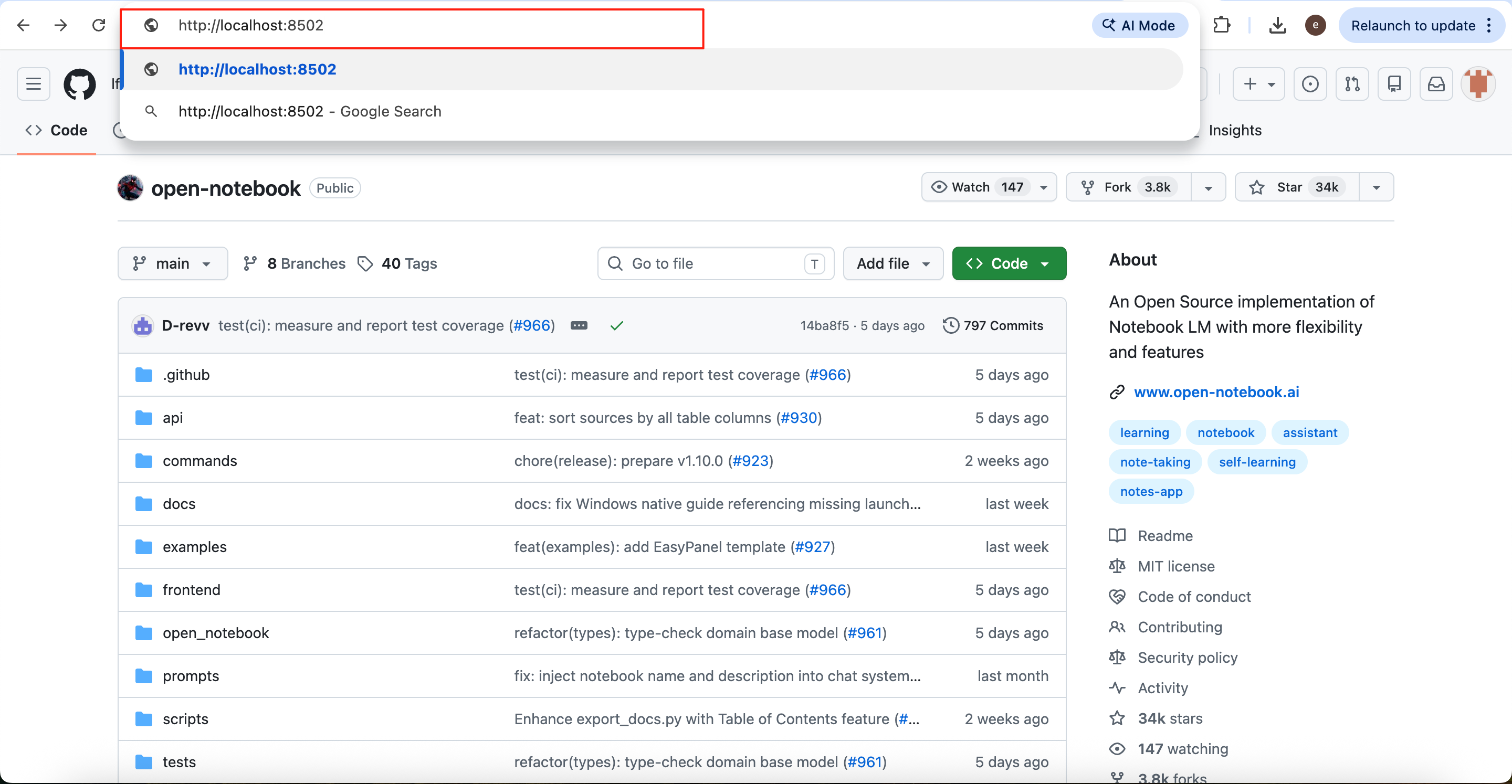
Click the Models button in the lower left corner to enter the model configuration page.
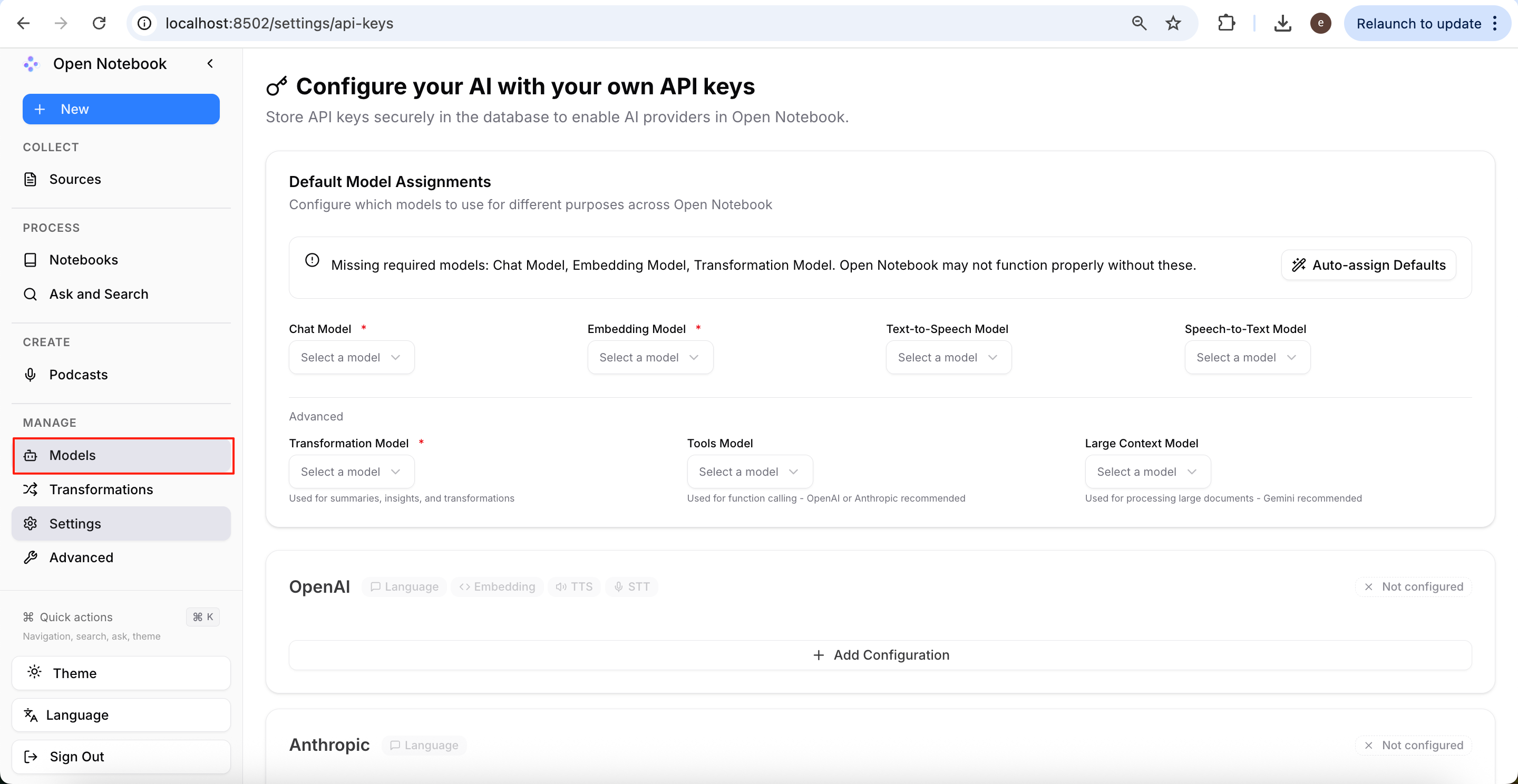
Open Notebook supports multiple model service providers. Below we will use OpenAI as an example for configuration.
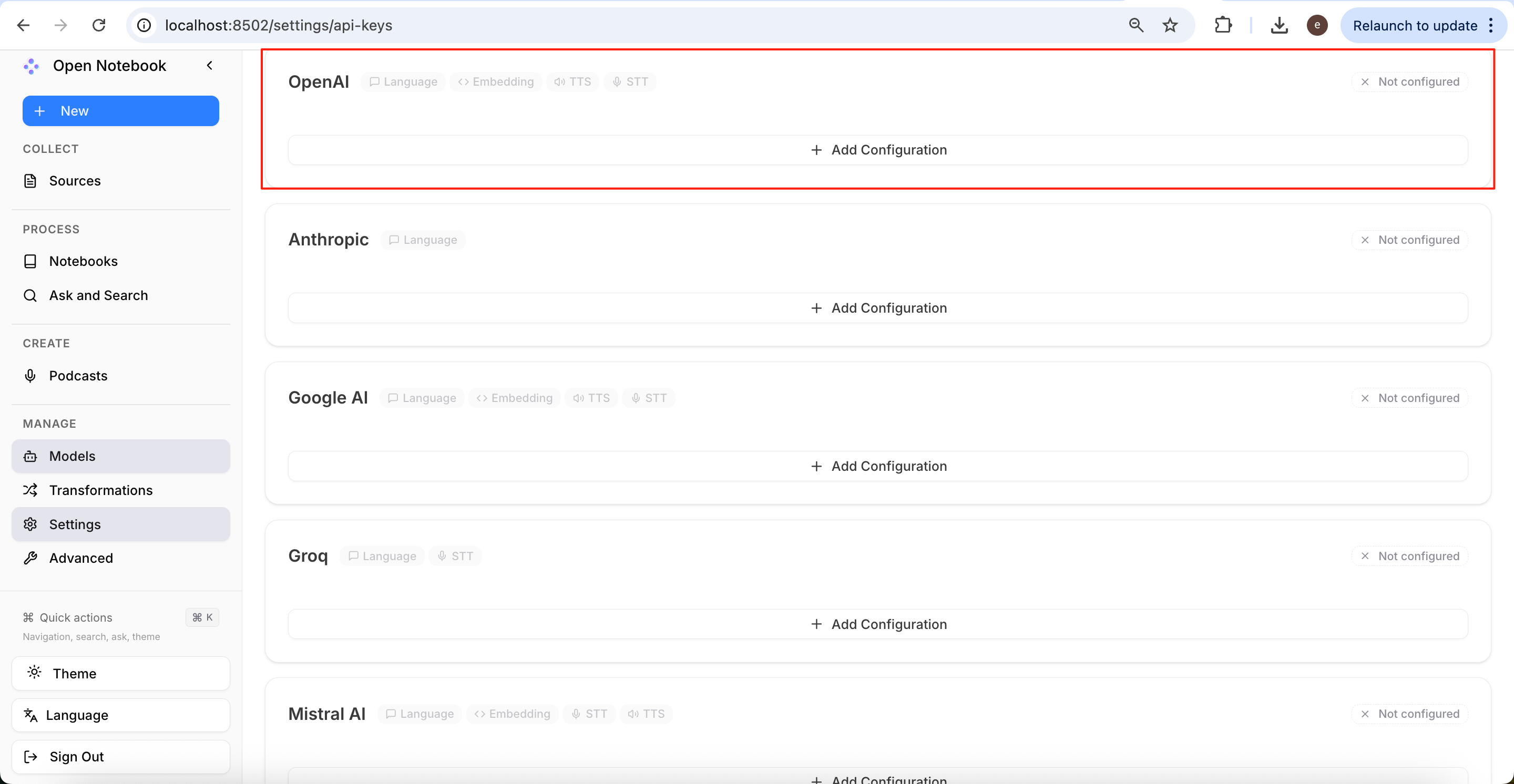
First, go to the OpenAI platform to create an API Key.
https://platform.openai.com/api-keys
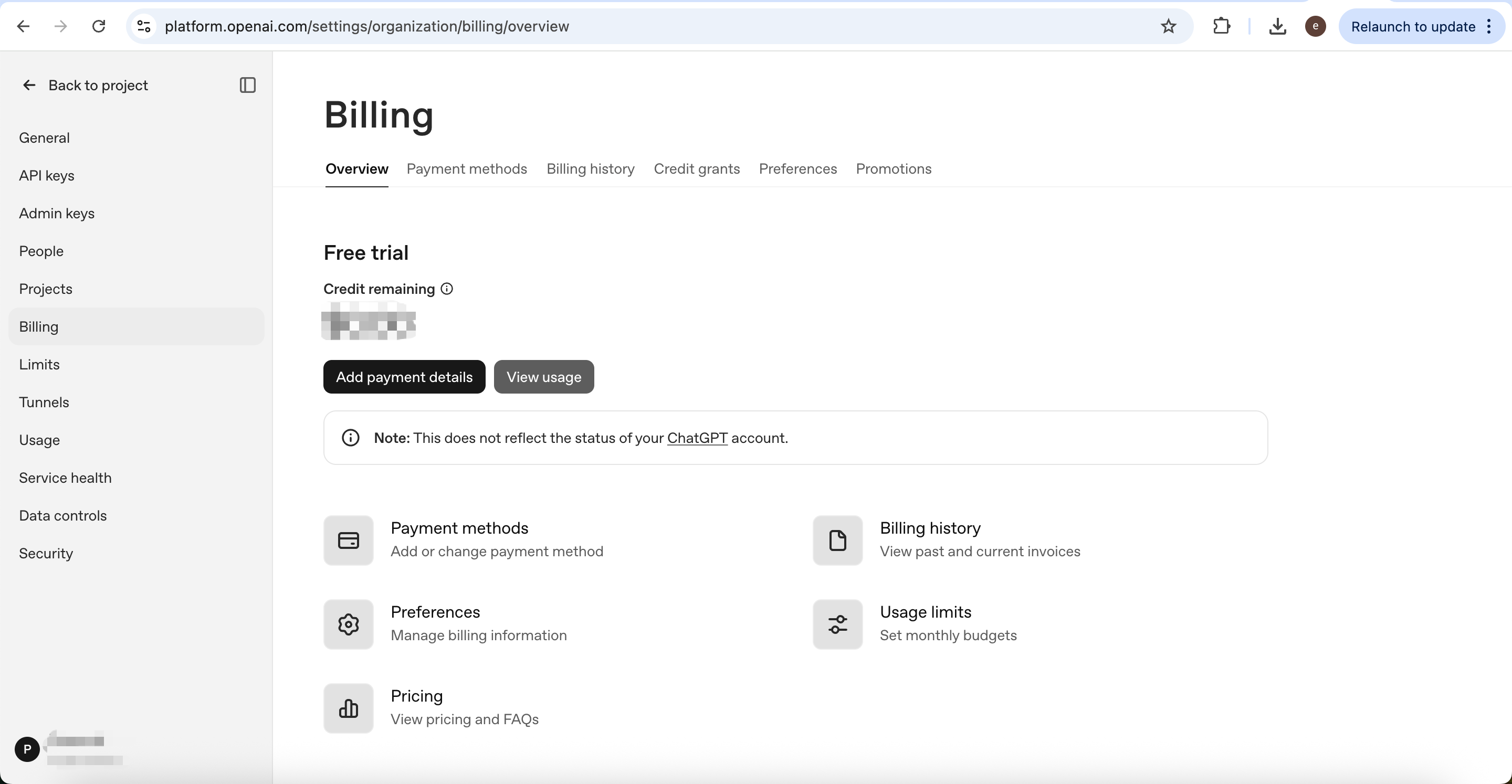
Note that the OpenAI API and ChatGPT Plus subscription are not interchangeable; the API service requires a preloaded balance before it can be used normally.
https://platform.openai.com/settings/organization/billing/overview
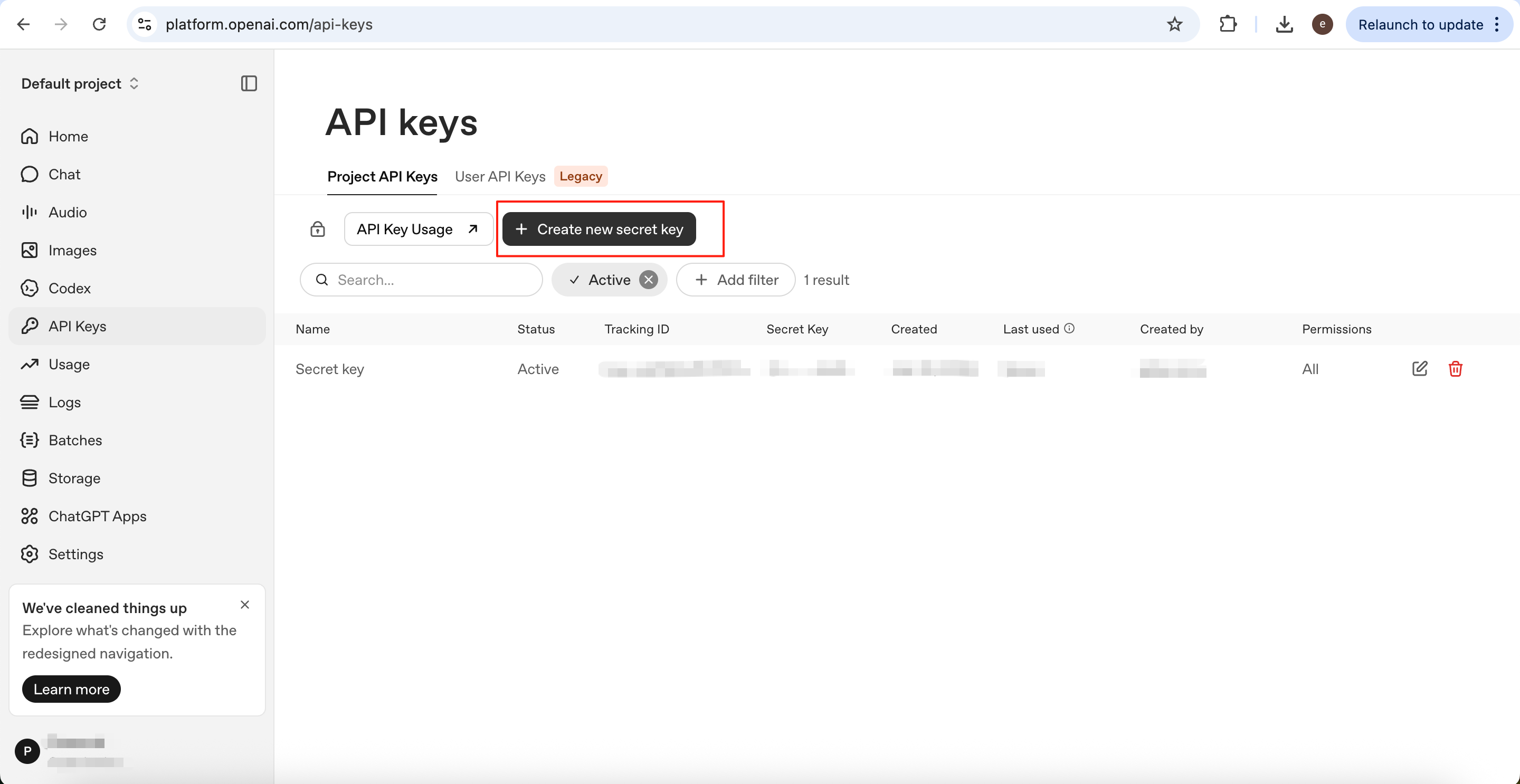
Click Create new secret key to create a new API Key.
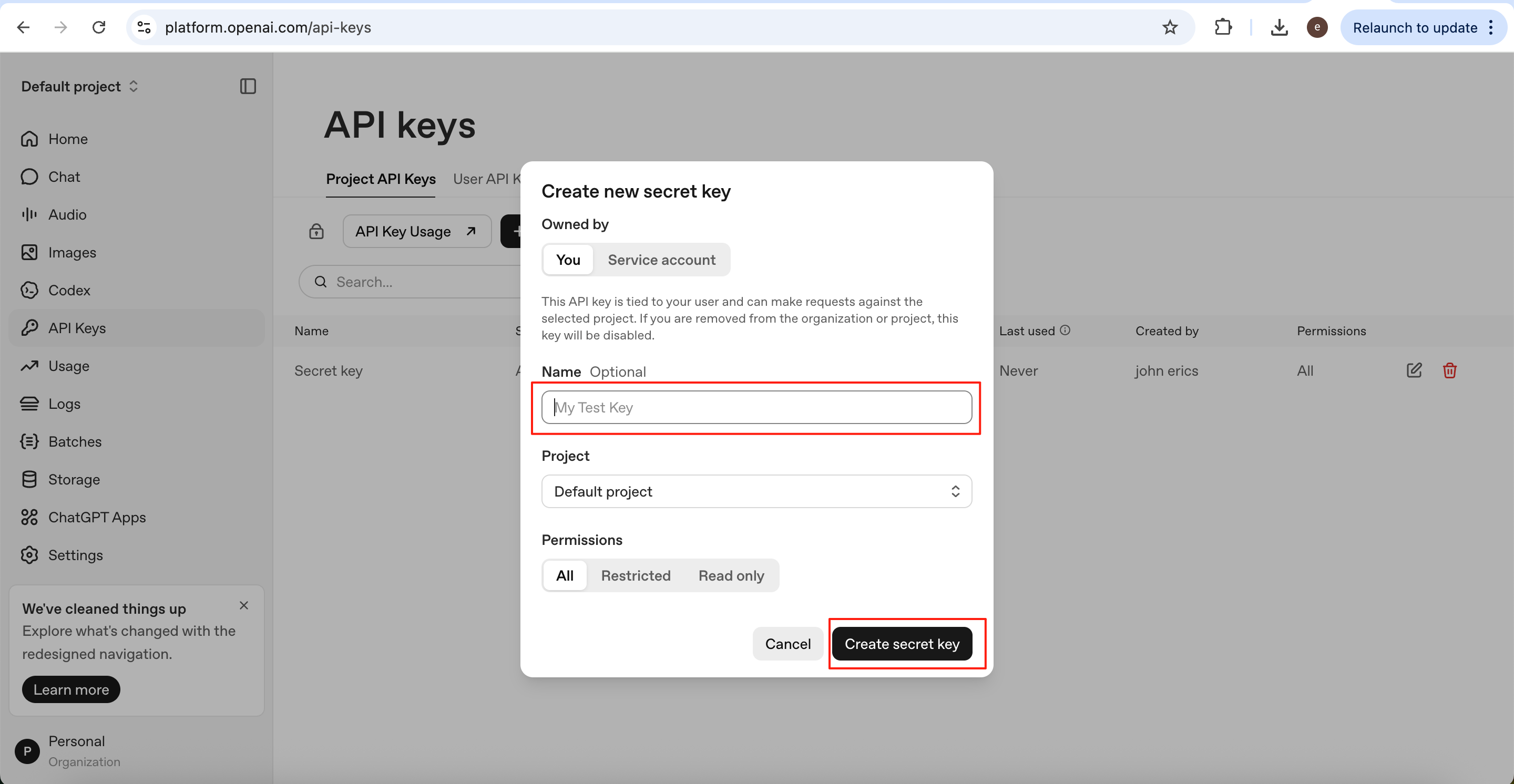
Fill in the API Key name, then click Create secret key.
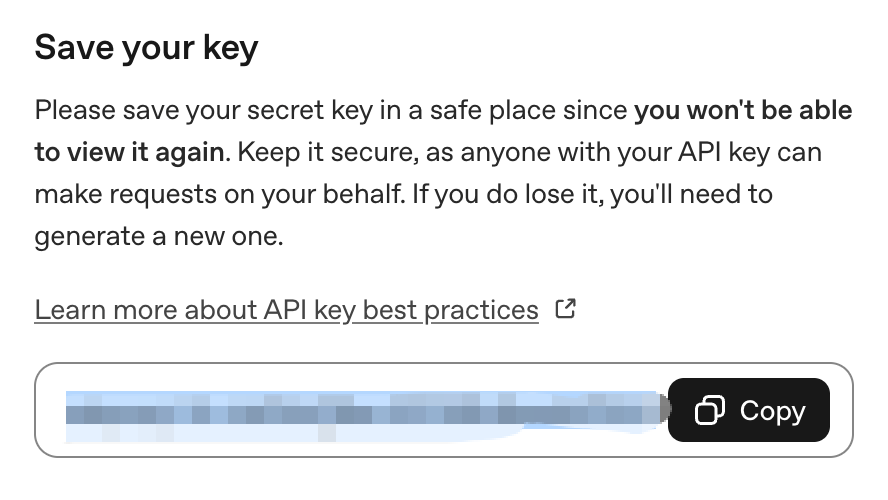
The API Key will be shown only once, so it is recommended to copy and save it immediately. Its format is usually sk-xxxxx.
Then return to Open Notebook and click Add Configuration.
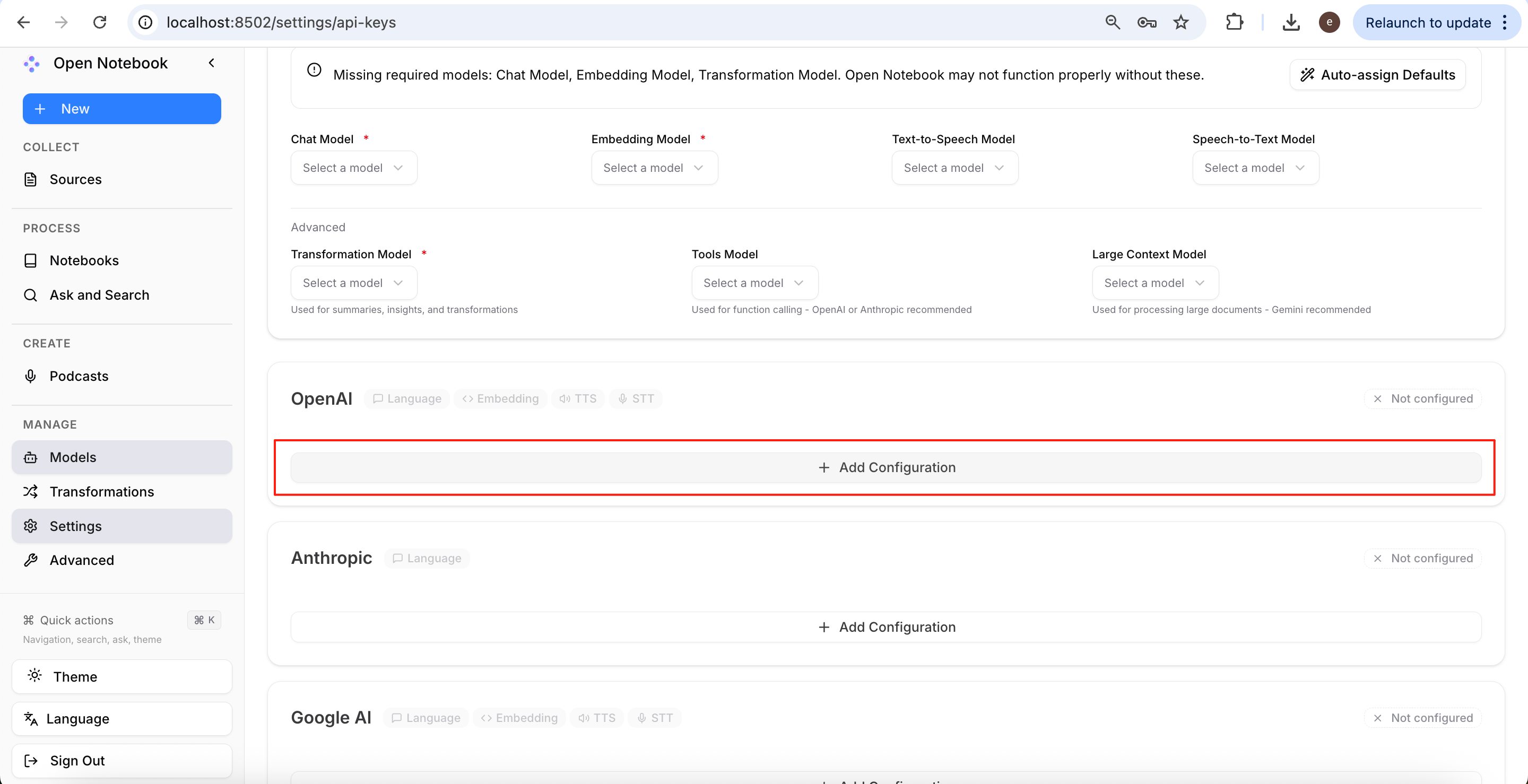
Fill in the Configuration Name and paste the API Key you just saved to complete the setup.
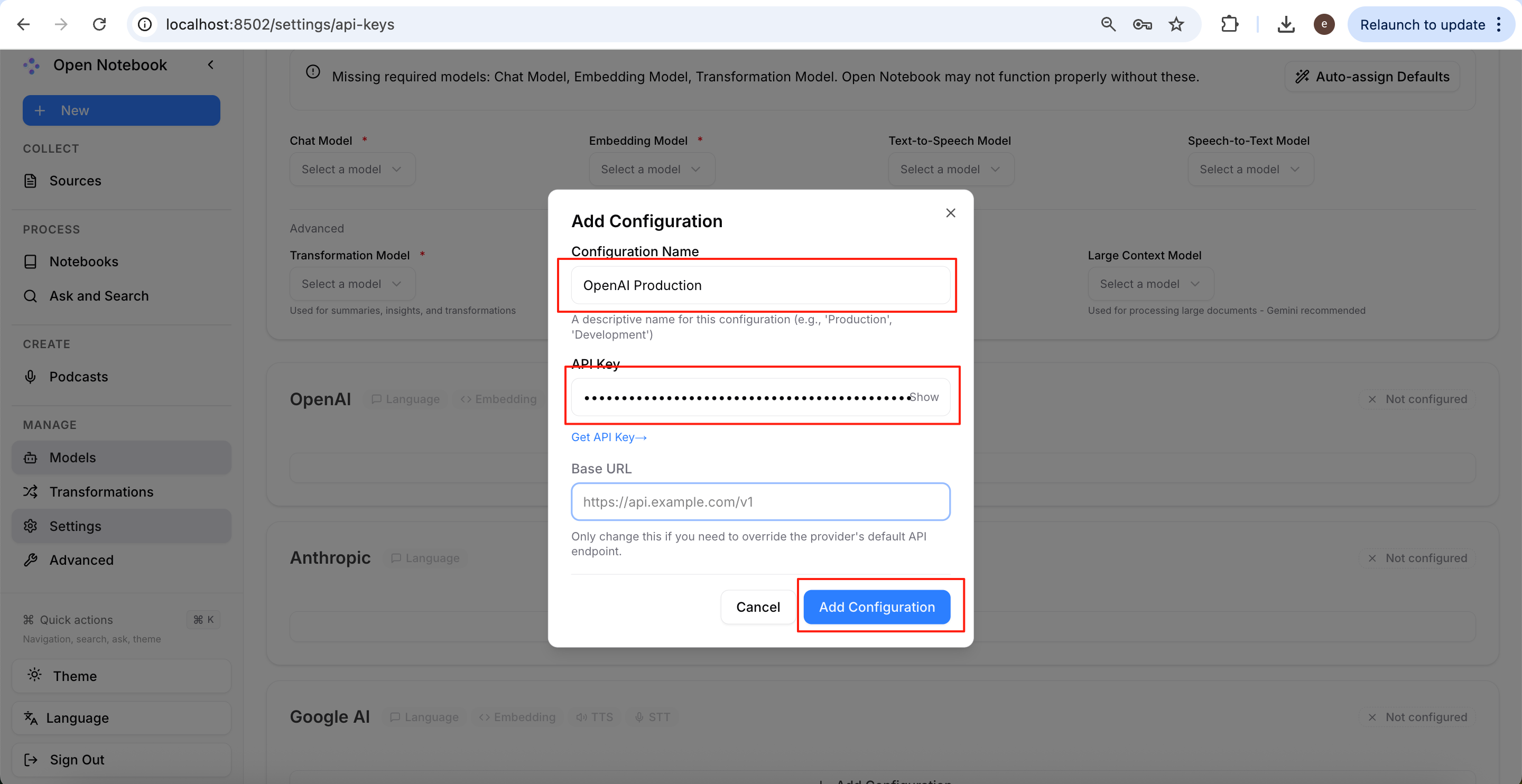
You can click Test to check whether the API can be called successfully. If the test fails, first verify that your API account balance is sufficient.
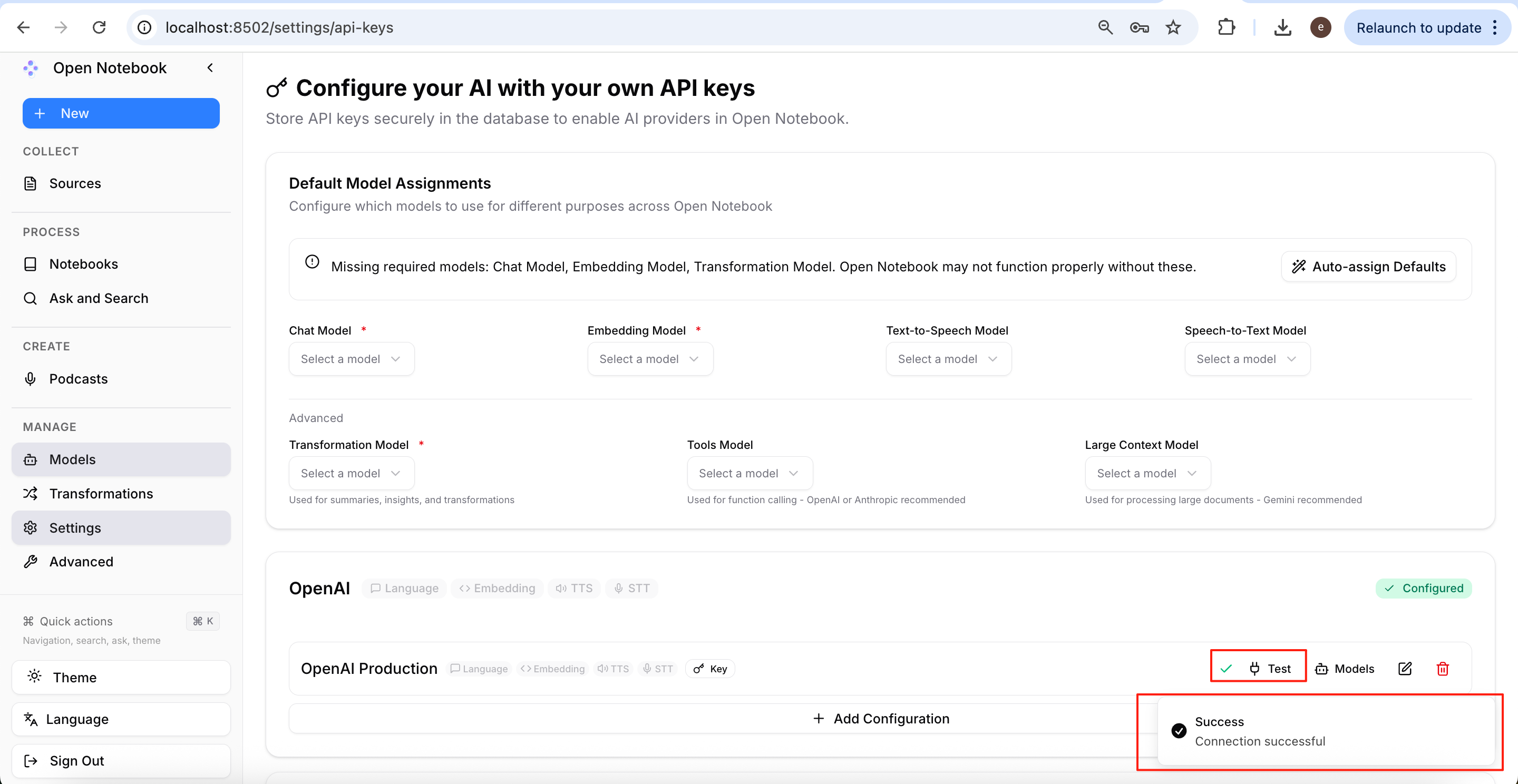
After confirming the configuration is successful, click Models to start adding models.
Open Notebook requires you to configure four types of models:
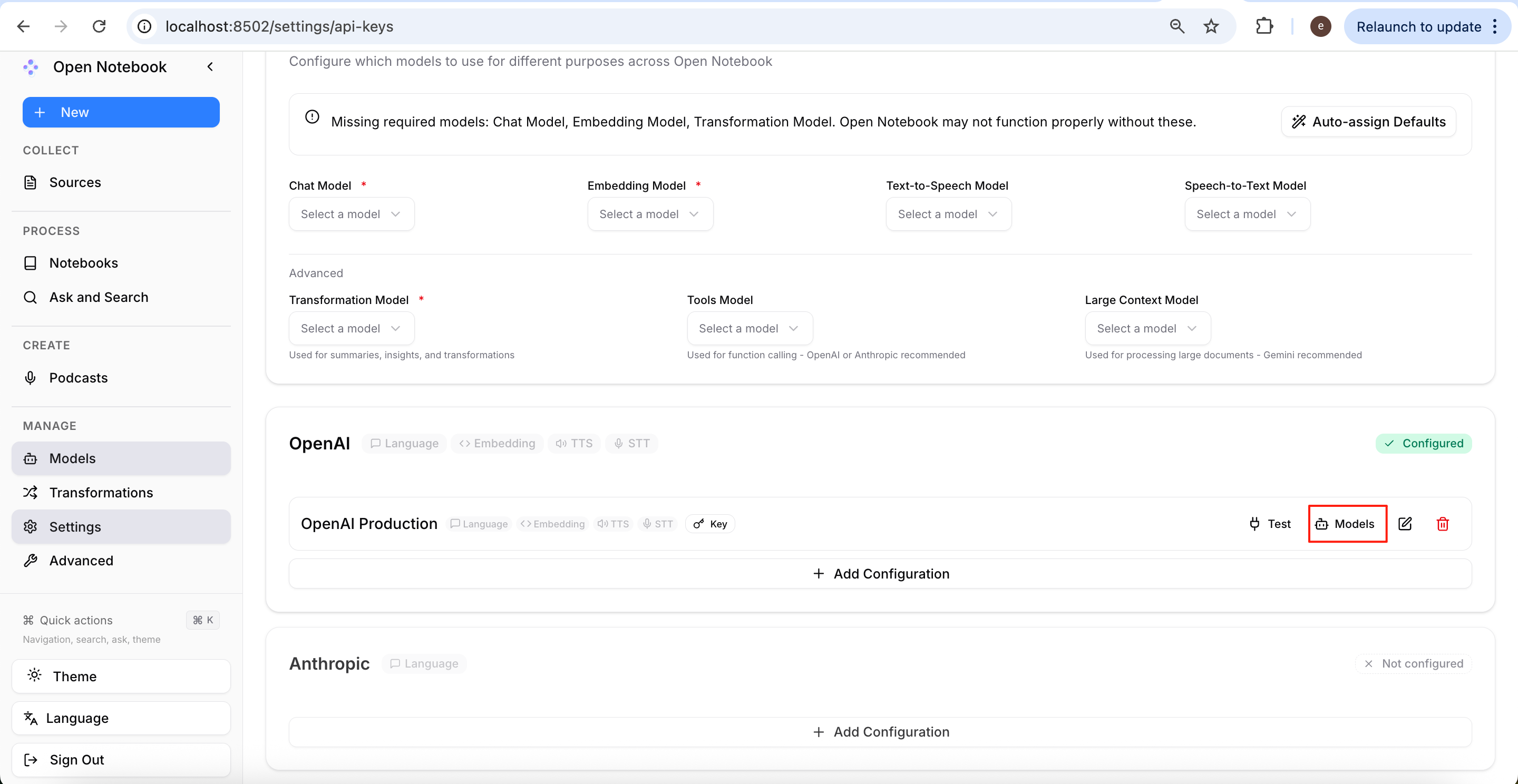
- Language (Large Language Model): Responsible for text tasks such as conversation, summarisation, reasoning, and content generation.
- Embedding (Text Embedding Model): Responsible for converting text into vector embeddings, used for RAG, semantic search, similarity computation, and related functions.
- TTS (Text-to-Speech): Responsible for converting text into speech.
- STT (Speech-to-Text): Responsible for speech recognition and transcription.
Below that, all models currently supported by OpenAI will be displayed.
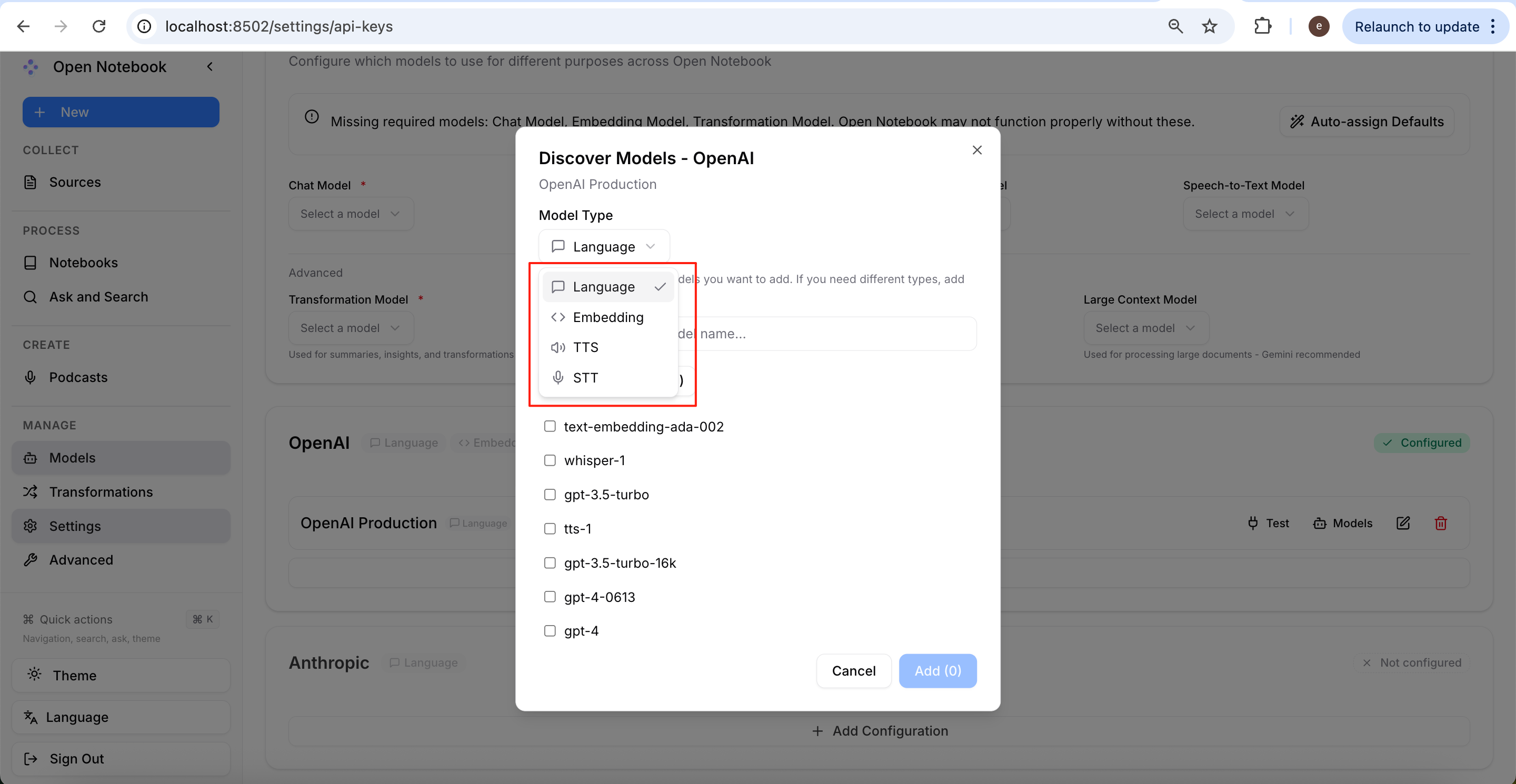
If you are unfamiliar with the differences between these models, you can hand the model list over to AI and let it help recommend the most suitable configuration. (Replace [Model List] below with the actual model list.)
I need to select the most appropriate model for each of the following four task categories from the model list below, and I would like you to explain your recommendations.

The task categories are:

**Language (LLM):** General-purpose text generation, including conversational AI, question answering, reasoning, summarization, and content generation.

**Embedding:** Converting text into vector embeddings for semantic search, retrieval-augmented generation (RAG), similarity search, clustering, and related applications.

**TTS (Text-to-Speech):** Converting text into natural-sounding speech.

**STT (Speech-to-Text):** Transcribing spoken audio into text.

For each task category, please:

- Recommend the best-suited model.
- Briefly explain why it is recommended, considering factors such as capability, performance, latency, and cost.
- Clearly indicate if no suitable model exists for a particular category.
- If any listed model is deprecated or outdated (for example, `text-embedding-ada-002`), recommend the most appropriate modern replacement instead.

Using the following model list:
[Model List]
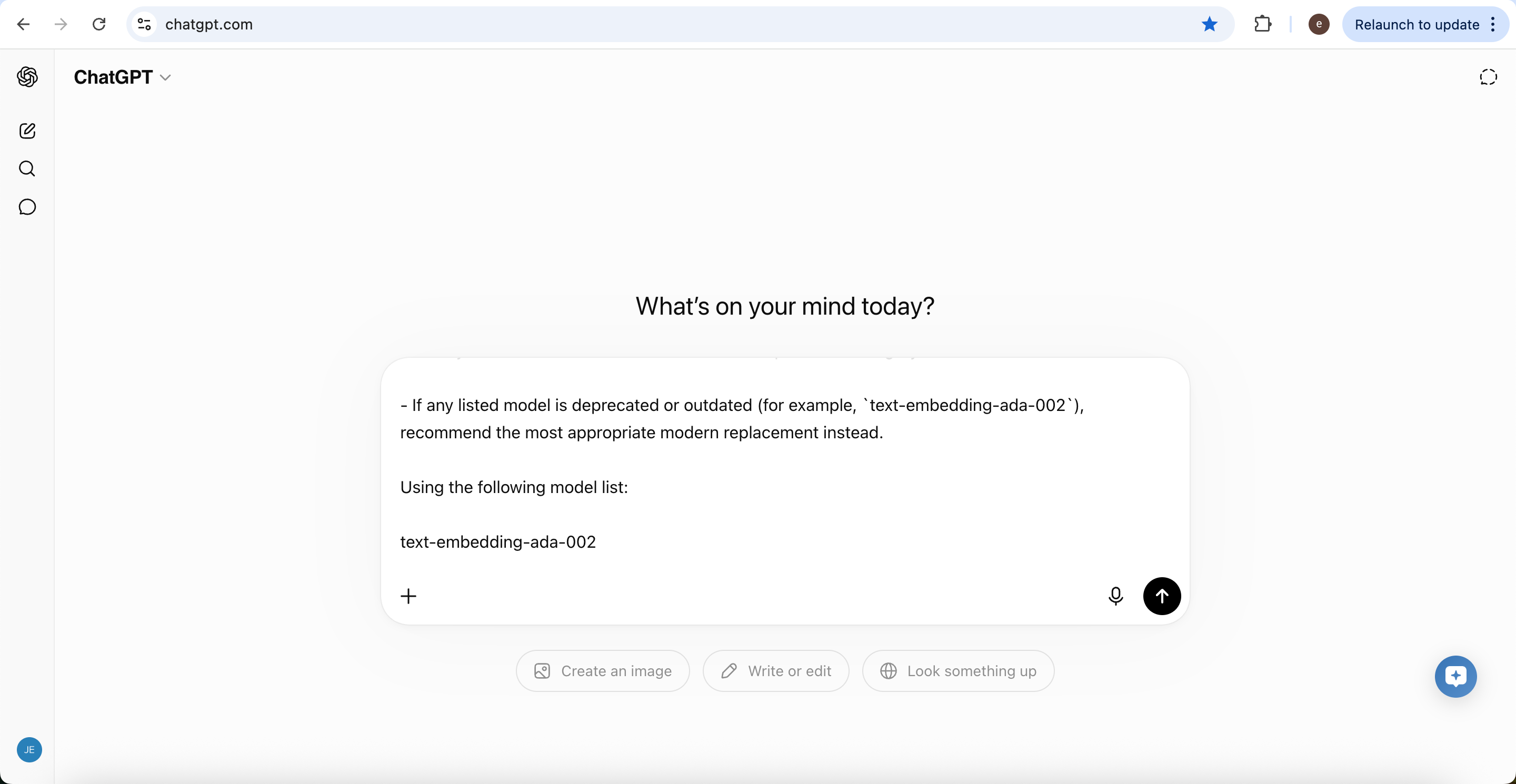
In this article, we will use the model combination recommended by GPT to generate a podcast:
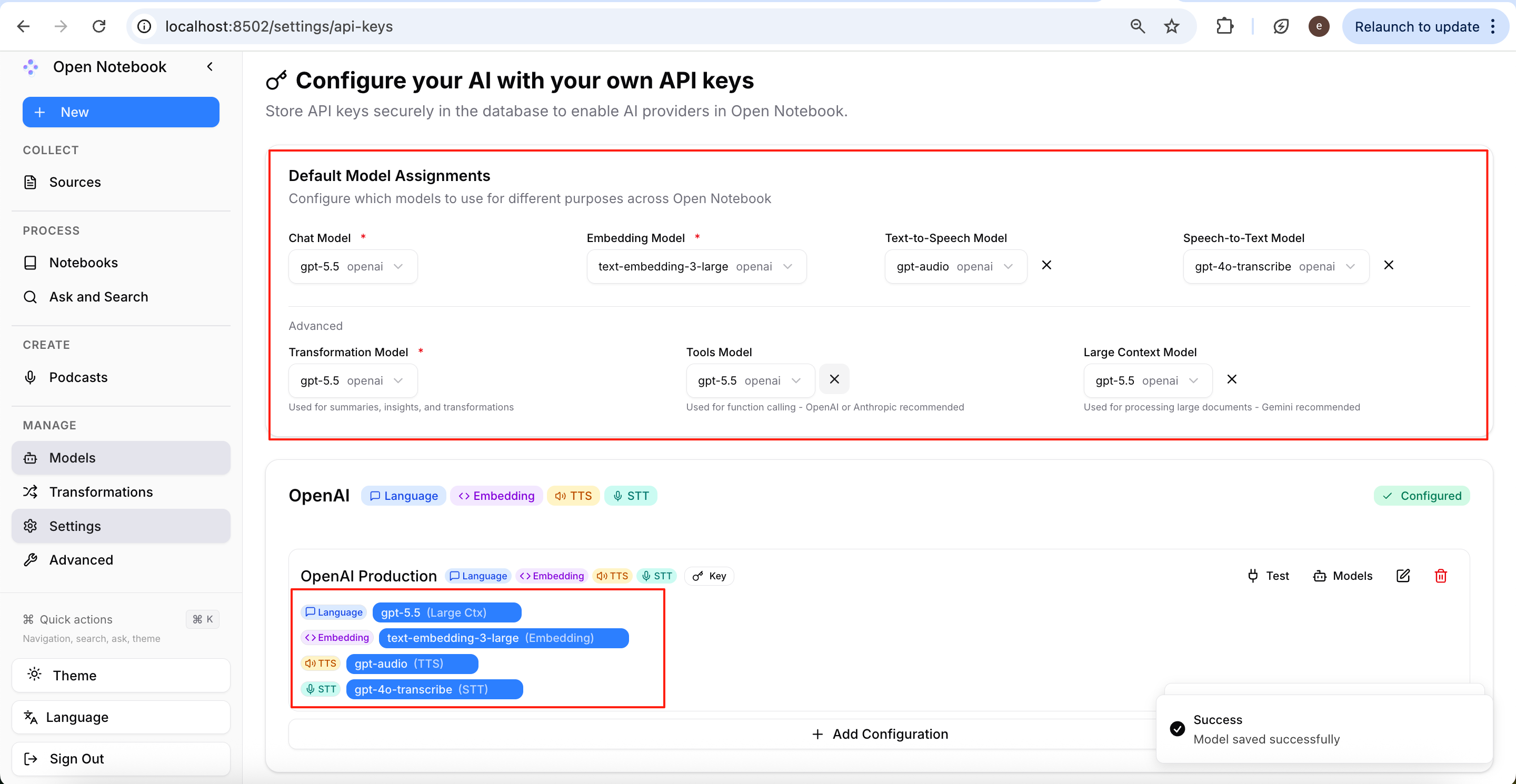
- Language: gpt-5.5
- Embedding: text-embedding-3-large
- TTS: gpt-audio
- STT: gpt-4o-transcribe
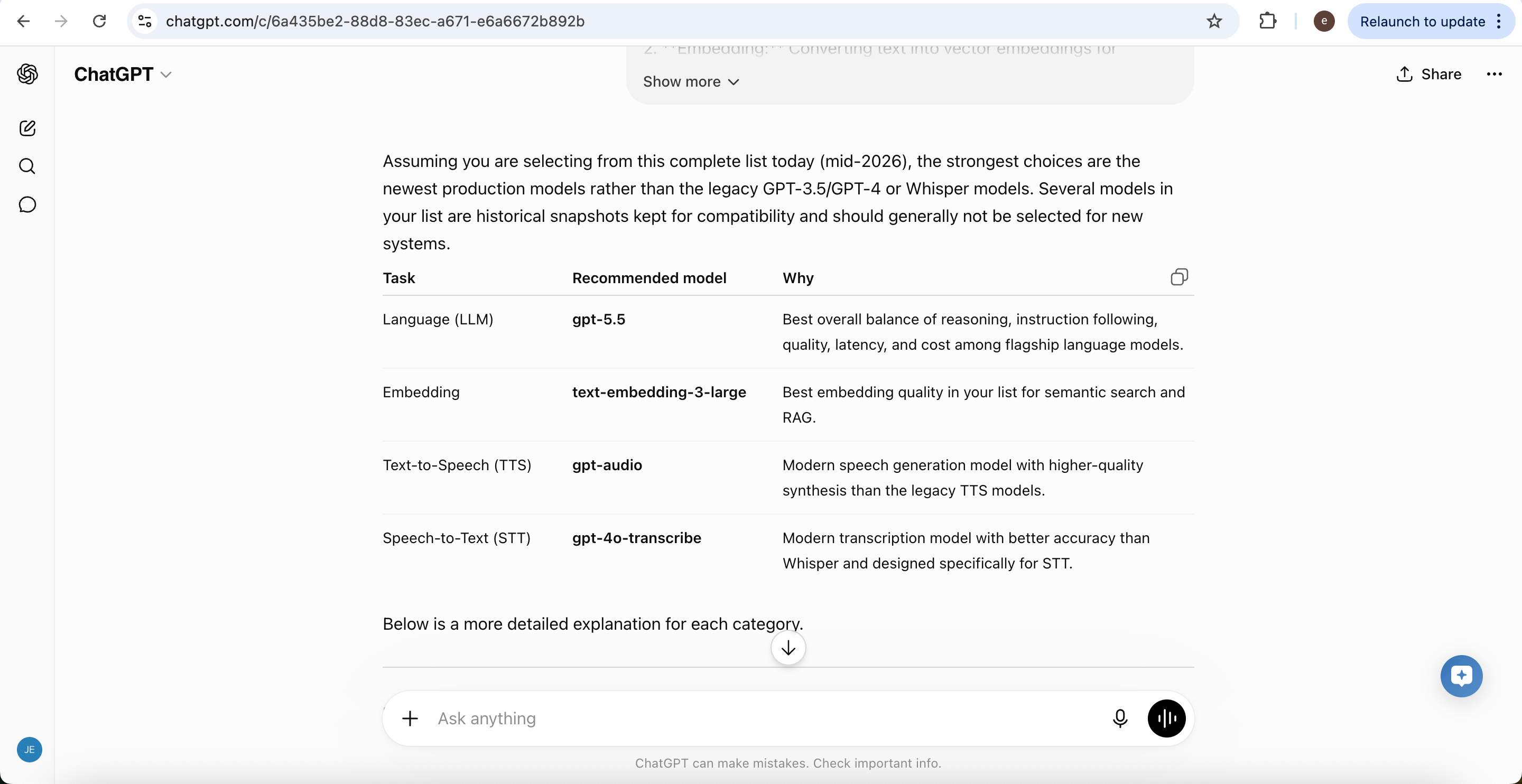
For example, set Model Type to Language, choose gpt-5.5, then click Add to add the model.
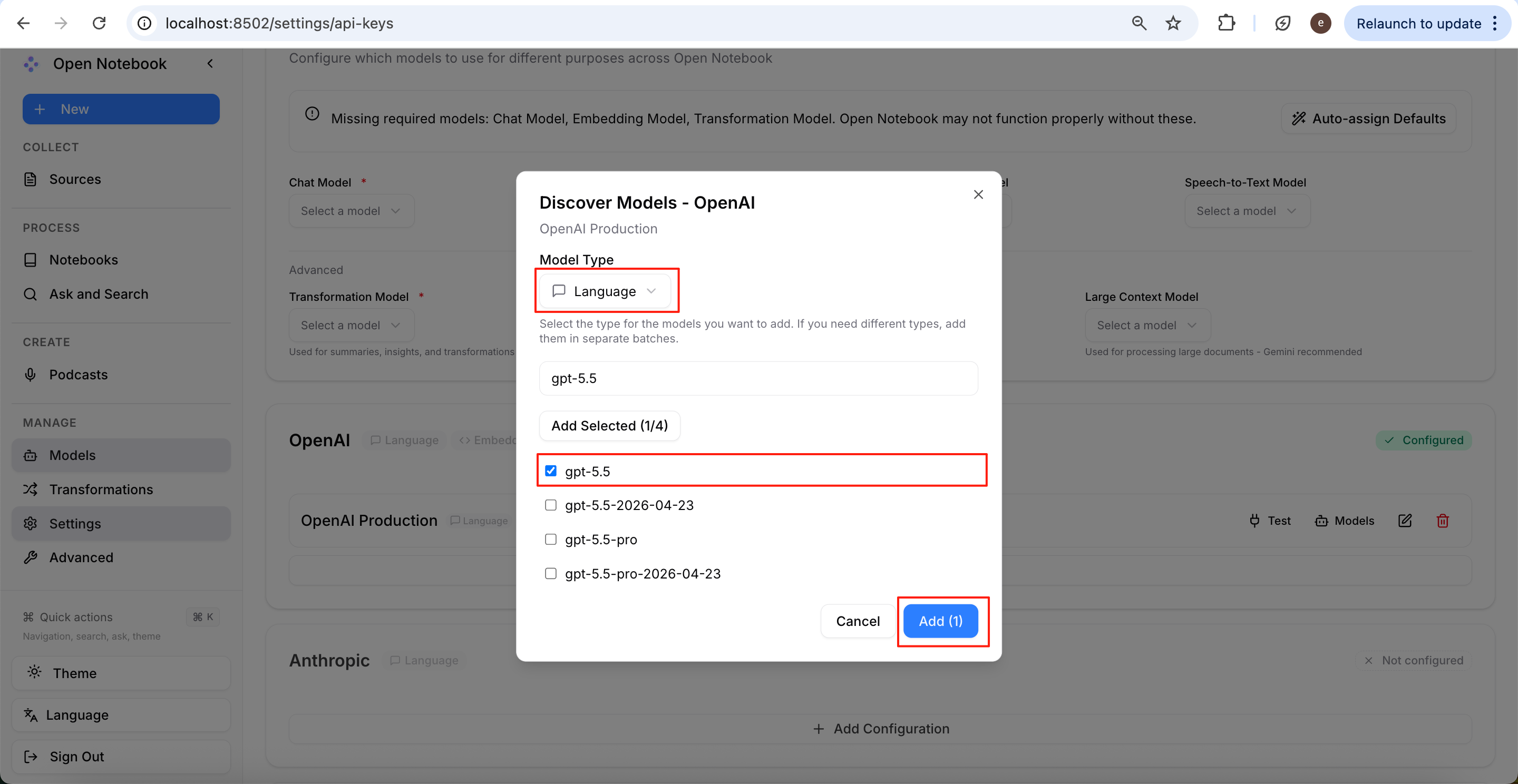
After adding, you can select gpt-5.5 from the Chat Model dropdown above.
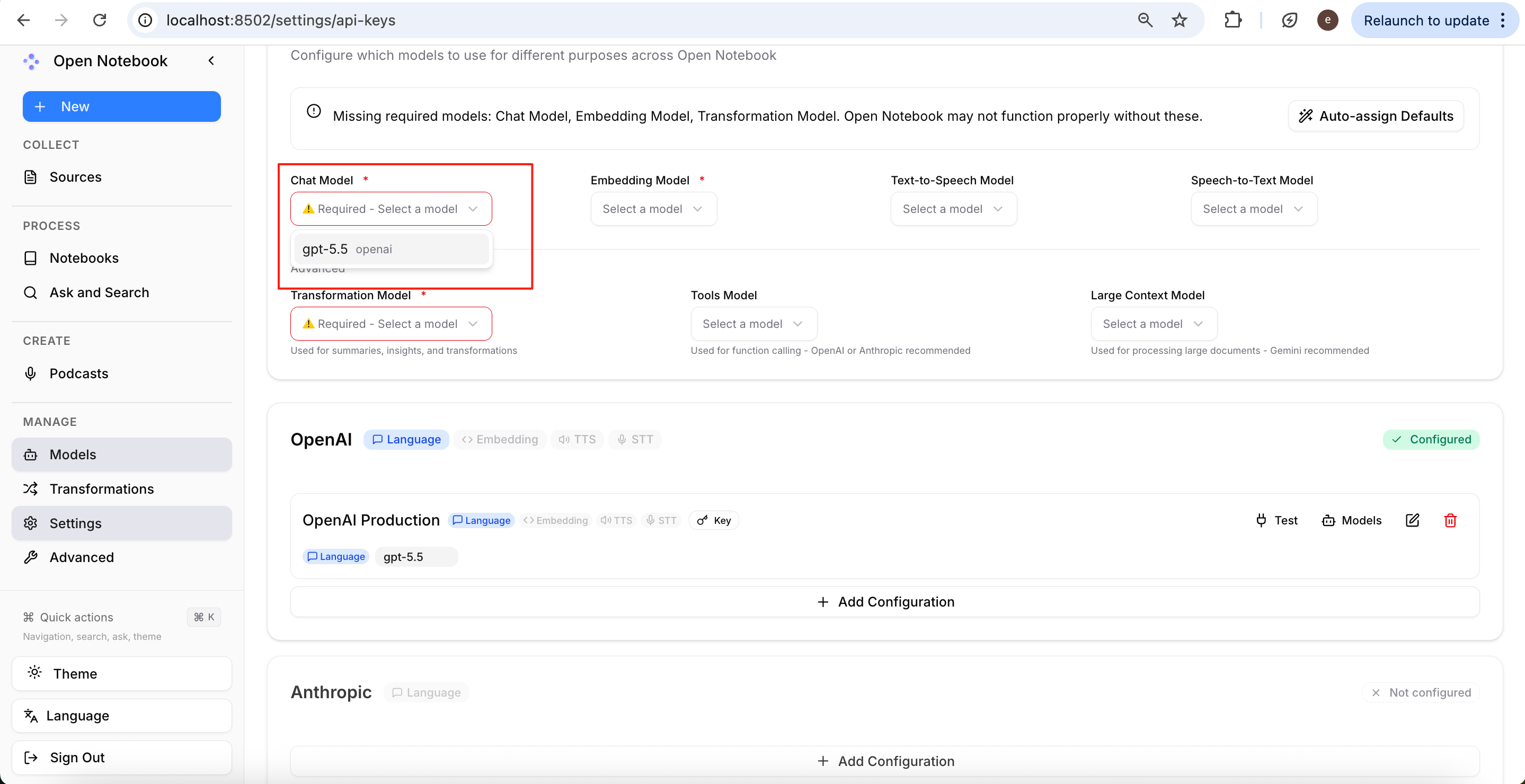
Follow the same method to add all the models required by Open Notebook one by one.
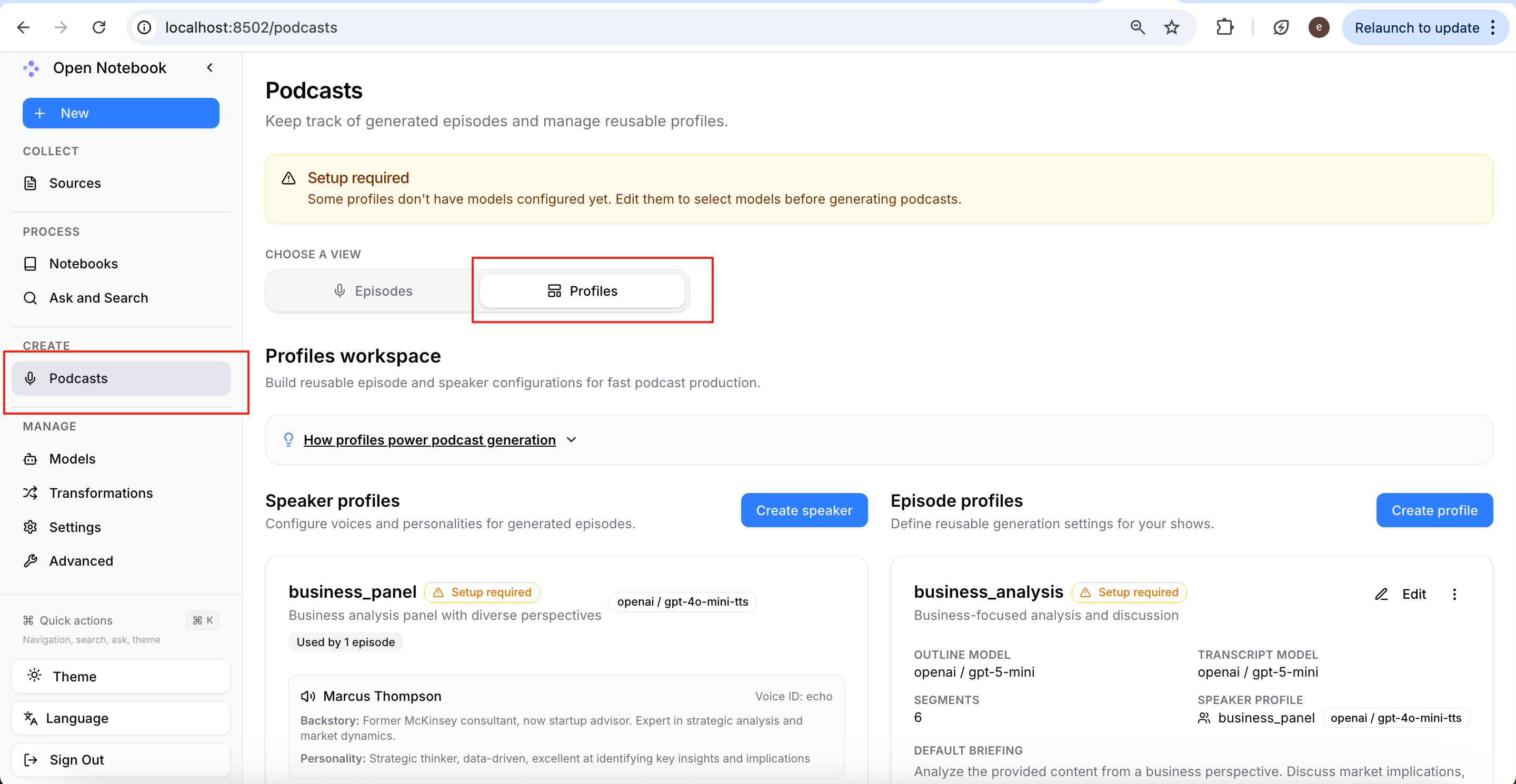
Then go to Podcasts → Profiles to configure the corresponding models for your podcast presets.
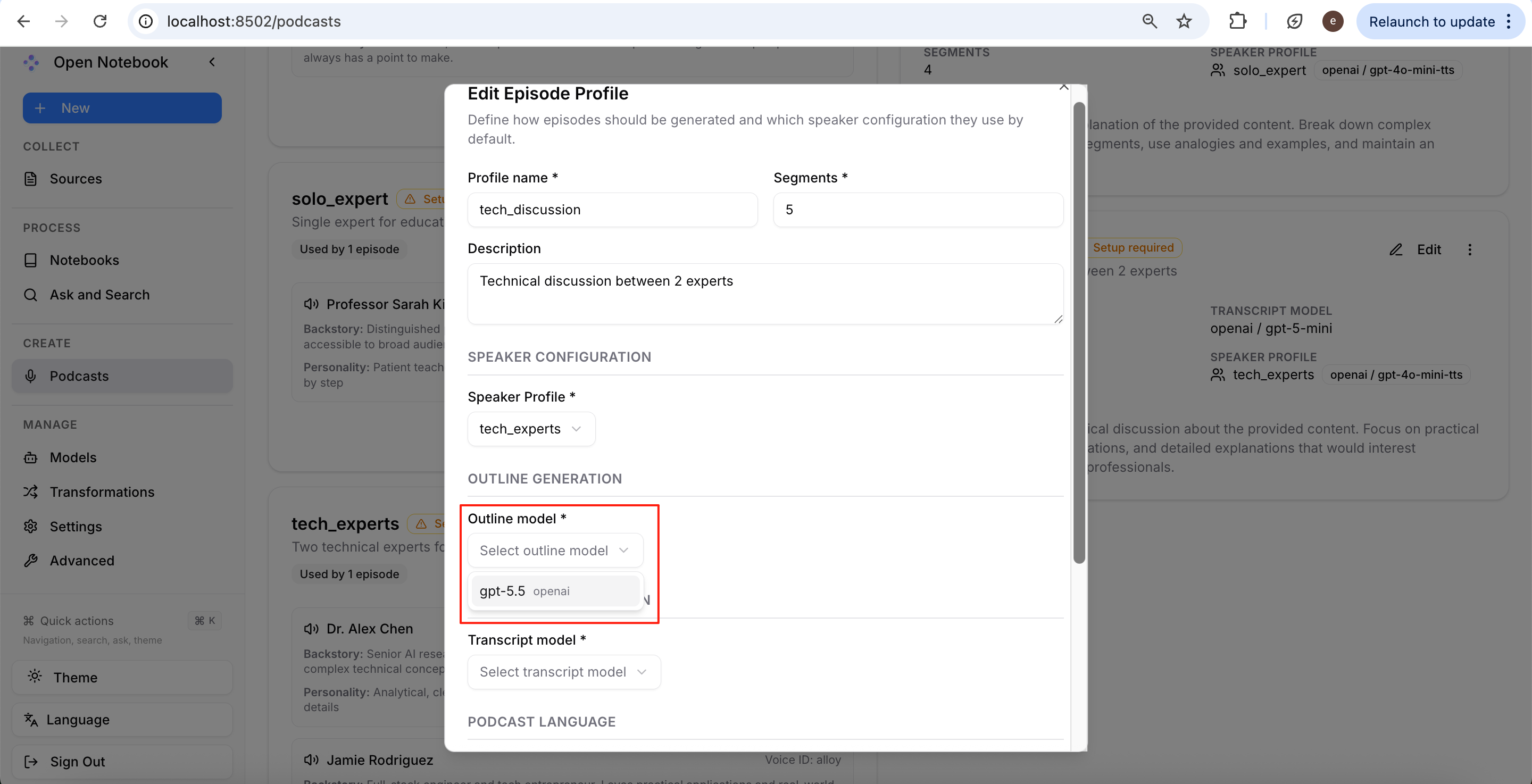
Here we take tech_discussion as an example; click Edit.
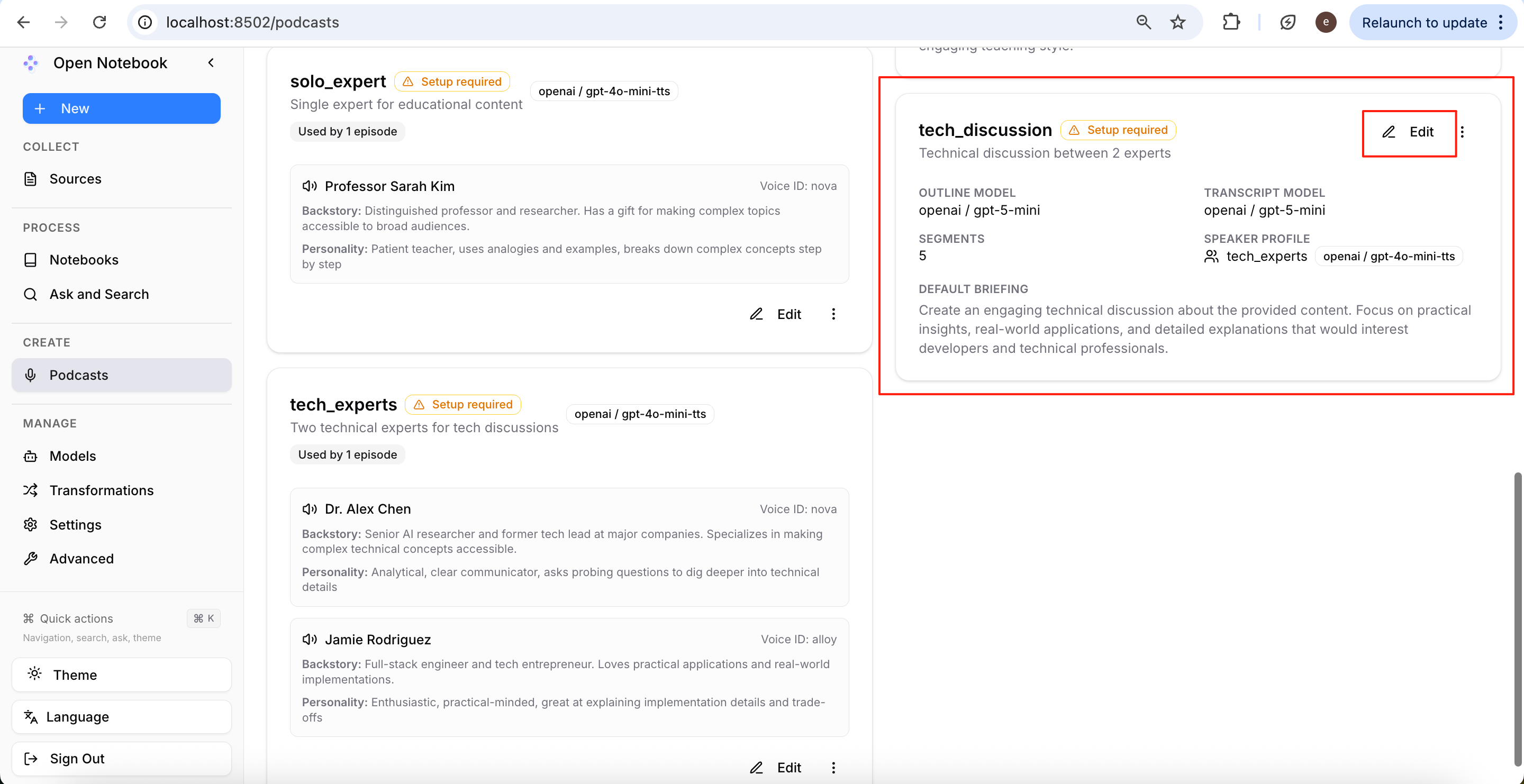
For all configuration items marked with *, select the models you have already added, such as gpt-5.5.
After completing the configuration, check whether the right side still shows Setup required. If this reminder disappears, it means the current template has been fully configured.
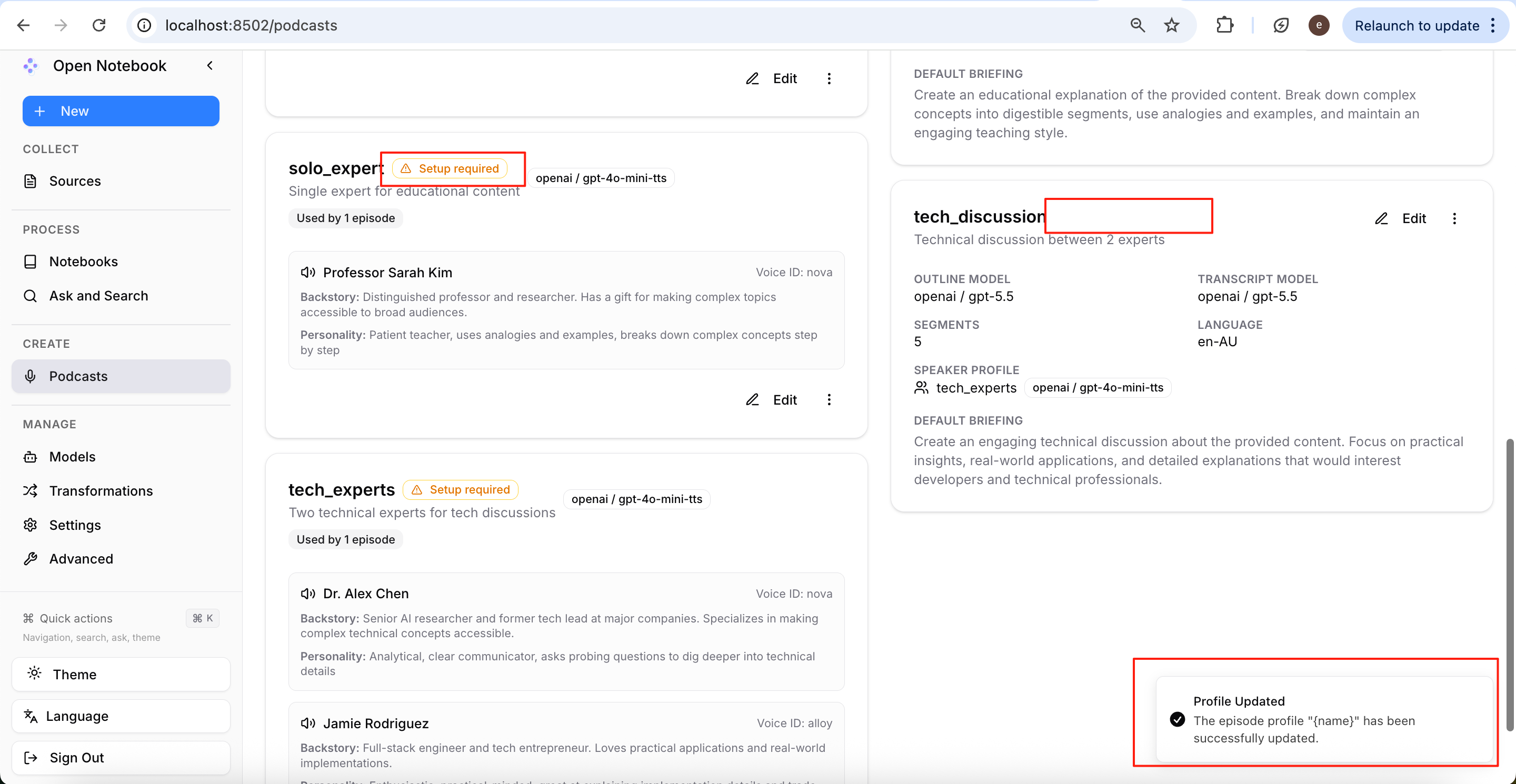
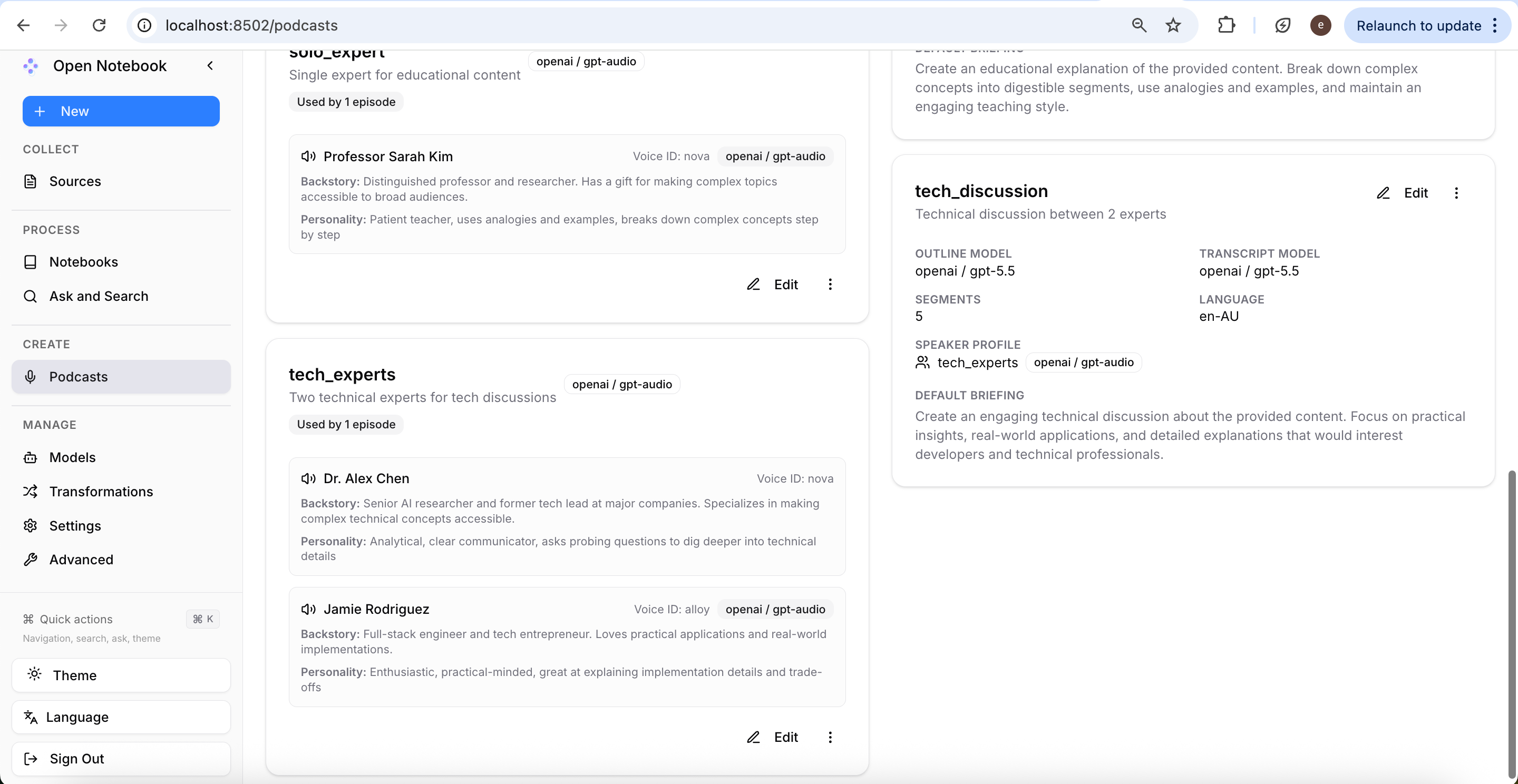
Continue configuring the remaining templates until all Setup required indicators have disappeared; then you can officially start generating podcasts.
Creating a Notebook and Importing Articles
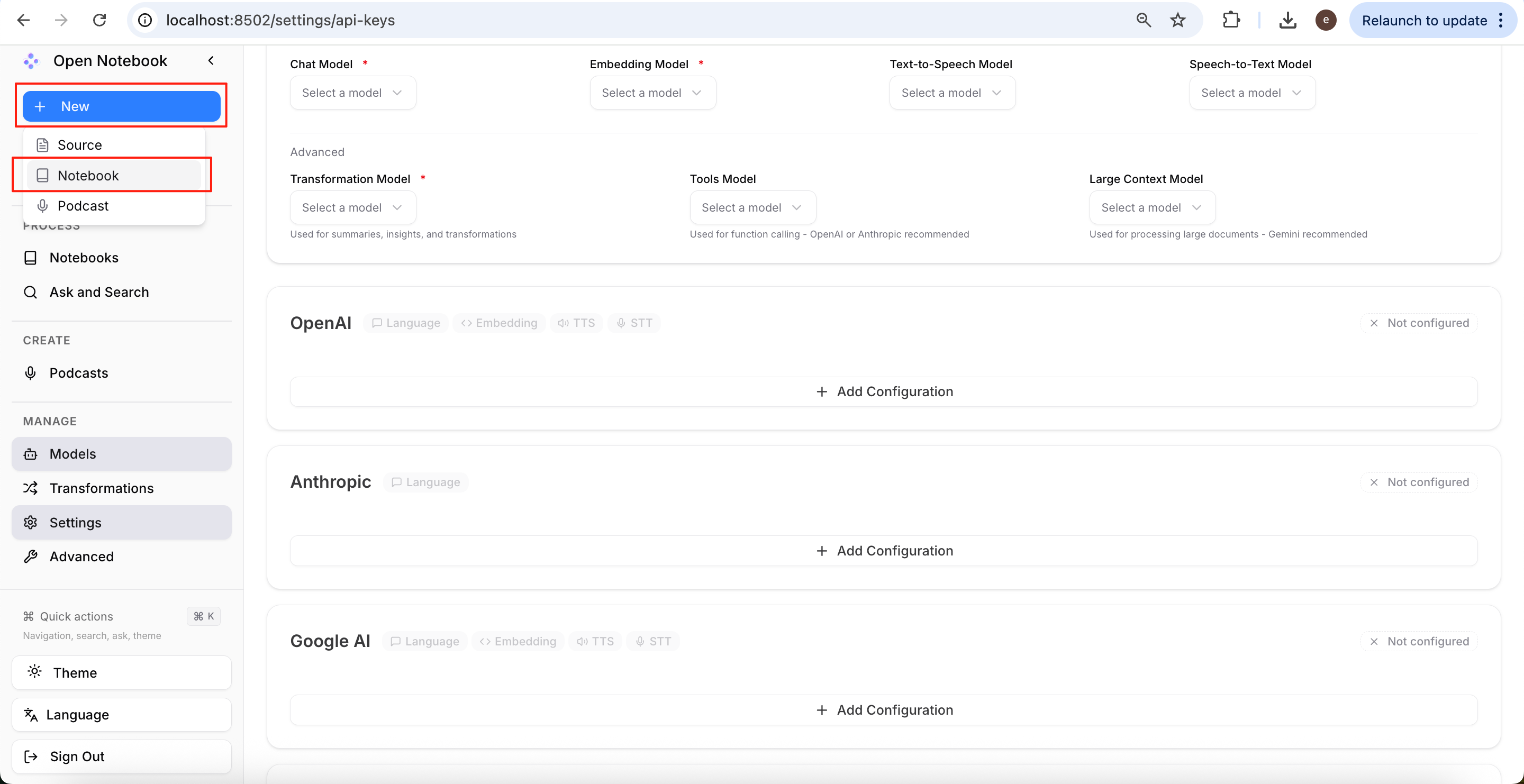
First, click New → Notebook to create a new notebook.
Enter the notebook name and click Create New Notebook.
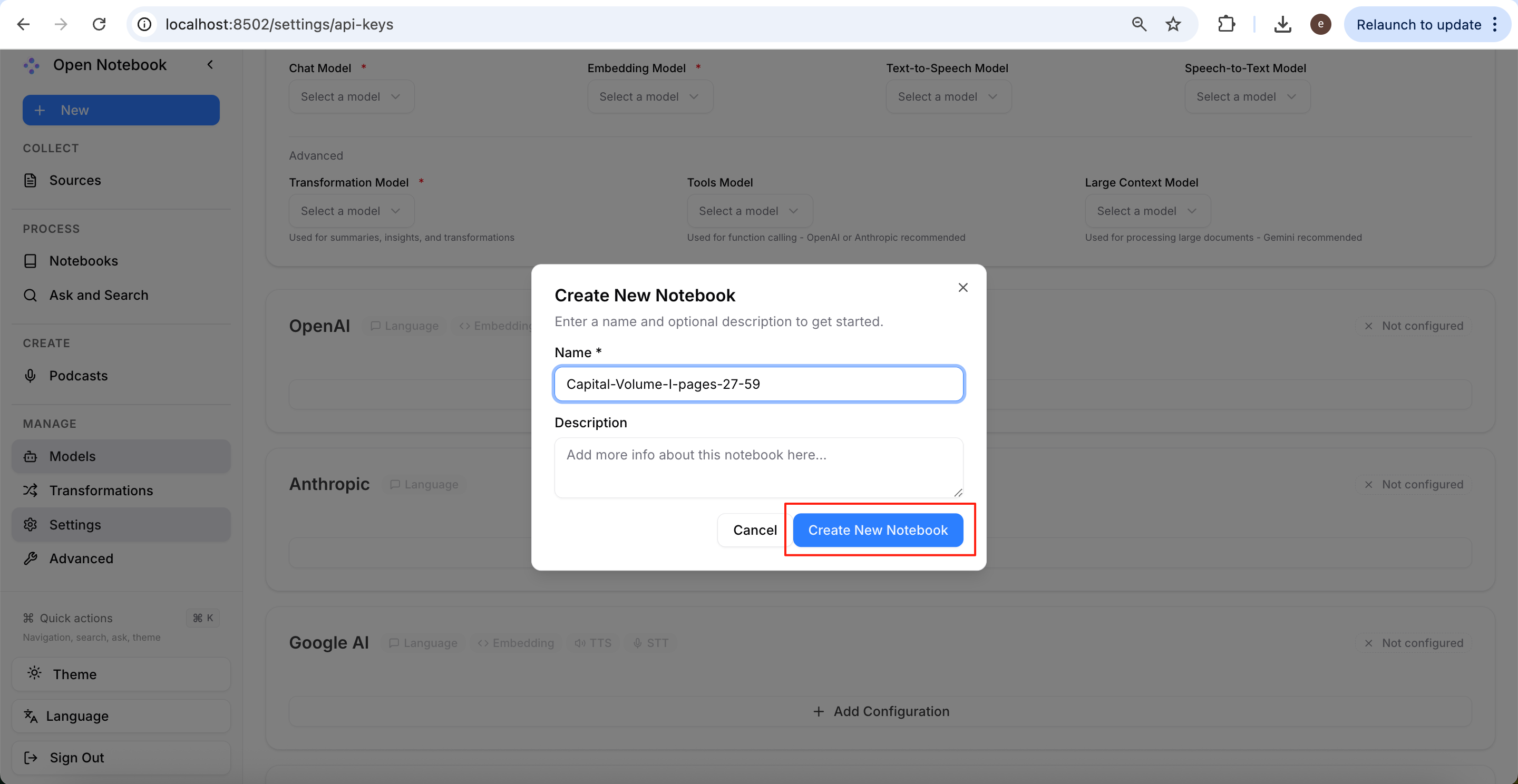
After creation, you will see the new notebook on the Notebooks page on the left.
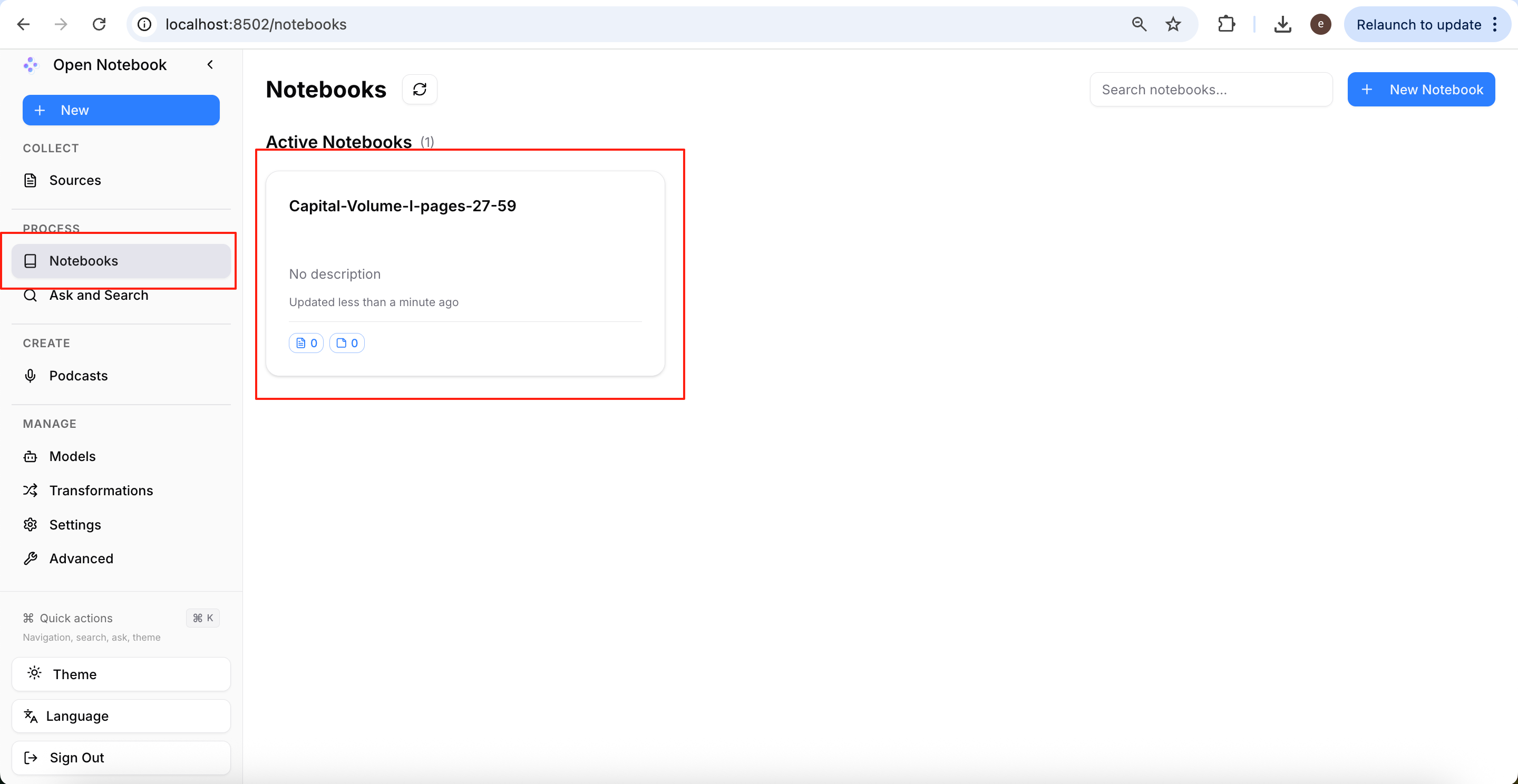
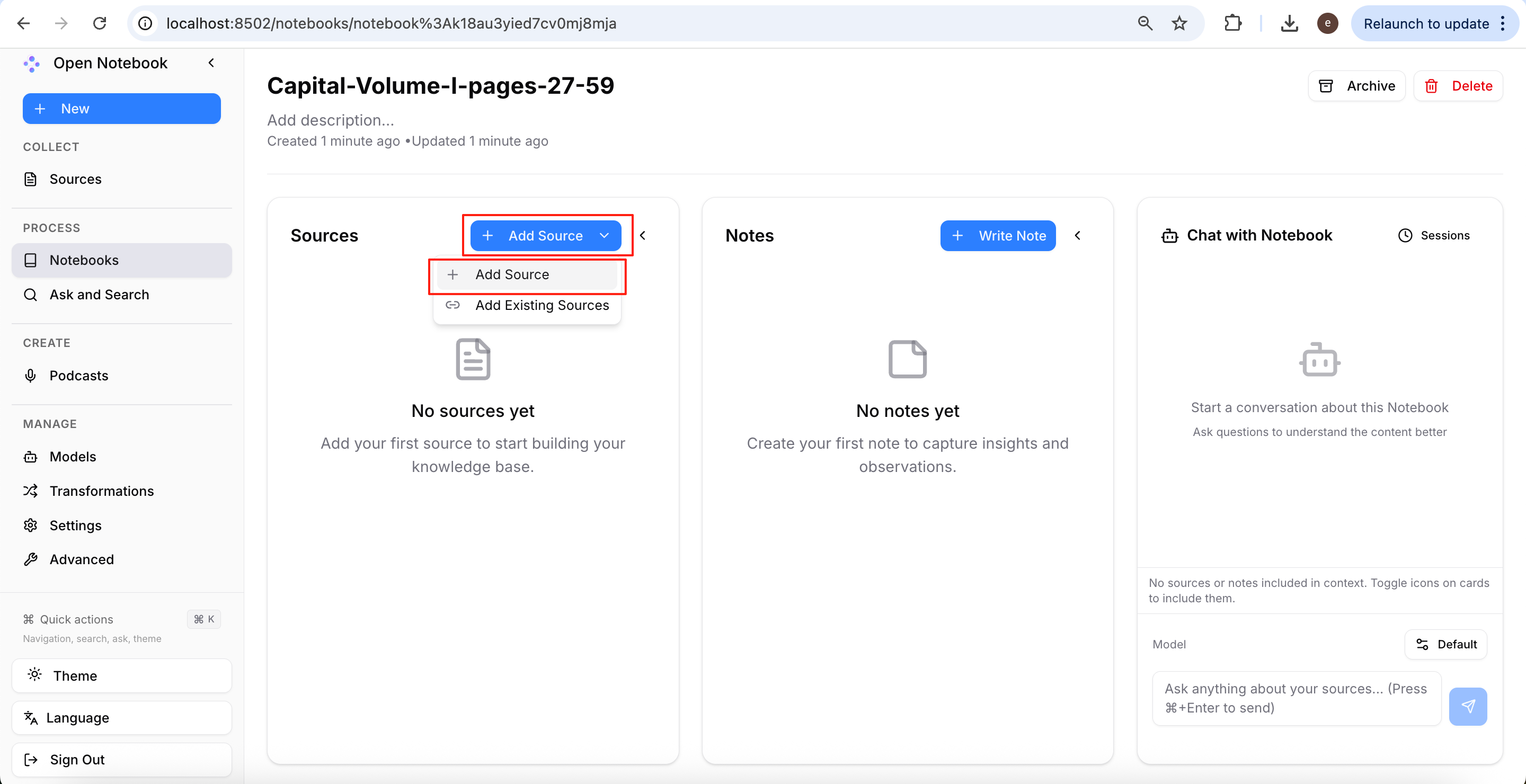
Enter the notebook and click Add Source to import the article you want to convert into a podcast.
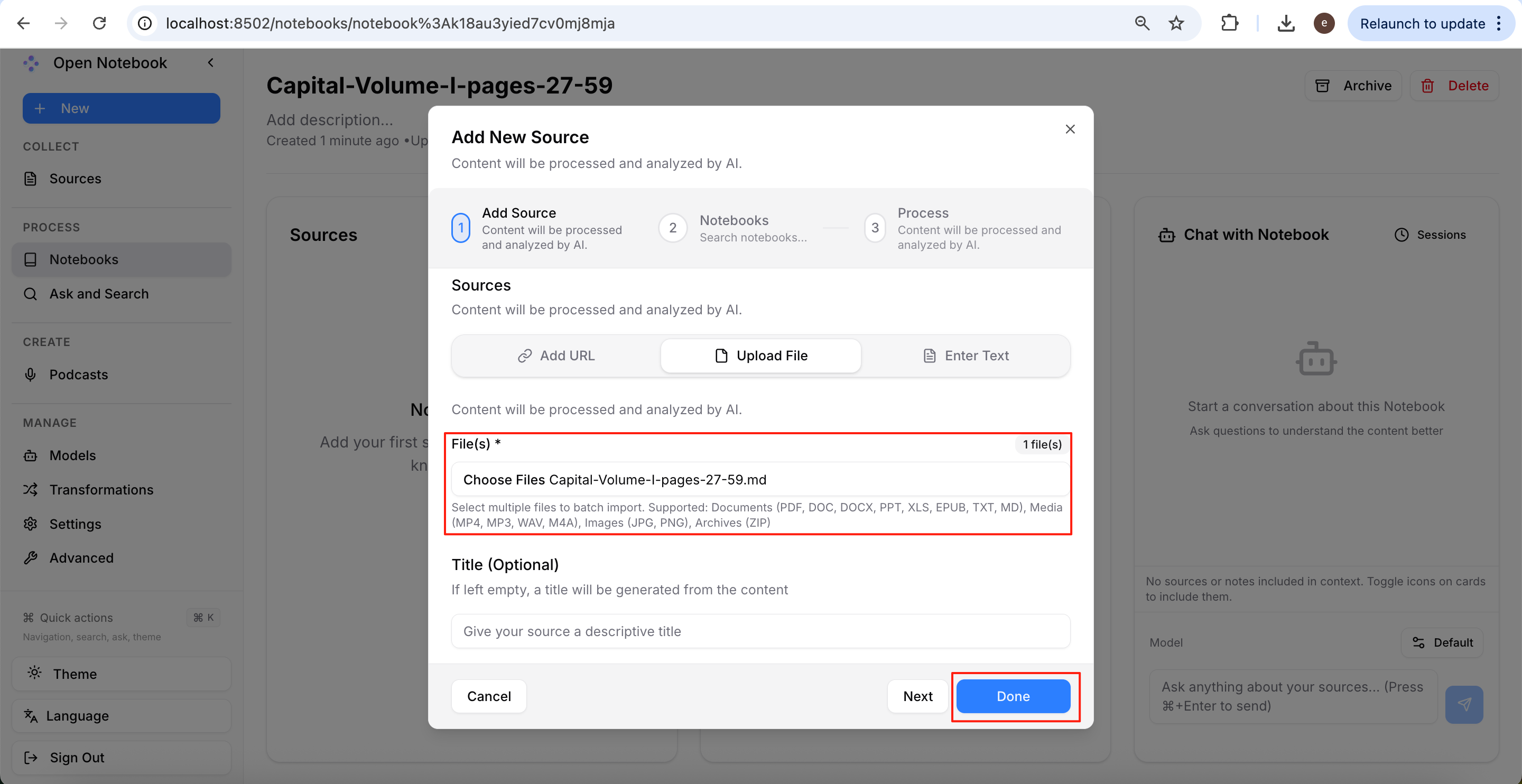
Open Notebook supports three import methods: entering a web page URL, uploading a local file, and pasting text directly. This article demonstrates the second method by uploading a local file.
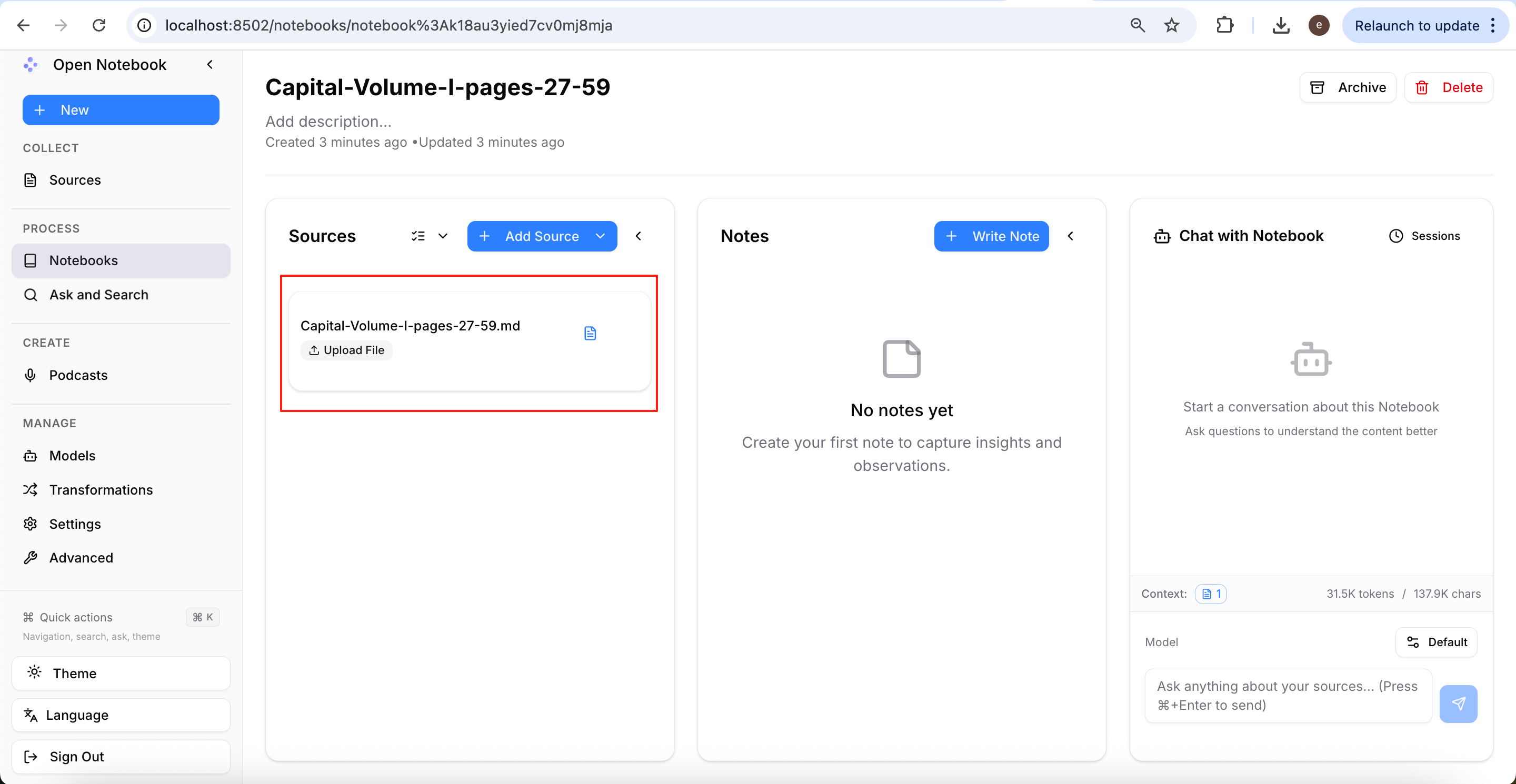
After the system finishes parsing, the imported article will appear in the Sources section, indicating that the material has been successfully indexed.
Generating an AI Podcast
After importing the materials, click New → Podcast again to create a new podcast project.
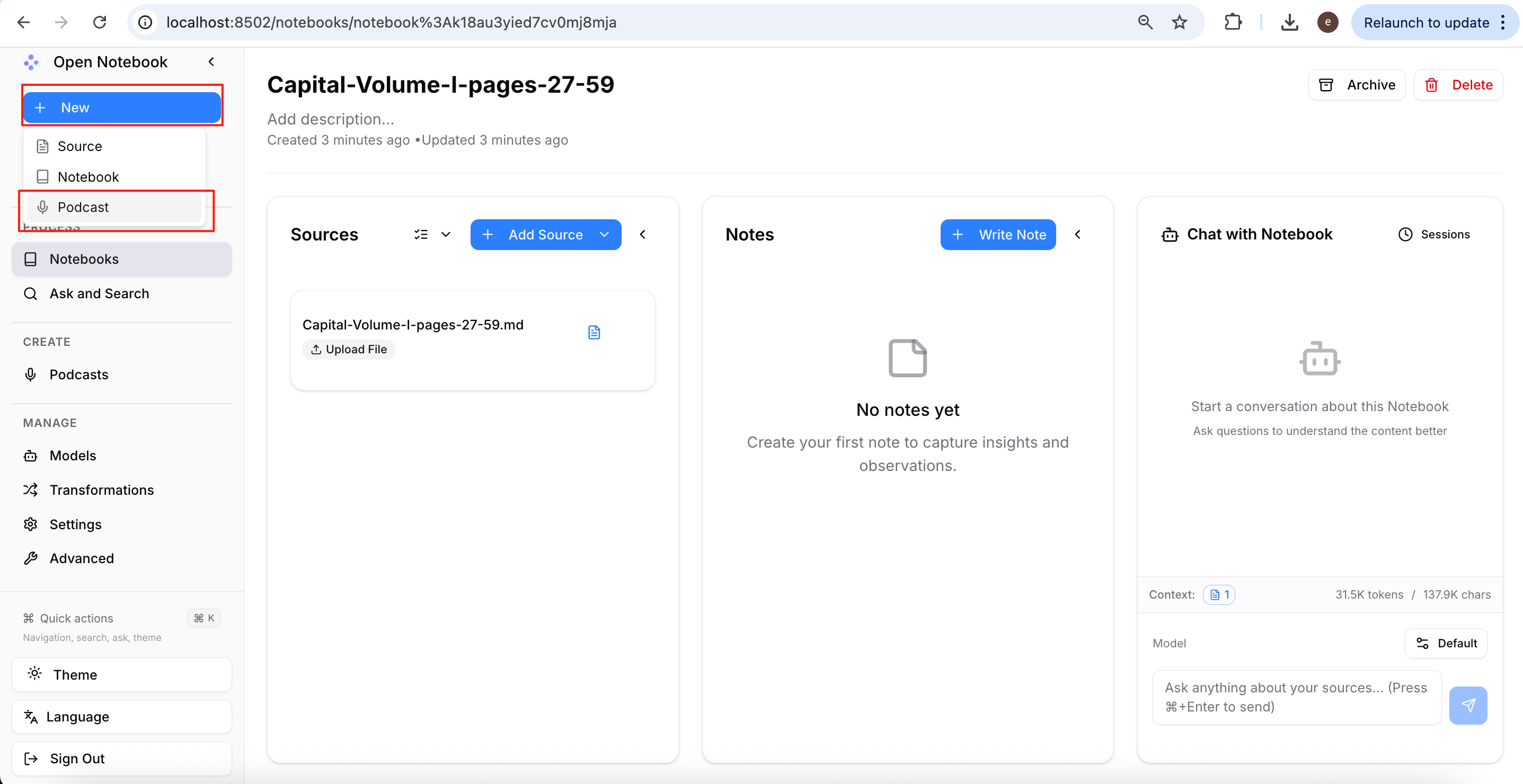
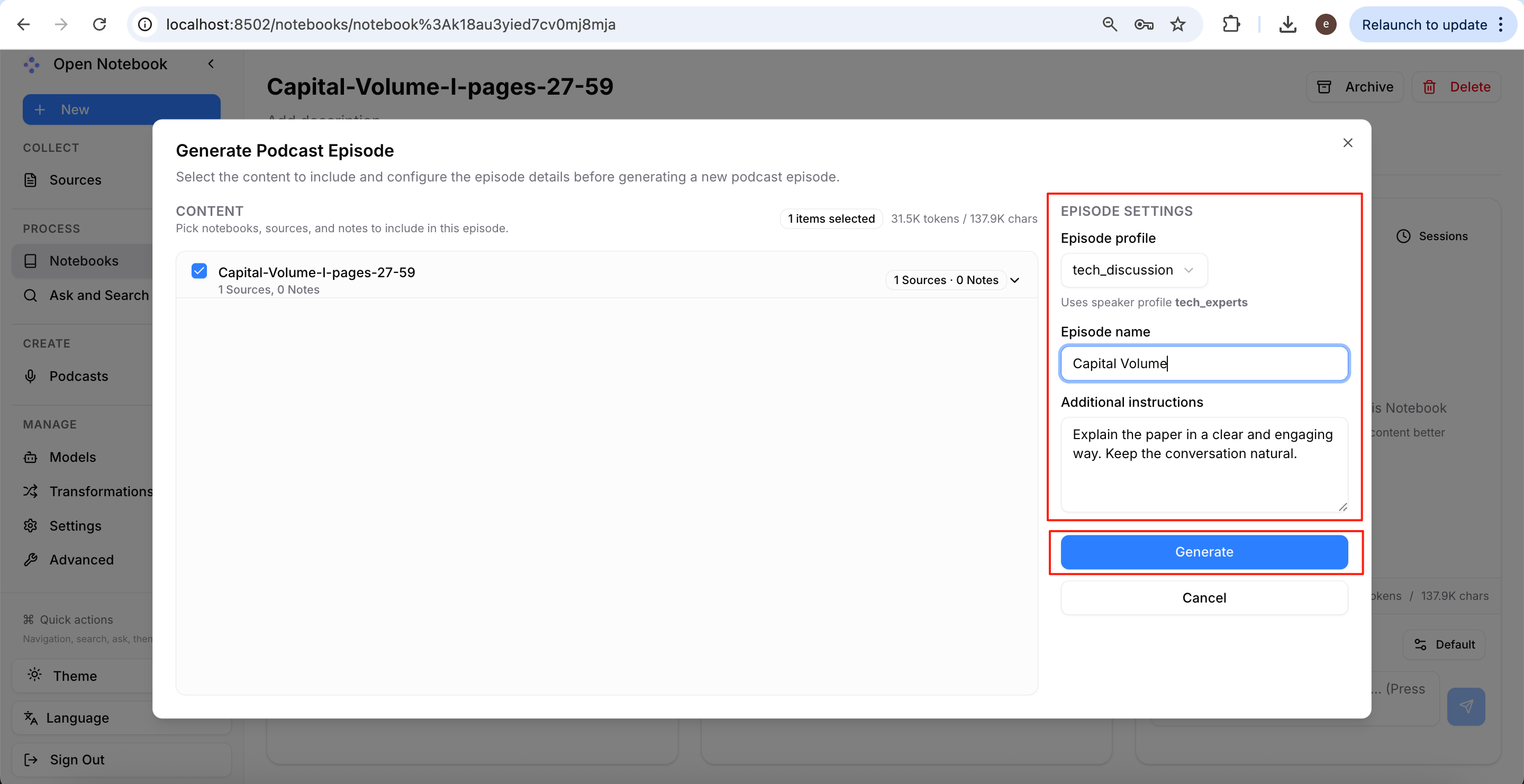
The Episode Settings on the right allows you to set the podcast style. Open Notebook provides three default presets:
- business_analysis: A business analysis, financial interpretation, and case study style, generally more formal.
- solo_expert: A solo expert presentation, similar to a lecture or a teacher’s lesson.
- tech_discussion: A two-host discussion on technology, papers, AI, programming, and similar topics, closer to NotebookLM’s podcast style.
In addition to the presets, you can add extra instructions in Additional instructions, such as requesting more humour, adjusting speech rate, controlling the episode length, or specifying the style of expression.
After confirming the settings, click Generate, and Open Notebook will start generating the podcast.
Checking Generation Progress
After the generation task is submitted, click the Podcasts page on the left to view the current task list.
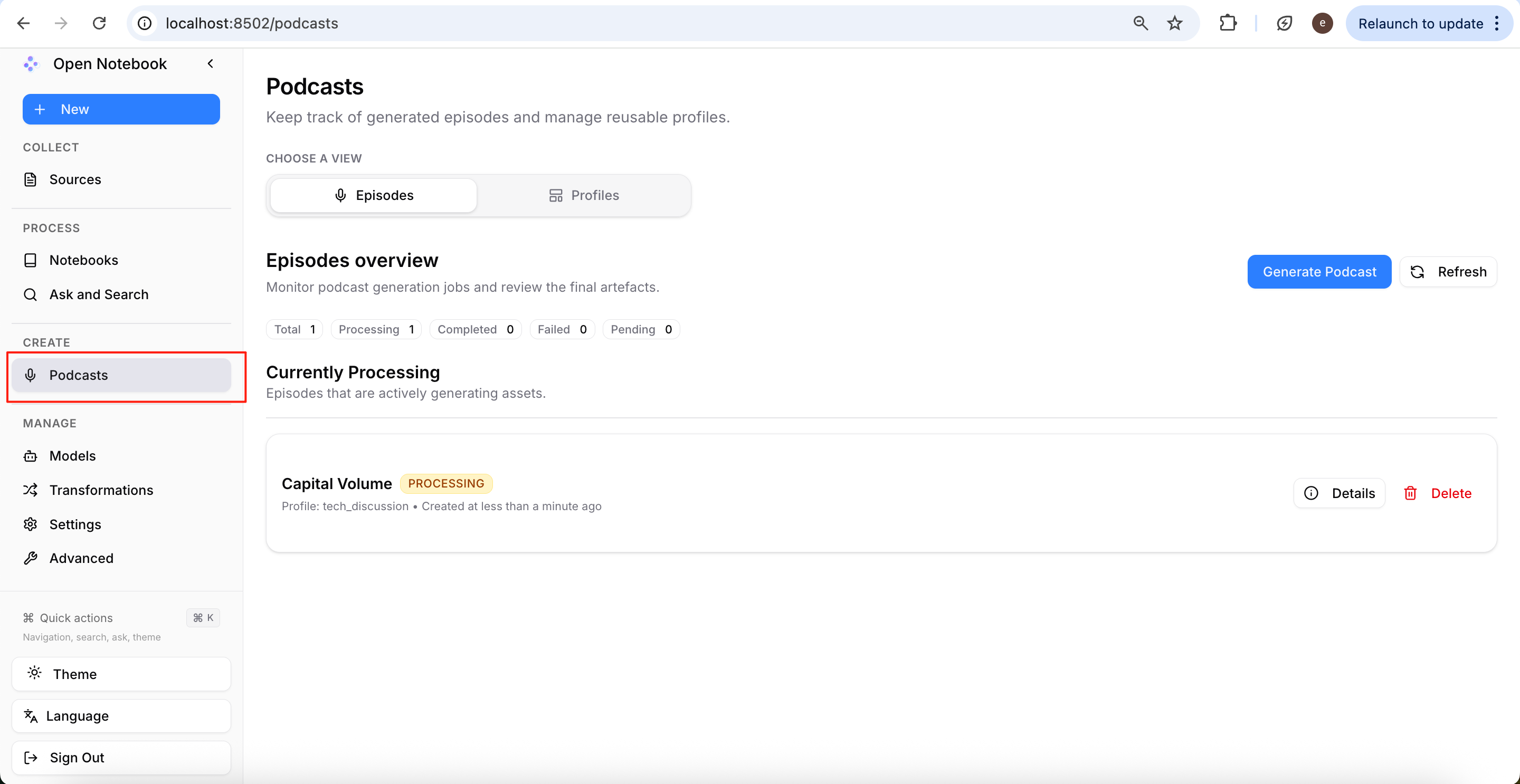
Depending on the article length and model response speed, the entire generation process usually takes a few minutes. When the task is completed, the corresponding podcast will appear in the list.
After the podcast conversion is complete, click the play button at the bottom of the page to listen to the AI podcast generated by Open Notebook online.
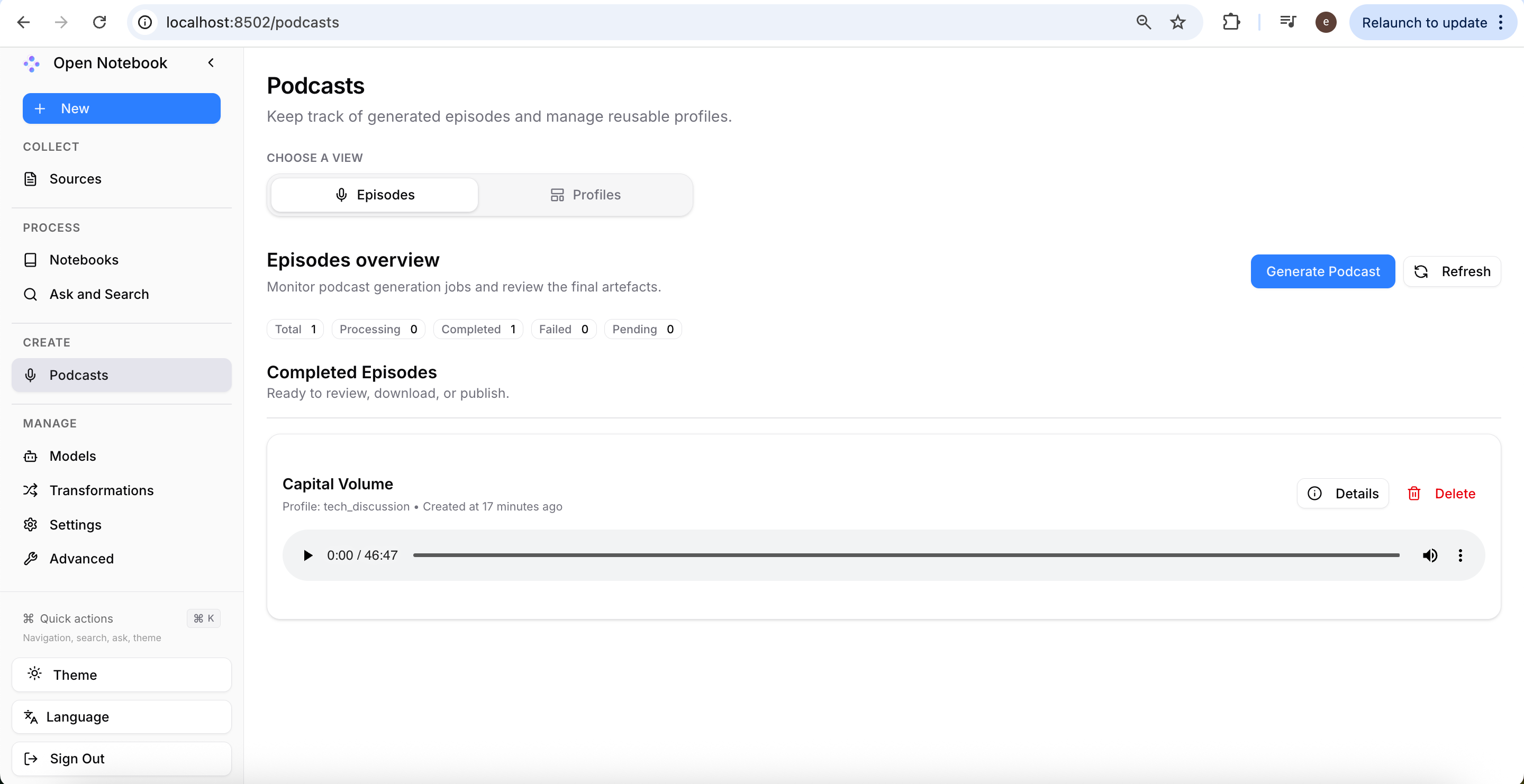
If you are not satisfied with the podcast content, host style, or delivery, you can return to Episode Settings, adjust the preset template or modify the Additional instructions, and then regenerate.
Since Open Notebook supports freely choosing large language models and speech models, swapping different model combinations can also yield vastly different podcast results. For users who want to build a personalised AI podcast workflow, this high degree of configurability is one of the greatest advantages of the open-source approach.
You can listen to the full podcast created by Open Notebook in the Bandung Circuits repository.
Conclusion
AI has fundamentally changed the podcast production workflow. Instead of spending most of your time on scripting, recording, and editing, you can now begin with existing documents, allow AI to understand and reorganise the material, generate a conversational script, and finally produce a polished audio programme.
For most creators, the greatest value is not the synthesised voice itself, but AI’s ability to transform complex written material into engaging conversations. Whether you are working with research papers, technical documentation, course materials, or industry reports, AI makes it possible to repurpose knowledge into an accessible audio format with far less effort than traditional podcast production.