How to Turn Raw Transcripts into Polished Content Using AI
Raw transcripts are often only the starting point of content organisation. Whether from meetings, interviews, lectures, or internal discussions, speech-to-text output usually contains spoken-language expressions, repetitions, incomplete sentences, and occasional recognition errors, making it unsuitable for direct reading.
Traditionally, organising these materials required substantial manual effort. Today, large language models can assist with tasks such as extracting key points, improving structure, and refining content.
After transcription, there are generally two common output formats: meeting minutes and formal articles.
Meeting minutes are a faithful record. Their job is to capture discussions, viewpoints, decisions, and action items completely and in the meeting’s own order, so that anyone can trace who said what and why a decision was reached. They are typically itemised and meant to be scanned or searched rather than read straight through.
A formal article, by contrast, is a piece of writing in its own right. Rather than recording the discussion, it selects only the most valuable insights and reorganises them by theme into a continuous, self-contained argument. It can be read and understood without having attended the meeting, and it favours depth, structure, and narrative flow over sheer completeness.
Therefore, before processing a transcript, it is important to determine the intended output. The goal will directly affect both the prompting strategy and the organisation process.
All example outputs in this guide are generated from the same transcript — a recording of the Hands Off Asia webinar held on 30 April 2025.
Generating Meeting Minutes
Meeting minutes are common in business, project management, and academic settings. Their primary purpose is to help readers quickly understand what happened, what issues were discussed, what viewpoints were raised, and what decisions or follow-up actions were agreed upon.
Important Considerations
In practice, the most common problem when generating meeting minutes is not a lack of fluency but omitted information.
Many users will simply copy a transcript tens of thousands of words long into the AI and type a brief instruction like:
Please summarise this meeting.
For short content, this approach may yield decent results. However, when the meeting content is long, the model may overlook certain parts or even hallucinate due to the excessive context length, adding information that was not present in the original text.
A more recommended method is to process the transcript in stages. First, have the model summarise the content chapter by chapter or by time segment, and then merge these summaries into a complete set of minutes. Compared to compressing the full text in one go, this method is generally more stable and makes it easier to spot any omissions.
For large meetings that span several hours, you can even adopt a “three-step method”: first generate segment summaries, then consolidate all summaries, and finally produce the formal meeting minutes. Although this involves more steps, the result tends to be much more reliable.
Using the Web Version of AI to Generate Meeting Minutes
For most users, the simplest approach remains using the web version of AI directly.
Current mainstream models like ChatGPT, Claude, Gemini, and Qwen all support uploading TXT, DOCX, or PDF files. After uploading the transcript, you can simply ask the model to generate the meeting minutes.
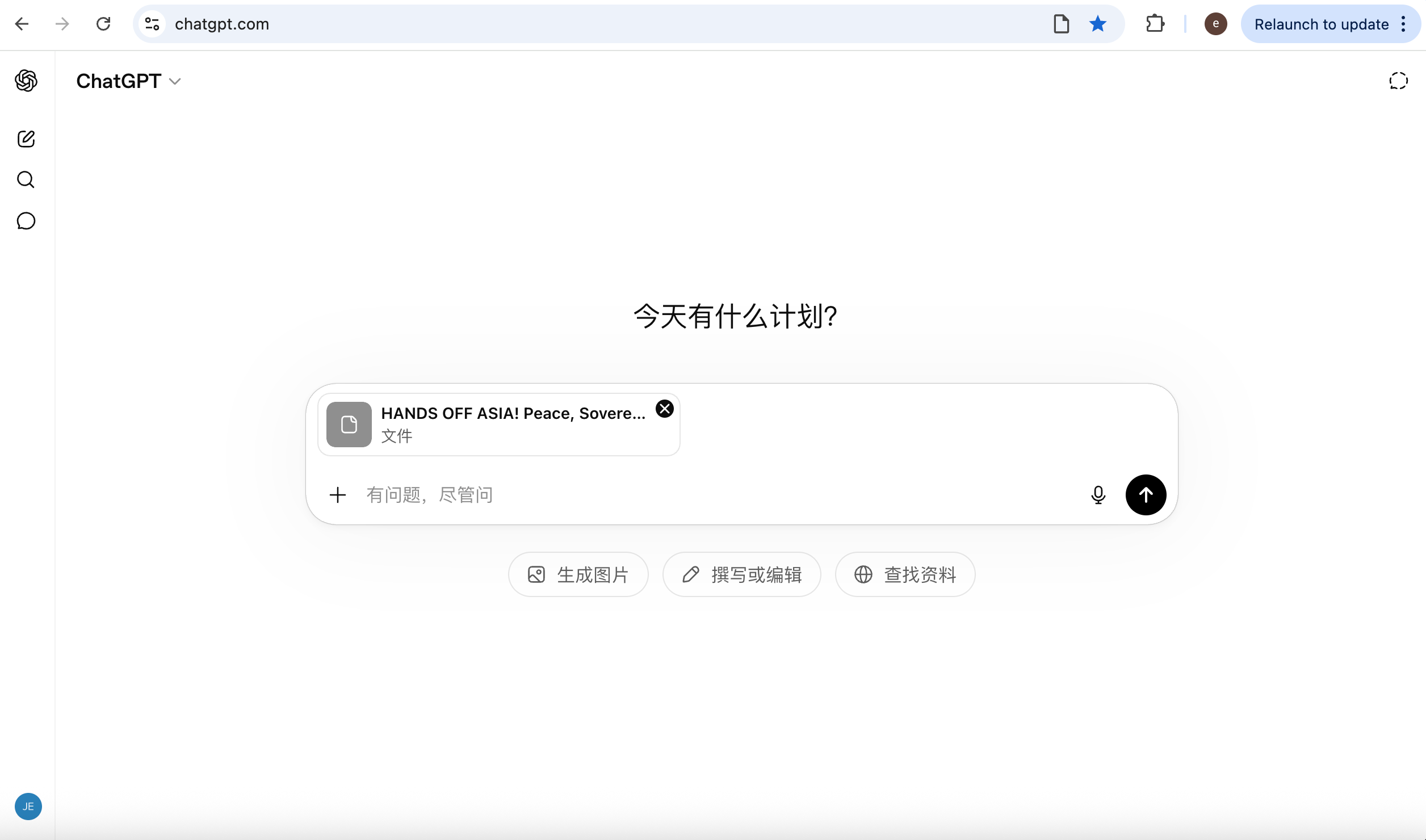
To achieve more consistent results, it is advisable to clearly state in the prompt what the minutes should include, such as the meeting background, discussion topics, decisions made, and action items.
An example prompt is as follows:
Please convert this transcript into professional meeting minutes.

Include:

- Meeting overview
- Key discussion topics
- Decisions made
- Action items
- Open questions

Do not omit important information.

Do not invent content.

Keep the logical order of the original meeting.
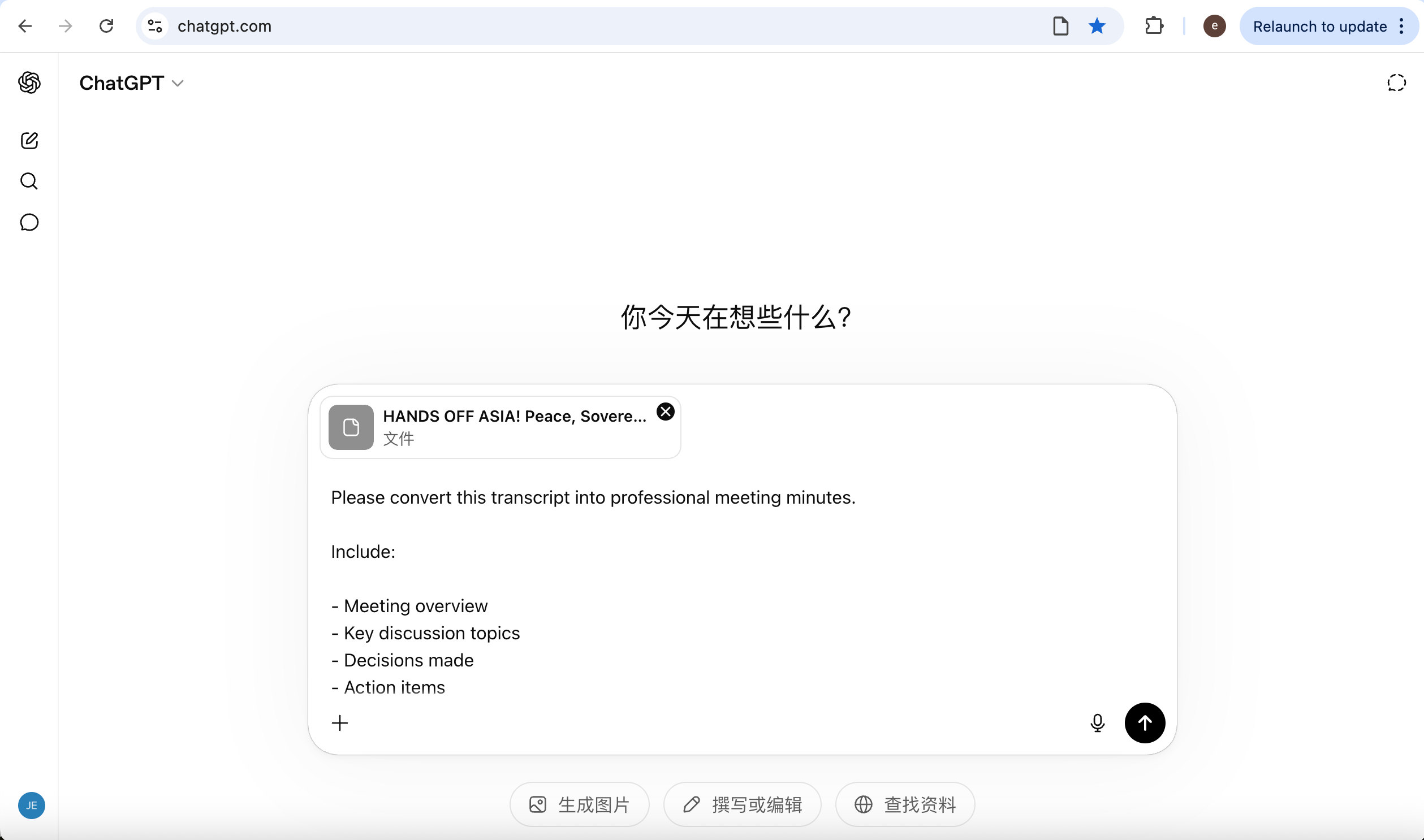
Compared to using only the brief instruction Please summarise this meeting, this prompt not only ensures that the model accurately retains the meeting’s core information and logical sequence but also automatically completes the structural reorganisation from a word-for-word record to professional meeting minutes. The output is strictly organised according to a standard minutes framework, including Meeting Overview, Key Discussion Topics, Decisions Made, Action Items, and Open Questions, transforming the originally lengthy and scattered discussion into a document that is easy to read, search, and use for subsequent execution.
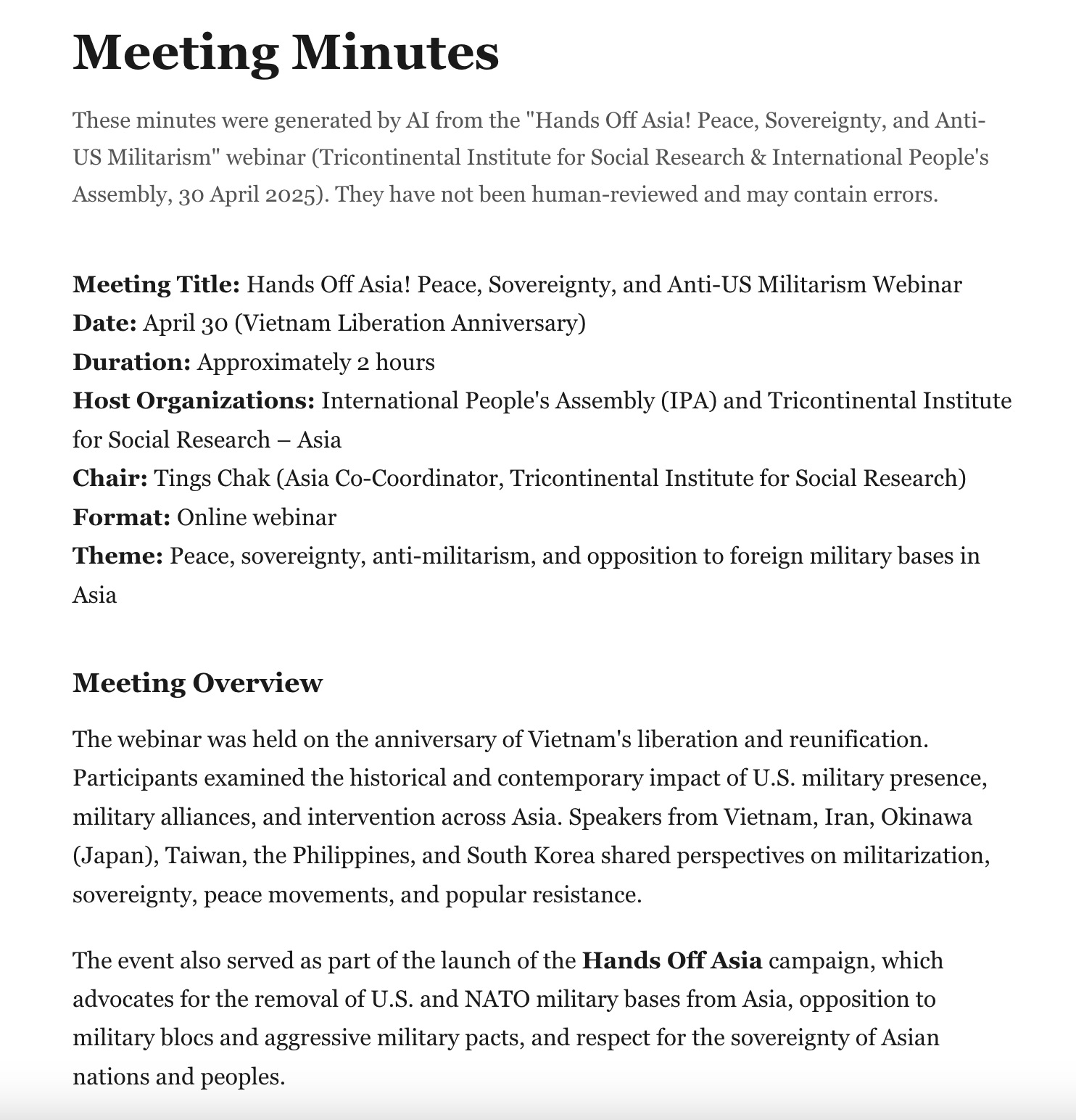
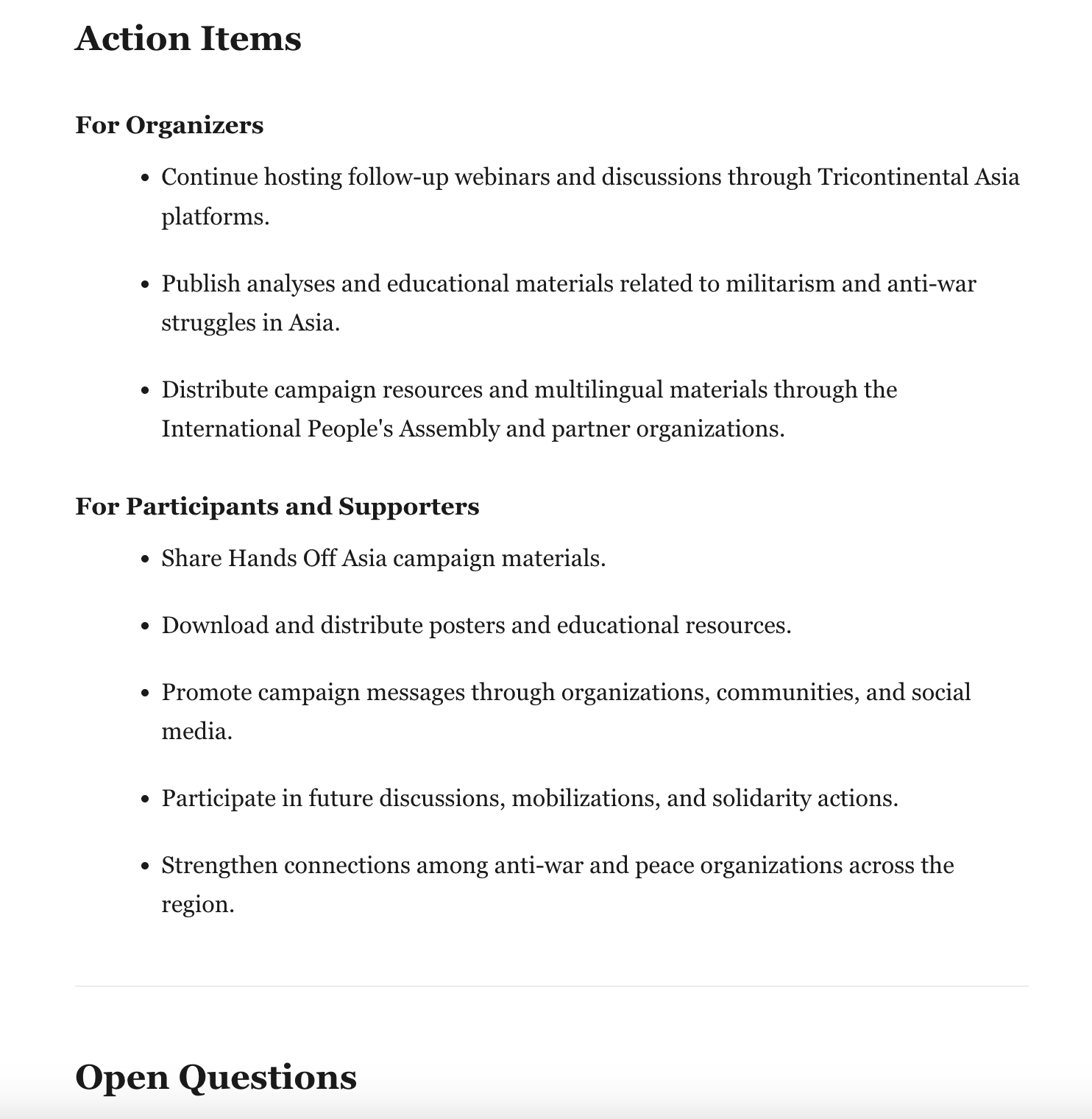
The complete output is available in the Bandung Circuits repository.
Beyond this, you can further adjust the prompt according to your specific needs. For example, for policy research, media reports, or institutional archiving, you can request a summary version that emphasises core arguments and main conclusions. For academic exchanges, international forums, or specialised seminars, you can retain more of the speakers’ backgrounds, lines of reasoning, and the different participants’ viewpoints to facilitate subsequent research, citation, or content organisation.
When the transcript is particularly long, it is recommended to process it in batches according to the agenda, chapters, or time periods. This not only helps reduce the risk of information loss that can occur when handling very long texts, but also preserves the contextual relationships within each discussion section more accurately, making it easier to verify, supplement, and integrate later, ultimately producing a more complete and accurate set of meeting minutes or event records.
Using a Skill to Generate Meeting Minutes
For users already employing skills within an Agent or Visual Studio Code, the task of generating meeting minutes can be further automated. One commonly used option is the meeting-minutes skill.
This type of skill is usually optimised specifically for meeting scenarios. Besides summarising the discussion, it can also automatically extract decisions, action items, and follow-up tasks.
Installing this skill in an Agent is straightforward. Open the Agent and enter:
Please help me install this skill:

npx skills add https://github.com/github/awesome-copilot --skill meeting-minutes
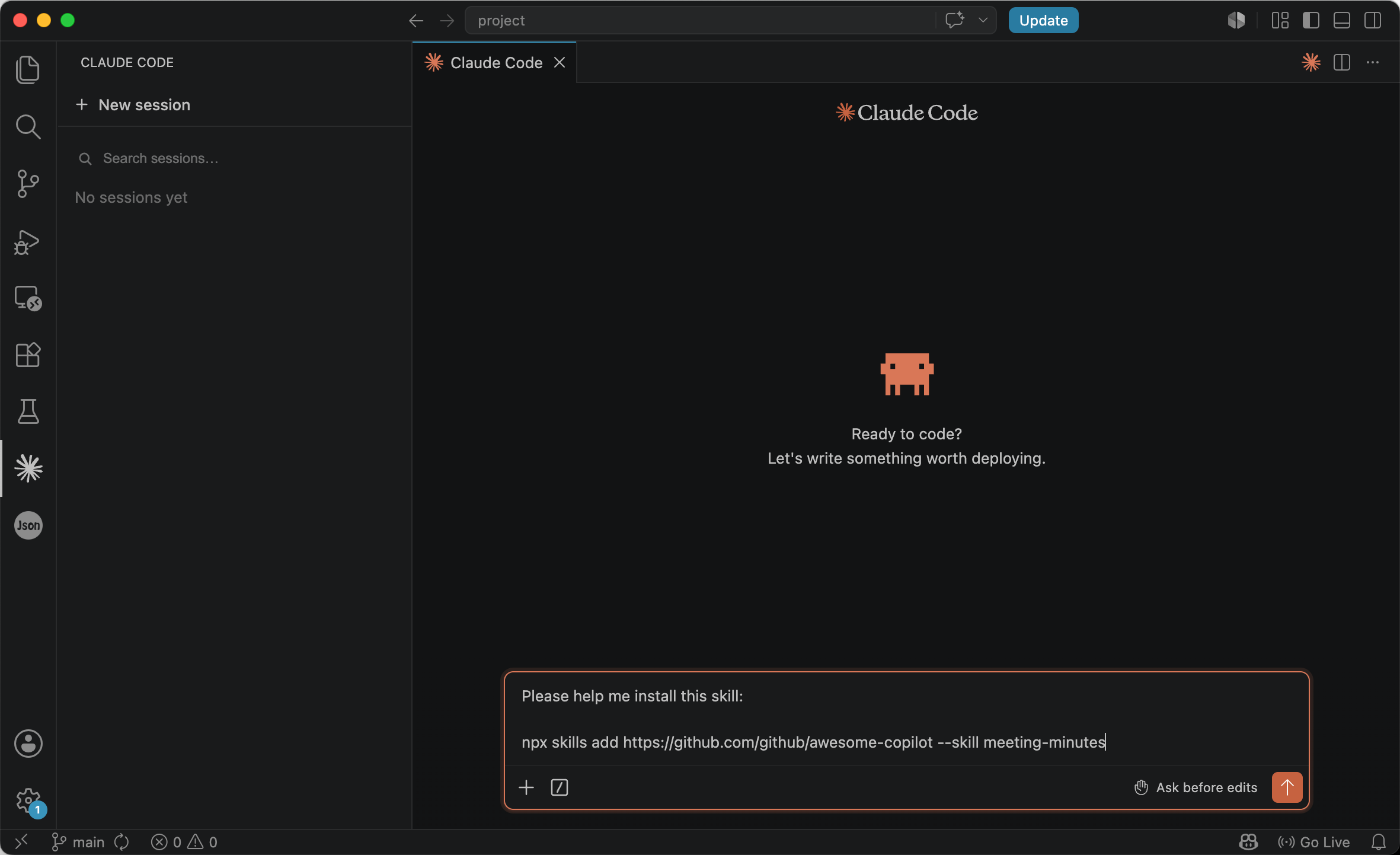
After the installation is complete, restart Visual Studio Code to refresh the skills list, and you can then invoke it directly. For example:
/meeting-minutes Generate professional meeting minutes from @meeting_transcript.srt
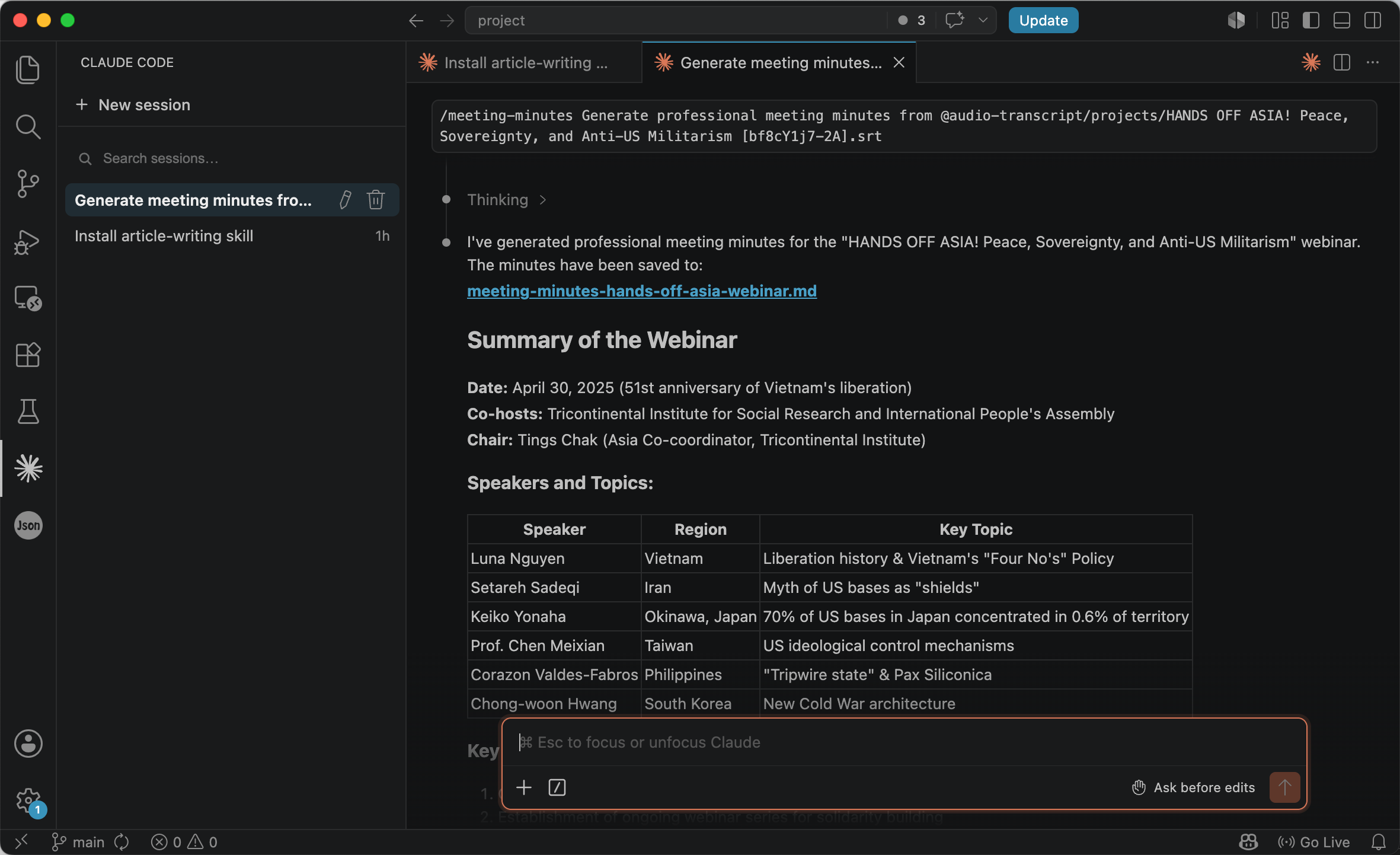
For project meetings, research discussions, and planning sessions, the value of such a specialised skill lies not only in more consistent results but in its built-in information extraction rules tailored to meeting contexts. Compared to standard meeting minutes generated via prompts, a skill will often go further to identify attendees, the meeting agenda, decisions, action plans, risk factors, and follow-up items, organising everything according to a fixed template.
As you can see from the output, the content generated by the skill is no longer just a record of the meeting; it resembles a complete meeting management document. For example, in addition to the usual Meeting Overview, Discussion Topics, and Action Items, it also produces sections like Metadata, Attendance, Agenda, Risks / Blockers, Next Meeting, and Attachments, and supplements each task with an owner, acceptance criteria, and related resource links. This format is much better suited for team collaboration, project tracking, and knowledge archiving, rather than simply documenting what was discussed.
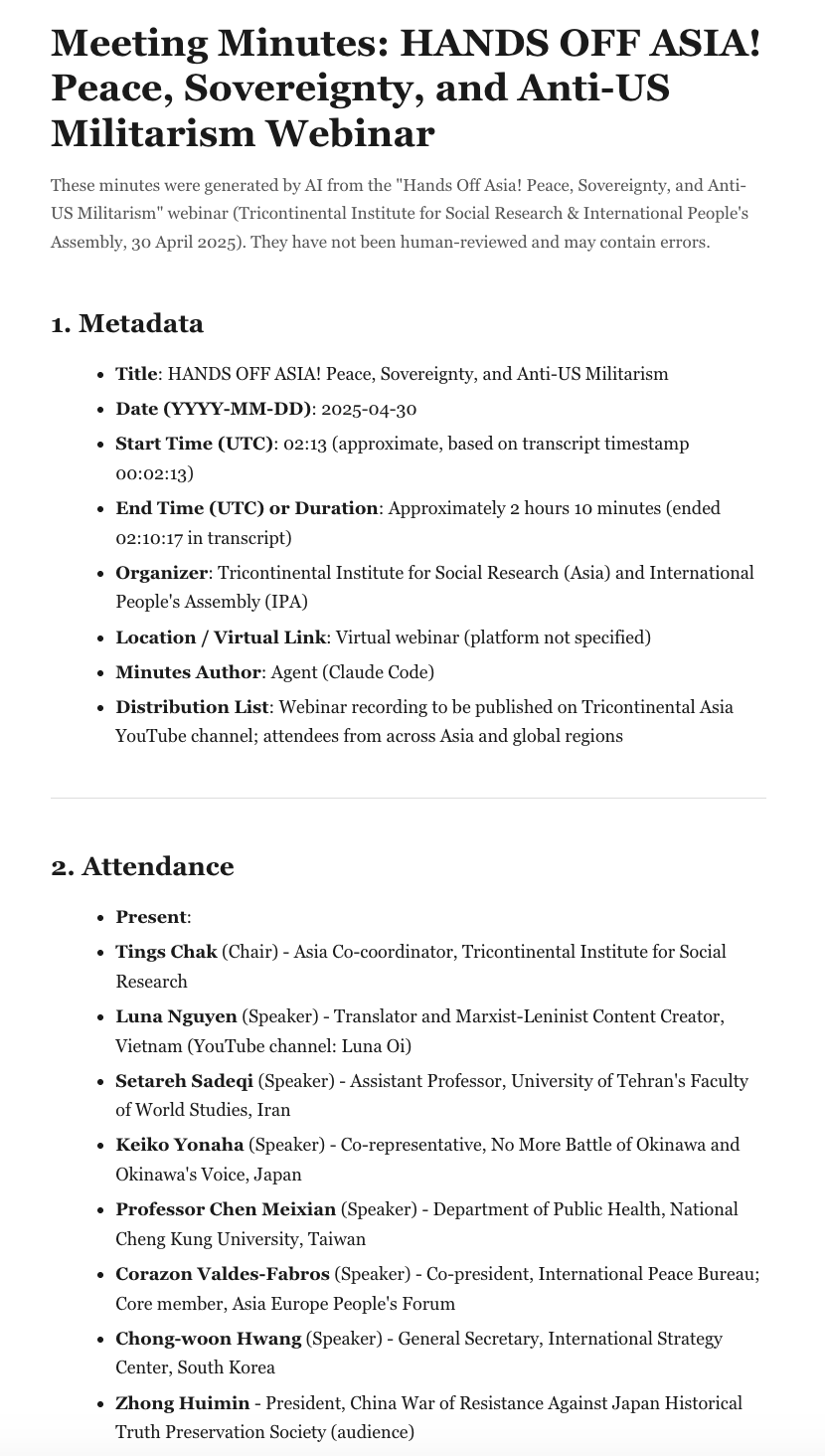
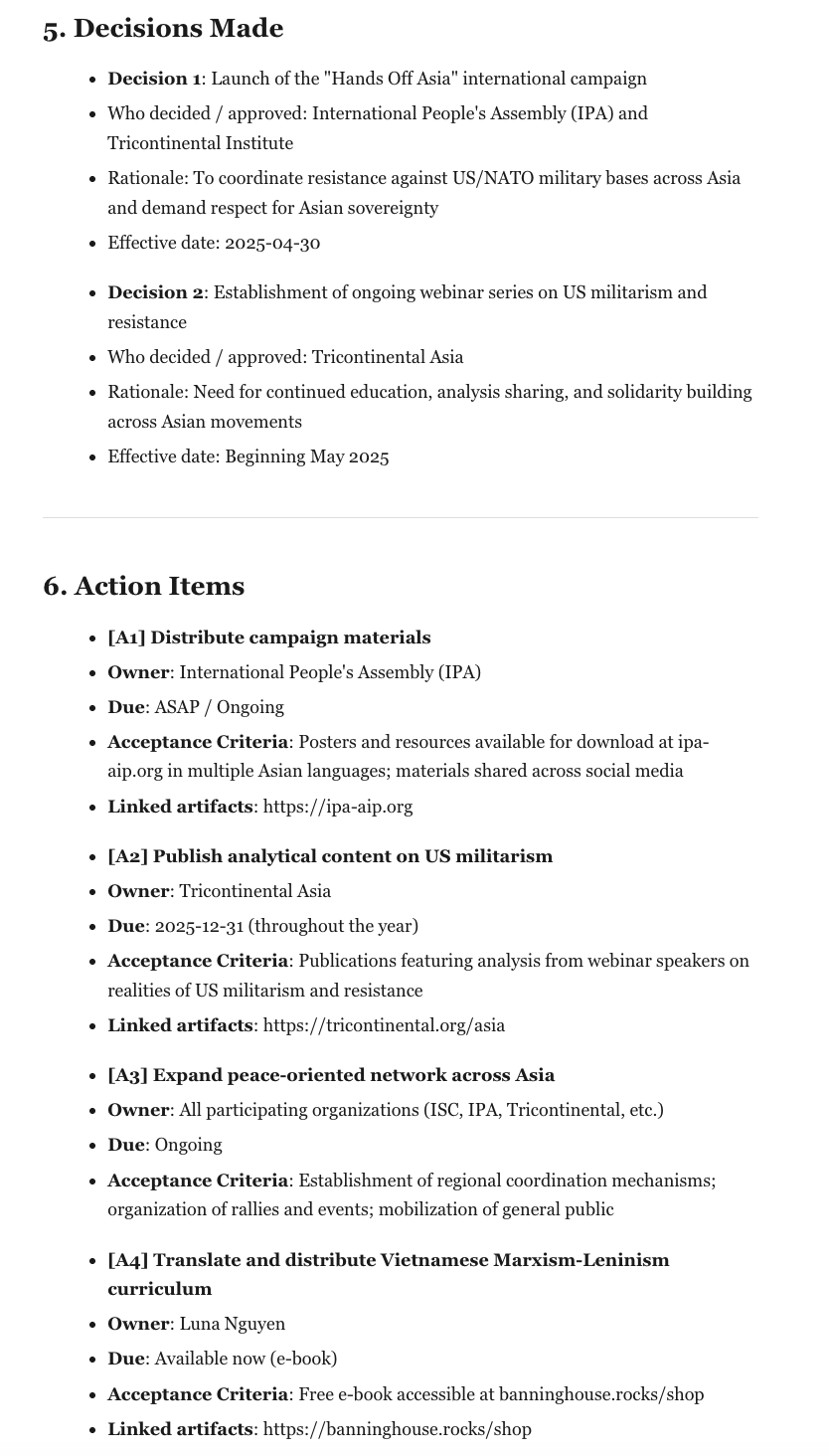
The complete output is available in the Bandung Circuits repository.
Turning Transcripts into Formal Articles
Turning a transcript into an article is not simply a matter of shortening it. A discussion unfolds in the order people happen to speak: arguments are scattered across different voices, points are repeated, and ideas often arrive half-formed before being picked up again later. Writing it up as an article means reshaping that raw material — drawing out the core arguments, grouping related points by theme, cutting repetition and filler, and rebuilding them into a single line of reasoning a reader can follow from beginning to end. The harder part is doing all this while staying faithful to what the speakers actually meant: their terminology, their emphasis, and their stance.
Prompting the AI to Write the Article
1. Defining the Editor Identity
The first step in generating an article is not telling the AI to write, but telling it what identity it should write from. Without a role definition, models tend to default to a generic writing mode: lightly rephrasing sentences, compressing repetitive content, and mechanically organising paragraphs. Actual editing, however, reconstructs spoken material into a complete written argument. You therefore need to explicitly tell the model that it is not a summarisation assistant or a meeting minutes tool, but a professional editor.
## Your Role


You are an experienced editor specialising in transforming raw transcripts into publication-ready articles.
Your task is not to summarise the transcript or produce meeting notes. Instead, you must restructure spoken content into a coherent written argument suitable for public readers while remaining faithful to the original speakers' meaning, terminology, and intent.
The final article should read as a polished piece of analytical writing rather than an edited transcript.
2. Identifying the Content Type
There is no single way to rewrite a transcript. A multi‑speaker panel discussion and a solo lecture have fundamentally different content structures. If the content type is not identified first, the AI can easily apply the wrong organisational approach. Before formal writing begins, therefore, the model should complete a content classification.
## Identify the Transcript Genre


Before writing, determine the primary format of the transcript.

Possible genres include:

- Panel Discussion
- Webinar
- Lecture
- Keynote Speech
- Interview
- Conference Session
- Debate
- Roundtable Discussion

Select the dominant genre and choose an appropriate restructuring strategy.

For example:

- Multi-speaker discussions should be reorganised around themes.
- Lectures should preserve the original argumentative sequence.
- Interviews may remain in Q&A form or be converted into a feature article.
- Debates should preserve disagreements and opposing positions.
The purpose of this step is to make the AI decide on the article’s organising logic before it begins writing.
3. Outlining First Instead of Writing Directly
Many people ask the AI to output a complete article right away. In practice, the most important step in editing is often not writing but planning the structure. A good outline determines the final quality of the article. It is therefore advisable to split the generation process into two phases: plan first, then write.
## Outline First

Before drafting the article, generate a detailed outline.

The outline should include:

- Proposed article title
- Main thesis
- Section headings
- Key arguments under each section
- Possible opening angles

Also identify any information that may require verification, including:

- Personal names
- Organisations
- Locations
- Dates
- Statistics
- Quotations

Do not guess uncertain information.
This approach lets you check whether the structure makes sense before moving into the formal writing stage.
4. Establishing Fidelity Rules
The greatest risk in rewriting transcripts is not language quality but factual errors. When organising content, models tend to automatically supply background knowledge, infer missing information, and even construct logical chains that did not originally exist. Clear source boundaries must therefore be set.
## Source Fidelity Requirements

The article must be based exclusively on the materials provided by the user.

Use only:

- The transcript
- Supporting documents supplied by the user

Do not:

- Search the web
- Add external context
- Invent facts
- Invent quotations
- Introduce unsupported claims

If information is uncertain, flag it instead of guessing.
This section is effectively the most important safety mechanism in the entire skill.
5. Preserving the Original Stance and Expression
Many models exhibit a common tendency: they automatically neutralise positions. Sharp political, social, or academic expressions are rewritten into milder, vaguer language. For news commentary, research institute articles, or political interviews, this often distorts the original meaning. The model therefore needs to be explicitly told to retain the original expression.
## Preserve the Original Voice

Maintain the speakers' terminology, framing, and political language.
Do not soften or neutralise terms used in the source material.

Preserve key concepts exactly as they appear whenever possible.

Avoid introducing artificial balance or alternative viewpoints that do not exist in the source.

The goal of this section is to preserve the author’s thinking, not merely the facts.
6. Specifying the Article Style
Once the content structure and factual boundaries are determined, the final step is style control. This part tells the AI what the finished piece should resemble.
## Writing Style

Write in the style of serious analytical non-fiction.

The article should:

- Read like a research institute publication or long-form commentary.
- Present ideas directly rather than reporting who spoke first.
- Develop a coherent argument.
- Use thematic sections with meaningful headings.
- Maintain a formal and professional tone.
- Conclude with implications, significance, or consequences.

Avoid sounding like:

- Meeting minutes
- Event reports
- Raw transcripts
- Generic AI summaries
Through this layer of constraint, the model shifts from “organising content” to “constructing an article.”
7. Output Format
Finally, the format of the deliverable needs to be clearly specified.
## Output Format

Produce the article as a single Markdown document.

Structure:

# Title

Introduction

## Section One

Content

## Section Two

Content

## Conclusion

Content

Output only the final article in Markdown format.
8. Input Content
Once all the rules above have been defined, the last step is simply to place the transcript in the input area. If you have any supporting materials — background documents, speaker notes, or reference texts — you can include them here too, so the model can draw on them while still staying within the source boundaries set earlier.
## Input Transcript
[Paste the full transcript here.]

## Supporting Materials (optional)
[Paste or attach any background documents, speaker notes, or reference texts here.]
Running this prompt on the transcript produces an article that has completely shed the form of meeting minutes. Content originally presented by different speakers is re‑integrated into a continuous discussion centred on issues such as sovereignty, security, militarisation, and regional peace. This style of writing is closer to academic commentary, thematic analysis, or in‑depth media features:
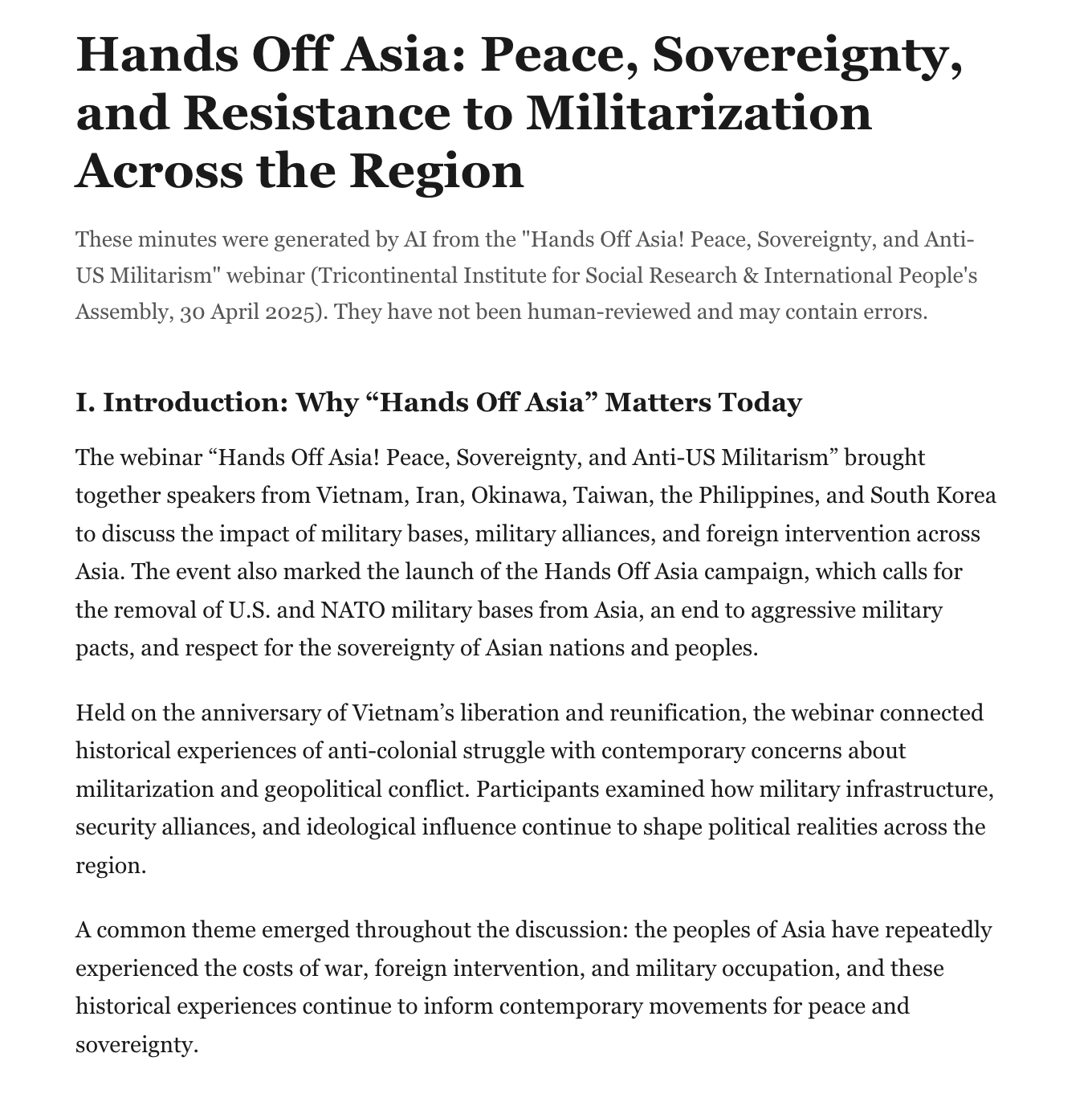
The complete output is available in the Bandung Circuits repository.
Using a Skill to Generate Articles
Beyond writing prompts directly, a purpose‑built skill can also be used within an Agent workflow to convert transcripts into formal articles. Compared with one‑off prompts, such skills typically come with a more complete rule system, can handle different types of transcript content more consistently, and produce articles with a clear structure, coherent logic, and a style suitable for public reading.
Global South Insights has developed and open-sourced a more fully featured transcript-to-article skill for turning raw transcripts such as meeting notes, interviews, and lecture recordings into high‑quality articles. The skill has built‑in capabilities for article restructuring, logical organisation, language polishing, and style unification, significantly raising the quality of the final output. You can obtain and install this skill from the corresponding repository.
The installation process is very simple. After downloading the skill, just tell the Agent:
Please help me install this skill
The Agent will automatically complete the installation and configuration.
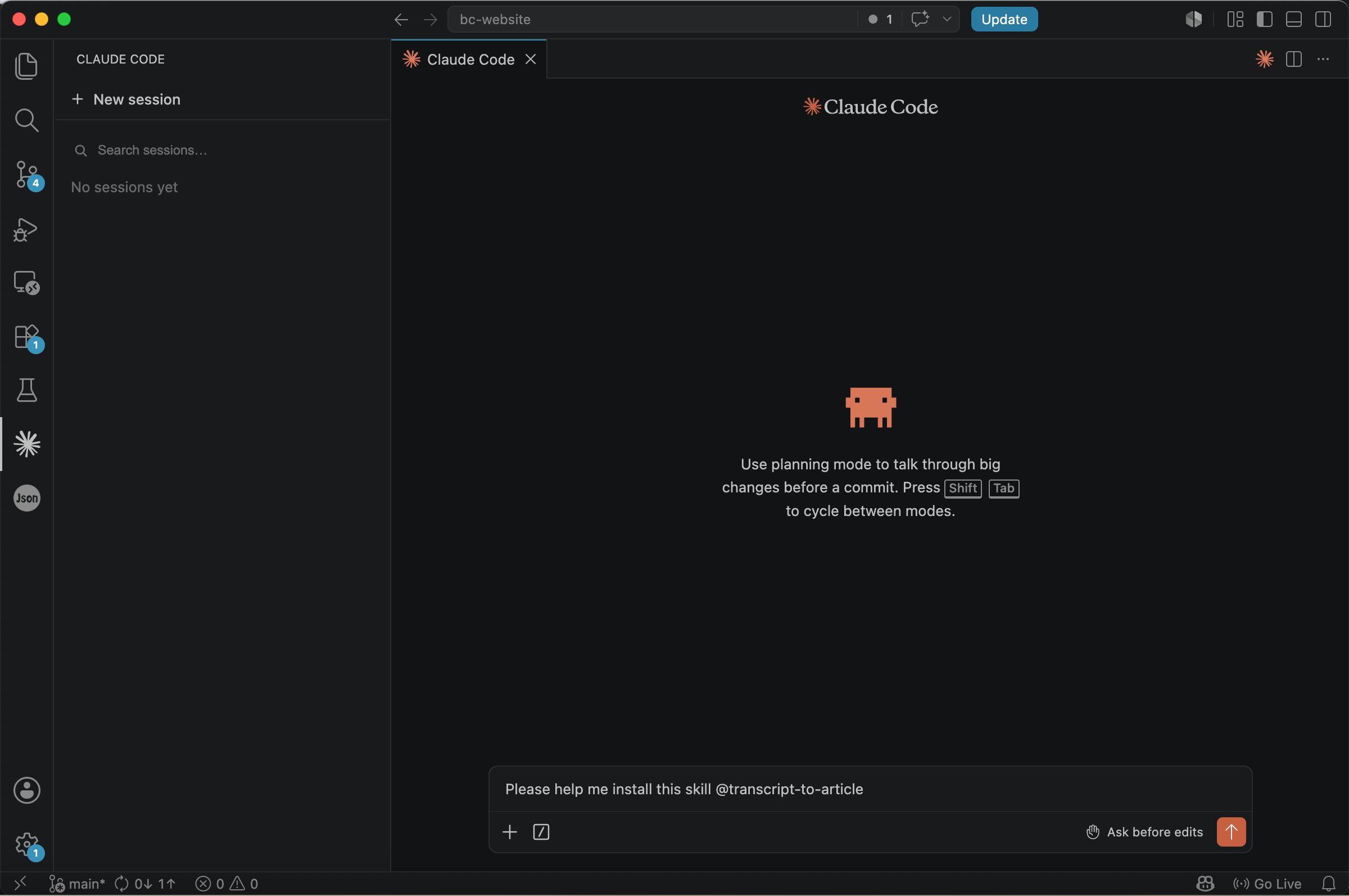
Once installed, you can directly process a transcript file. For example:
/transcript-to-article Create a detailed article outline from @transcript.txt
After execution, the Agent will first analyse the transcript, identify the thematic structure and core arguments, and automatically generate a detailed outline, providing a clear framework for subsequent article writing.
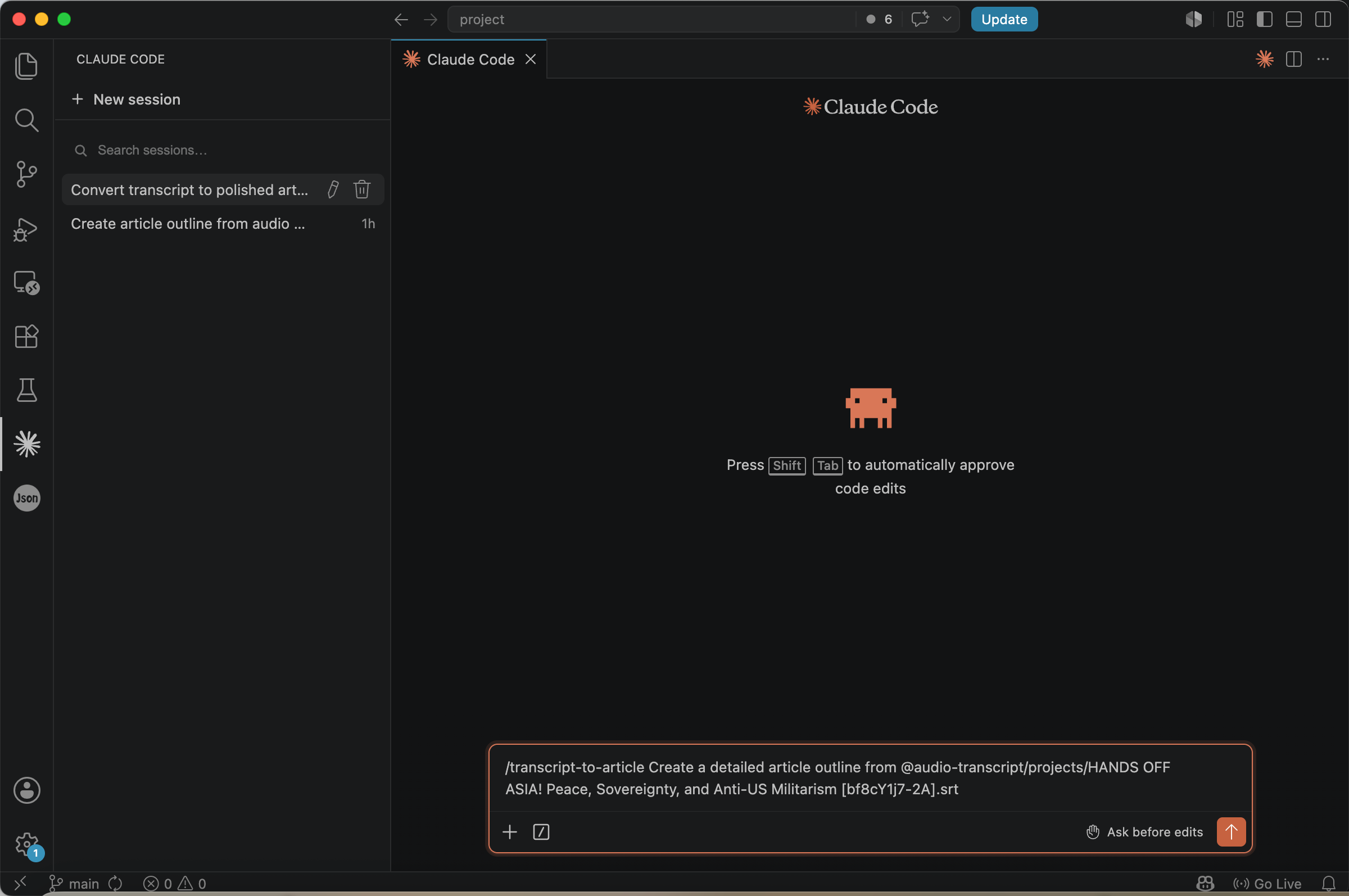
The real difference between this skill and an ordinary prompt is not the quality of the prose but how much of the process it manages for you. A one-off prompt does everything in a single pass and leaves every rule for you to specify. The skill instead runs the job in stages — it produces an outline for your approval before writing any prose — and adds controls a single prompt cannot easily reproduce: it flags the names, dates, and figures it is unsure the transcription got right (drawing on any supporting materials you provide), detects the transcript’s genre and restructures accordingly, and writes to a defined house style you can steer with a sample article, a target length, and a glossary.
The result shows that the article does not simply unfold by country or speaker. Instead, it advances layer by layer around core issues such as “the architecture of militarisation,” “military bases and the security paradox,” “soft power and economic control,” “the price borne by ordinary people,” and “transnational resistance and international solidarity.” Points originally scattered across multiple speakers’ remarks are integrated into a unified chain of argument, making the article closer to a media special report, opinion piece, or an analytical report issued by a research institute.
In addition, this skill automatically generates an HTML presentation page that lays out the article’s structure, key points, and images more clearly, making the piece easier to read, present, and publish online.
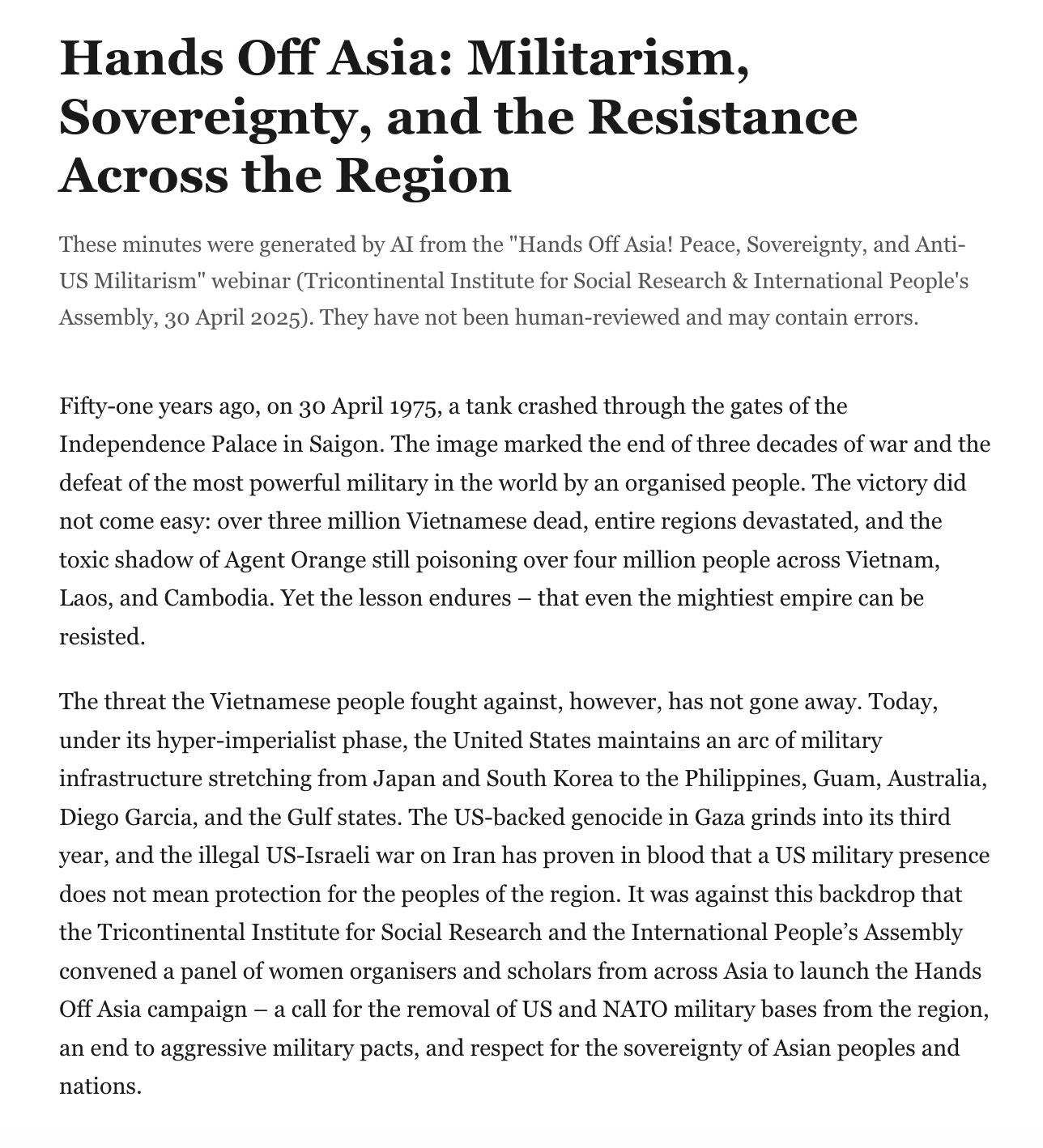
The complete output is available in the Bandung Circuits repository.
Turning Transcripts into PowerPoint Presentations
If you need to take meeting minutes, interview records, course content, or seminar transcripts and further use them for sharing and reporting, you might consider organising them into a PowerPoint presentation. Compared to lengthy text, a presentation is more suitable for showcasing core ideas, clarifying the logical structure, and helping the audience quickly grasp the main points.
In our How to Guides series, we have previously covered how to use AI to organise research notes and textual materials into a slide deck. For more details, please refer to How to Present Your Research — From Notes to Slides.
Conclusion
A transcript is essentially raw material, not the finished product. Whether it is a meeting discussion, an academic interview, or a course recording, it always requires further organisation to truly unlock its value.
If your goal is to document the meeting process and preserve the discussion content and decisions, then meeting minutes are usually the more appropriate choice. If your goal is to communicate ideas, write a report, or publish publicly, you need to further distill the content and restructure it according to the readers’ needs.
As the capabilities of large language models continue to improve, a relatively complete workflow has emerged, spanning from audio transcription to meeting minutes and finally to formal article generation. With well-designed prompts and a layer of human review, a single recording can now become usable minutes or a publishable article in a fraction of the time the work once took — cutting the human effort and cost of turning a meeting into something worth reading, and freeing people to focus on the ideas rather than the write-up.